

cmenende
Participant
January 30, 2026
Question

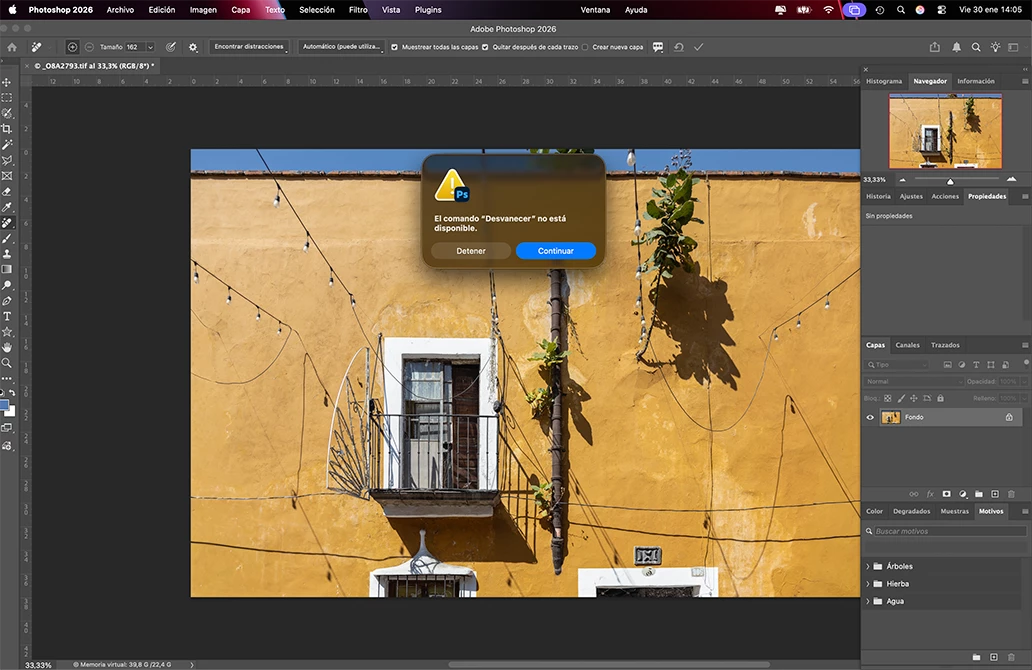
Error in Image Processor (command sequence). When I run a batch of files to convert them all, for example to JPG files, I get the message ‘The fade command is not available’ for each file, and I have to press Enter for each file.

  • January 30, 2026
  • 1 reply
  • 11 views

Error in Image Processor (command sequence).

When I run a batch of files to convert them all, for example to JPG files, and I get the message ‘The fade command is not available’, so for each and every file, and I have to press Enter making this command quite slow and manual.
 

    1 reply

    Sameer K
    Community Manager
    Community Manager
    January 30, 2026

    Hey, ​@cmenende. Welcome to the Photoshop Community. I'll need more info to help you figure this out. Please share the system info from Photoshop Help > System info > Copy and paste into a text document > upload and attach here. 


    In the image processor, you must be using action (s), and actions are a custom workflow; it'll help if you export and share the action file so we can test this.

    Also, if the action is not too complex, try recreating a test action with the same steps and checking how it goes. 


    Thanks! 

    Sameer K

    (Type '@' and type my name to mention me when you reply)