



Andrew Faith
Participant
May 26, 2026
Question

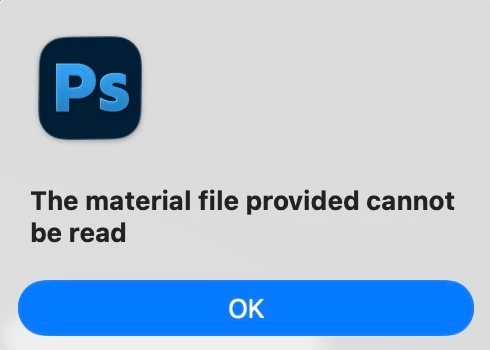
Error in smart object file: The material file provided cannot be read

  • May 26, 2026
  • 1 reply
  • 20 views

I’m using the Parametric filter to create a felt applique image. The layer for the image is a smart object. When I add a new JPG or PNG to the smart object to use the filter, I;m getting the error, the material file provided cannot be read.

Does anyone have any suggestions as to why this is happening and any way to remedy it?
 

    1 reply

    Legend
    May 26, 2026

    “the” filter, Andrew? Which one? I see 22. 

    I think I was able to duplicate your process --

    • duplicated background layer
    • made the new layer a smart object
    • applied several parametric filters without error

    I got stuck on the part where you add another file (jpg/png) to the smart object; confused as to when the parametric filter is used. Are you Placing a file over the smart object (double-clicking the smart object, then pasting in a copied png)?

    Ps 27.7.0 | Tahoe 26.5


    Larry
    Andrew Faith
    Participant
    May 26, 2026

    Thanks for your reply.

    The filter is topstitch.

    The first image is what I’m trying to achieve.

    The second is the layers.

    The third is the topmost layer called [UPDATE], which opens a .psb file.

    In theory, I should just be able to place a new image into that layer and it will apply the filter to it in the main image. 

    When I do that and hit Save in the .psb file, that’s when I get the error and then filter doesn’t apply.

    Even if I just turn off the currrent image layer in the .psb file and turn one of the others on, it still throws up the error.