
Participant
November 9, 2023
Question

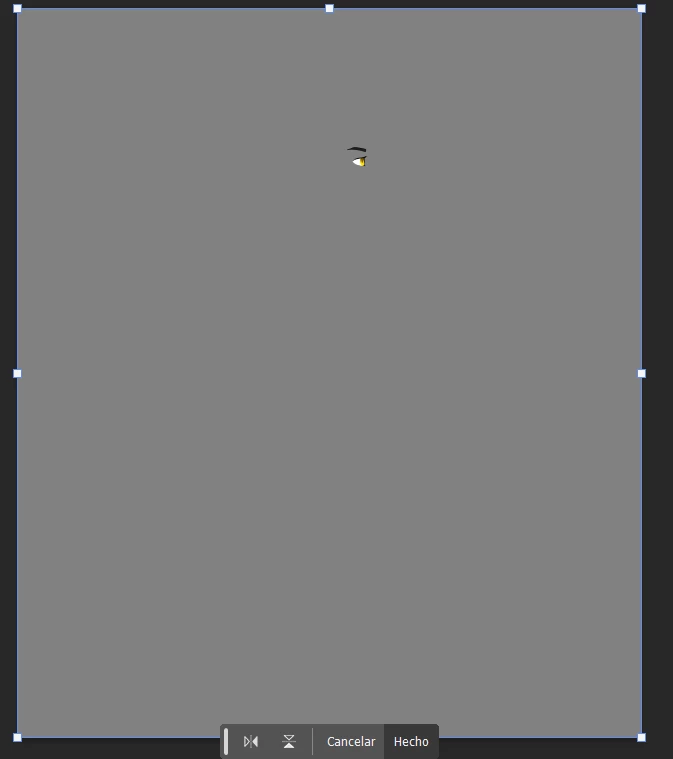
Error procreate transformation tool

Hello, right now I'm working on an animation in after effects. I'm drawing everything in procreate, the error is that when I export the files to PSD, and I'm going to transform a part of the character (like the eye for example), the transformation box is the size of the complete canvas. In the same example, a tiny part like an eye, there is no need to have a transformation box so big. Somebody have any idea how to fix that?


This topic is closed to new replies. Start a new post to keep the conversation going.

2 replies

Participant
November 10, 2023

It's an error when exporting a File from procreate, 😞 the eye have transparency. Procreate support told me to copy and paste the figure, thank you anyway! 

Translate
jane-e
Community Expert
Community Expert
November 9, 2023

I used Scale and Rotate and the transform box is the exact size of my shape.


Can you show us your Layers panel? Does the layer with the eye have transparency or is it solid? If it does not have transparency, it is expected behavior to select all the pixels on the layer.


Jane


Translate