
Participant
April 23, 2020
Question

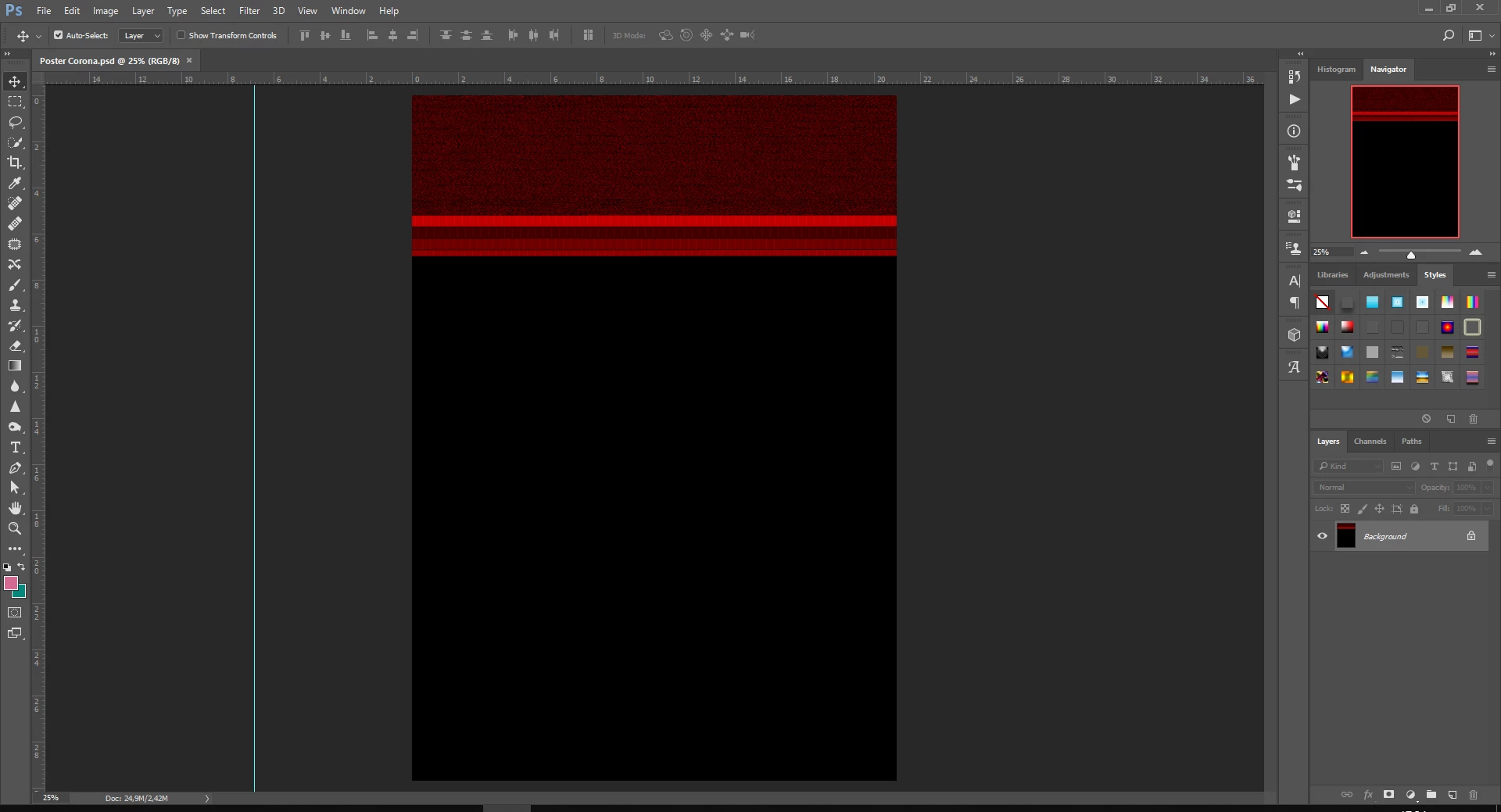
Error when opening the file, file turned to all black with red line
  • April 23, 2020
  • 4 replies
  • 5405 views

I try to open my Photoshop file after my Windows got suddenly shut down unexpectly and this is what appears, all of the layer and picture turned into black with some red line. Can someone help me please? I need to fix it asap, thanks before !

4 replies

Participant
June 7, 2023

Photoshop file is open but red and black file is open

please solve

D Fosse
Community Expert
Community Expert
June 7, 2023

If disabling the GPU in preferences doesn't bring back the image, then the file is corrupt.


File corruption is always caused by failing hardware, power loss during save, worn and loose cables and connectors, etc..

Participant
September 6, 2022

same problem here,
I saved the file and after a few days when I reopen it, I got the same error as the above picture.


c.pfaffenbichler
Community Expert
Community Expert
September 6, 2022

Does turning off »Use Graphics Processor« in the Performance Preferences (Photoshop > Preferences > Performance > Graphic Processor Settings) and restarting Photoshop have any bearing on the issue? 

Does turning on »Deactivate Native Canvas« (Photoshop > Preferences > Technology Previews) and restarting Photoshop have any bearing on the issue? 

Participant
August 14, 2020
  • I just have the same problem,  did you to fix it? 
c.pfaffenbichler
Community Expert
Community Expert
August 14, 2020

Please read this (in particular the section titled "Supply pertinent information for quicker answers"):

https://community.adobe.com/t5/Community-Help/Guidelines-Tips-for-the-Adobe-Forums/td-p/4788157

Participant
December 26, 2020

Hi! I have a same problem, what do you do for fix it?

c.pfaffenbichler
Community Expert
Community Expert
April 23, 2020

Does turning off »Use Graphics Processor« in the Performance Preferences (Photoshop > Preferences > Performance > Graphic Processor Settings) and restarting Photoshop have any bearing on the issue? 

boykerenAuthor
Participant
April 23, 2020

yeah, i already did that but it doesn't work either, is there any another way for me to fix it ?