
MarkusEker
Known Participant
July 4, 2022
Question

Export as for multiple files?
  • July 4, 2022
  • 3 replies
  • 1857 views

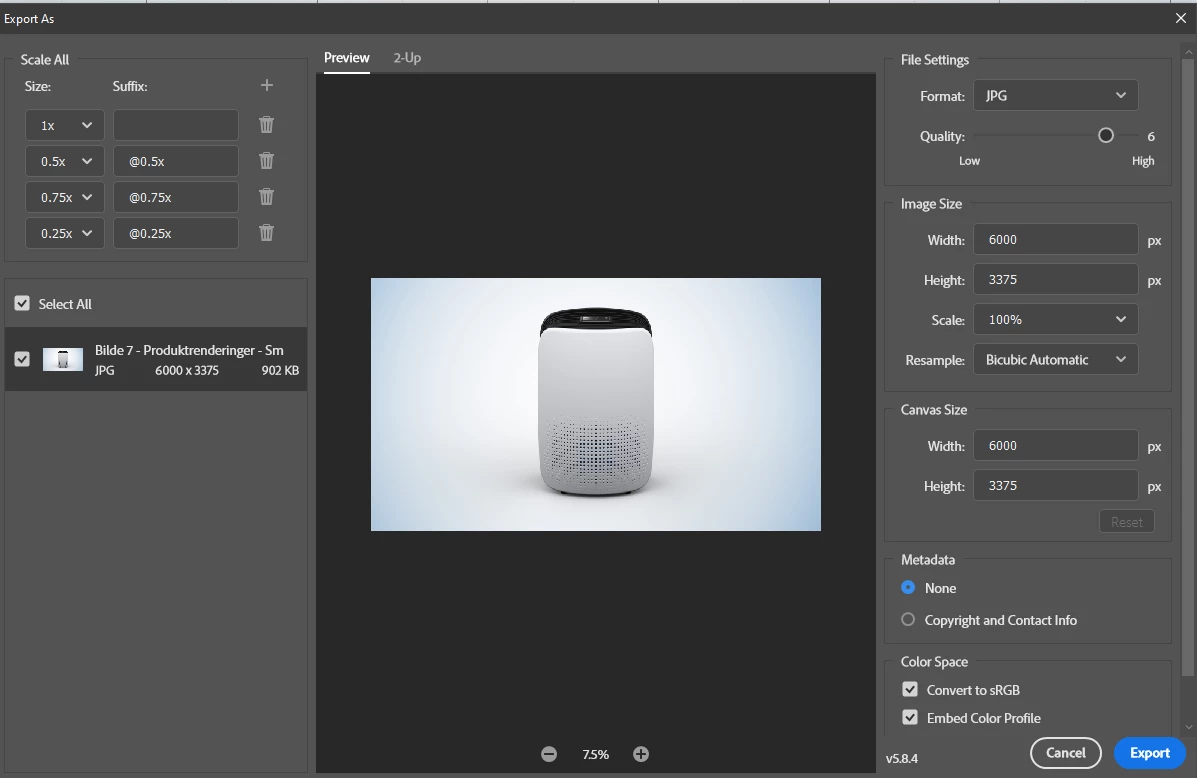
How can I use Export as on multiple files?

On the left hand side there is a checkbox for Select All and a checkbox for one file, indicating that maybe I can export several images, but I can find a way to do it (or find anything about it in the documentation?

Export documents, layers, and artboards in Photoshop (adobe.com)


Also If I try to record an action "export as" is not recorded


This topic has been closed for replies.

3 replies

didiermazier
Community Expert
Community Expert
July 5, 2022

My bad. In fact "Select all" is meant to export several artboards at the same time.

So maybe instead of creating documents you could work on various artboards that could be exported together (and with distinct res and sizes…).

This would be interesting when working on stationary designs

MarkusEker
Known Participant
July 5, 2022

@didiermazier  Aha, that makes sense since that is the same functionality as in Illustrators export for screens.

Stephen Marsh
Community Expert
Community Expert
July 4, 2022

@MarkusEker 


One can export multiple layers in multiple sizes and formats, from a single document/file.


It is possible to use a script to layer separate files into a single multi-layered file, then manually use Export As by highlighting/selecting all layers in the layers panel and then right-clicking them.


MarkusEker
Known Participant
July 4, 2022

OK, so it is possible to export layers as files, but not multiple documents. Thanks for clearing up!

(BTW, I ended up using Bridge to export my images). 

didiermazier
Community Expert
Community Expert
July 5, 2022

You are right! Bridge export is OK with nice functions like fine resizing.

didiermazier
Community Expert
Community Expert
July 4, 2022

You are right. "Select all"elect all sizes options but not other files.

And "export as" can never be recorded by an action… You should report this as a bug.

Maybe you could give a try to script > image processor; it is limited to some file formats (not png!) but could help

Stephen Marsh
Community Expert
Community Expert
July 4, 2022

@didiermazier wrote:

And "export as" can never be recorded by an action… You should report this as a bug.


Adobe know about it, t's not a bug, it's a current design limitation "to do" list item for a future release.