Participant
February 20, 2020
Question

Export As issue Photoshop

  • February 20, 2020
  • 3 replies
  • 1637 views

Hello ,
Anyone know why this is happening ?
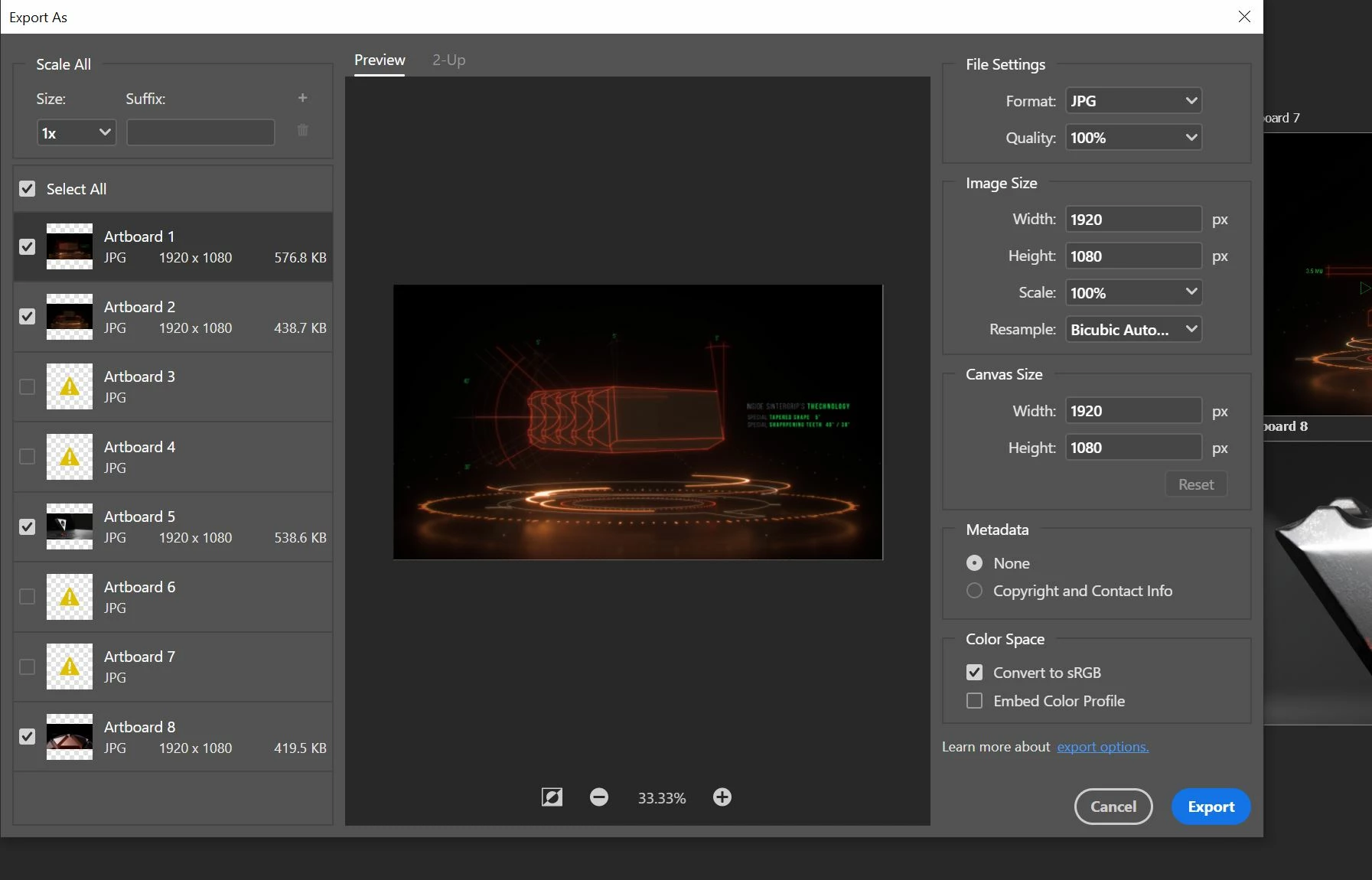
 Every time i try to export my artboards Ps randomly does not export some of them

I'm using the latest version of PS 

Thank you very much!


{Thread renamed by moderator}

This topic has been closed for replies.

3 replies

Inspiring
April 27, 2020

Do you have a Ryzen CPU by any chance? Cause im having similar issue, and other guy i found trough googling have same issue while being on Ryzen.

Here is my thread about it if you are interested to compare: https://community.adobe.com/t5/photoshop/photoshop-cc-2020-quot-export-as-quot-multiple-layers-artboards-wont-load-all-previews/m-p/11084155

Participating Frequently
April 28, 2020

He has written "....random preview results on my Ryzen...". It is somewhat evident that Photoshop has issues with Ryzen CPUs.
 I hope devs will identify this issue. God knows what else is conflicting.

Ussnorway7605025
Legend
February 21, 2020

yes there are major Gpu bugs in all the 2020 Photoshop builds that make them worthless for pro work... I use an older build for anything with 3D because the Previews are just BS


as an example here is the same small file opened 4 times in a roll with random preview results on my Ryzen... its telling that my old i7 laptop with out dated Photoshop gets it right 100% of the time but welcome to Adobe beta testing


Sahil.Chawla
Adobe Employee
Adobe Employee
February 21, 2020

Hi there,

That does not sound good, could you please let us know the version of Photoshop and the operating system you're working with?

Could you please try resetting the preferences of Photoshop and let us know if it helps?

https://helpx.adobe.com/photoshop/using/preferences.html


Regards,
Sahil

Participating Frequently
April 28, 2020

I have the exact same problem. Writing to let you know it's not a singular case .

thank you,