
Participant
September 7, 2018
Question

Export Photoshop Vector with Clipping Mask to SVG

  • September 7, 2018
  • 2 replies
  • 6198 views

Hello!

Does anyone know if it's possible to export a Photoshop vector with clipping masks to a SVG (or other universal vector format) correctly? My art files are made up of vector shapes and clipping masks. The vector shapes export correctly but the masks seem to get lost. I will attach some screenshots to show what I mean. For the life of me I can't figure out a way to covert these Photoshop vectors into a universal format. I've tried EPS, PDF, and opening the PSD in Illustrator, too, but all of those methods embed the art as images instead of exporting the vector shapes.

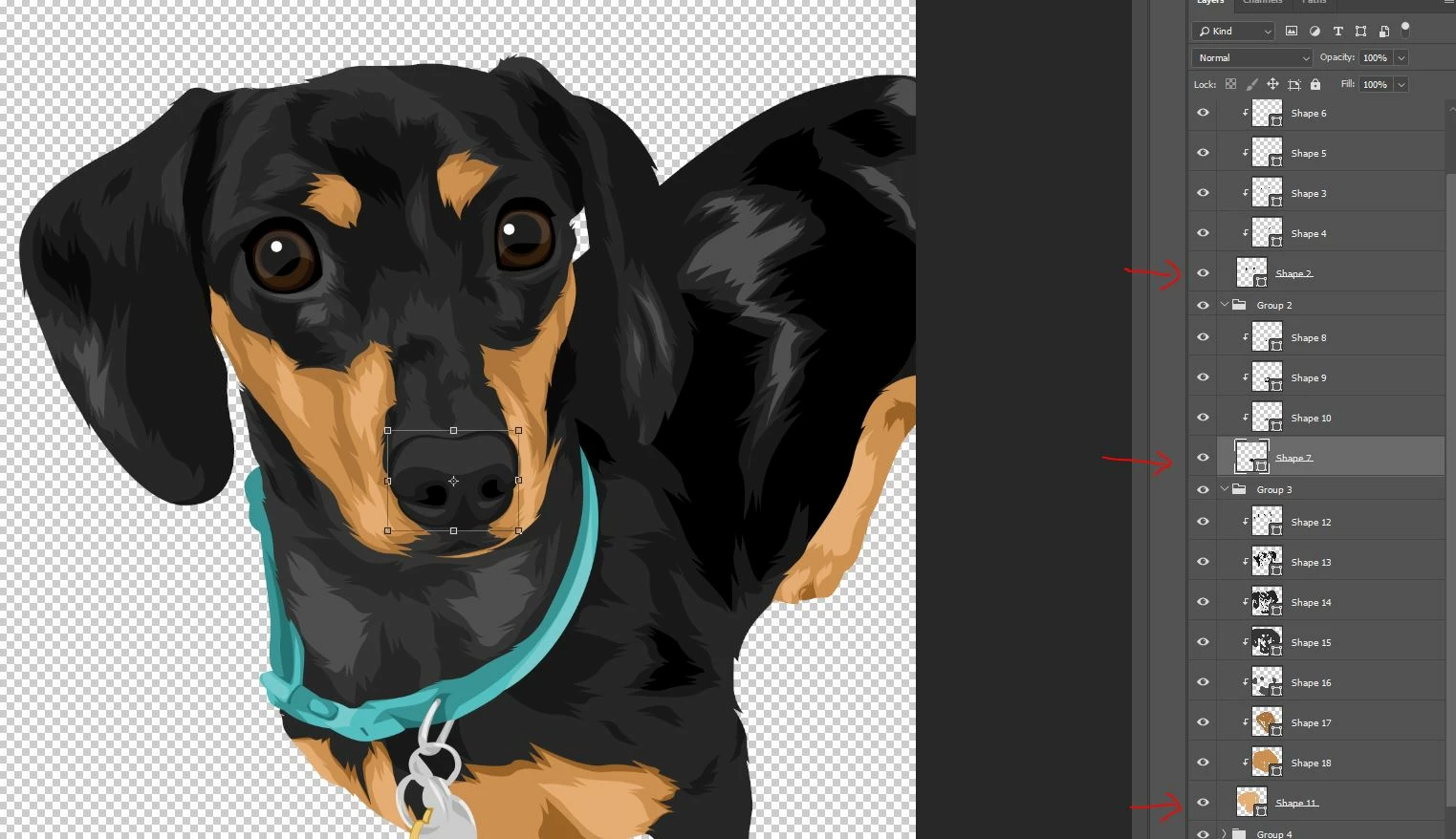
Here is an image of my clipping masks in Photoshop:
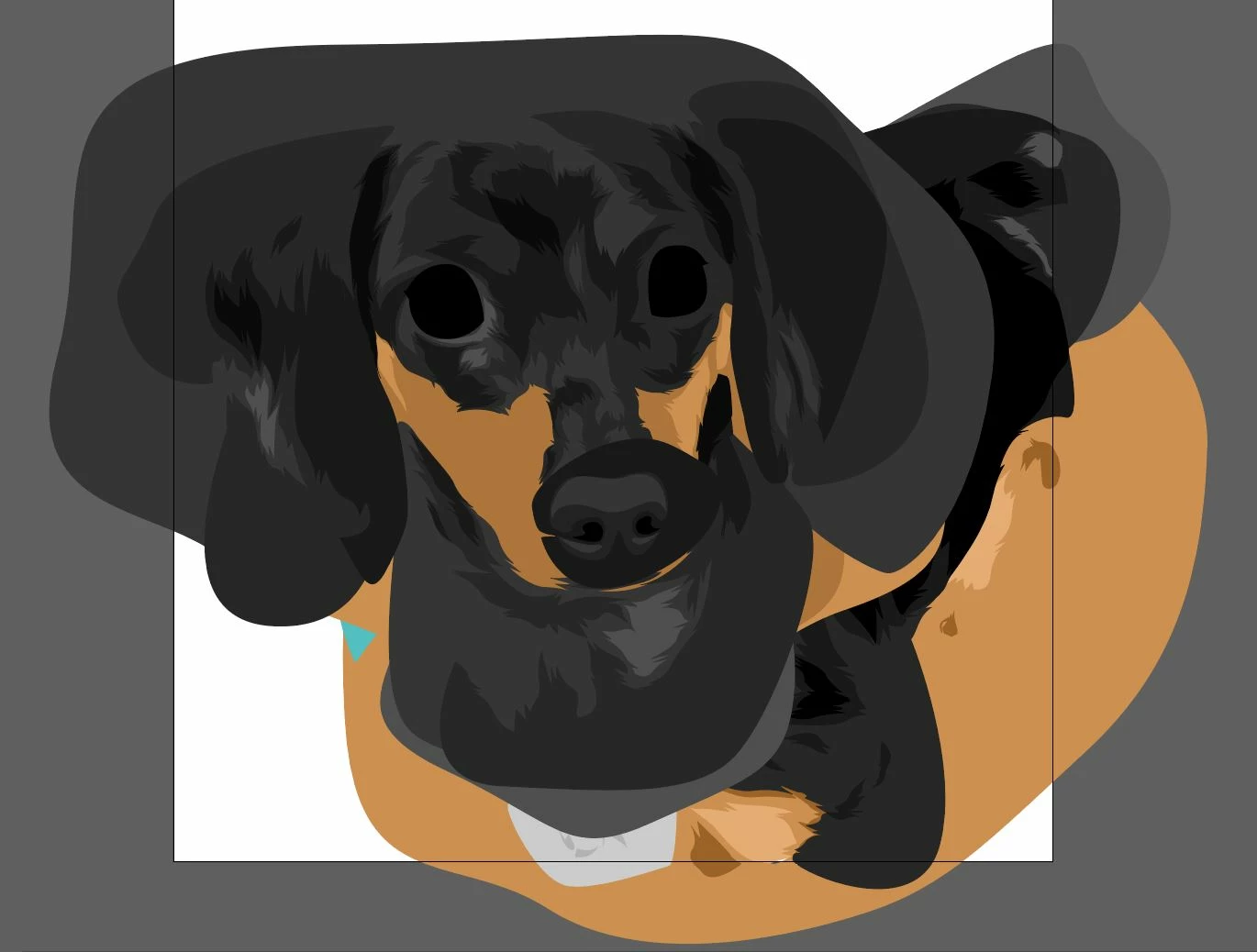
Here is the resulting SVG file - notice the clipping masks are lost:
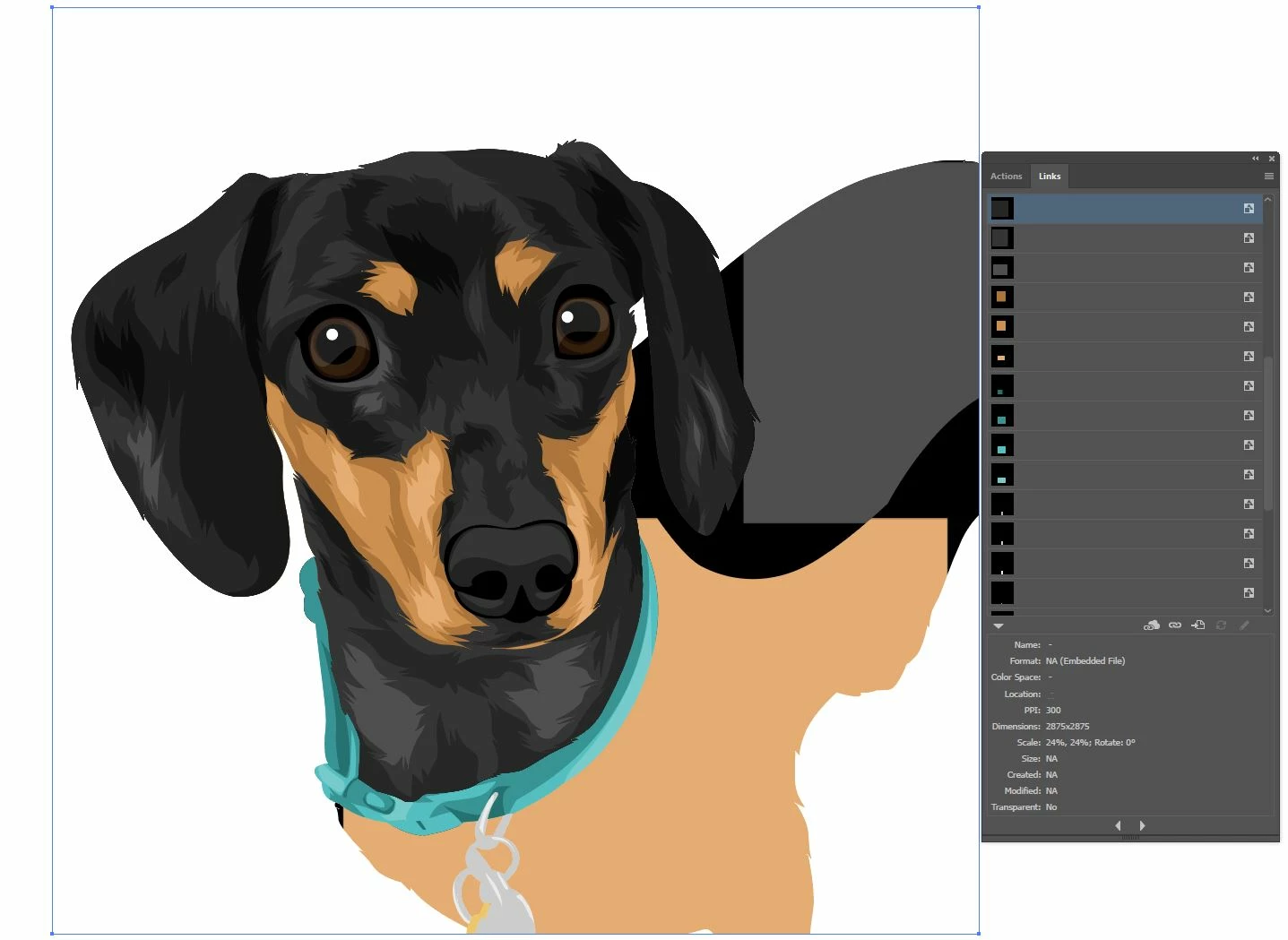
Here is the how the files opens in Illsutrator as a PSD, EPS, or PDF - notice how it embeds images instead of creating proper vector shapes:
Thank you in advance for your help!

This topic has been closed for replies.

2 replies

Known Participant
August 19, 2023

Are you found a soultion ?

I have same problem

Chuck Uebele
Community Expert
Community Expert
September 7, 2018

Photoshop's save to SVG, is shall we say, in it's infancy and very basic. Right now I don't think you can do that. I would suggest combining the main layer's path with the clipping masks' paths into separate layers.

JJMack
Community Expert
Community Expert
September 8, 2018

Also if you open a SVG from from AI in Photoshop. Pgotoshop will open the SVG as a single Pixel layer  which may have transparence but the will be no vectors associated with that layer or Path tot the SVG in Photoshop.  Photoshop do not actually support SVG file format Photoshop is not a vector editor.  You will not see SVG listed as a Photoshop supported file type.

Supported file formats in Photoshop

I believe Photoshop may be able to export Shape layers as SVG file with vector information that will be compatible with AI.   I'm sure AI support vector layer that Photoshop can not create for it lacks AI vector tools. Photoshop is was designed as a Pixel image editor.

JJMack