

Exported pictures change in colors in .jpg and .png
Hi
I have some problems with the new version of PS v20.
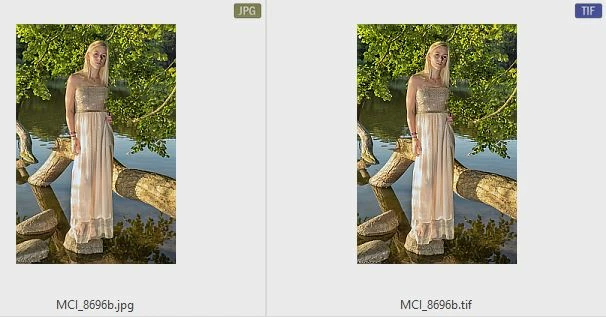
I have edited a picture and saved it as .tiff. When converting the picture to .jpg or .png the colors change and looks more dark and colorless.

a snip from my browser program.
I have tried to see if any of the export settings was different and tried to turn of "Export as sRGB" but same outcome. Saving directly in PS to .jpg makes the same problem with the picture.
Then I tried to find some of my old pictures and did a convert of the picture and I can't see any differences between .tiff and .jpg
As far as I remember the earlier version I had was standard setup with no changes to color profiles and so on and I haven't changed anything in the v.20.
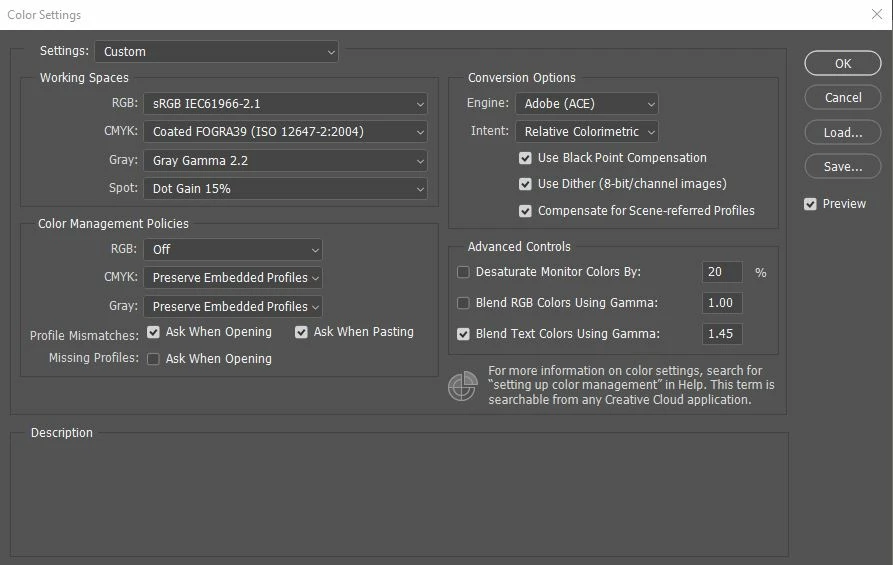
So far I have tried to change the Color Settings to:
RGB: ProPhoto RGB - no difference in output
sRGB IEC61966-2.1 - no difference in output
Monitor RGB - sRGB IEC61966-2.1 - no difference in output
I noticed the Advanced Controls where it says "Desaturate Monitor Colors By 20%". It's standard and not turned on. Why I mention this is because when I do turn it on it's actually makes the picture as the output I get. So somehow it desaturate my pictures by 20% when converting the .tiff to .jpg
Any ideas what is going on or wrong? Do I need to change something or is there a problem with PS v20?
 AdChoices