Participant
January 17, 2026
Answered

Exporter un visuel au format webp compressé

  • January 17, 2026
  • 2 replies
  • 77 views

Bonjour,

Je cherche à exporter un visuel au format webp compressé (1000 x 1000 px). Comment faire  dans Photoshop ?

Correct answer Derek Cross

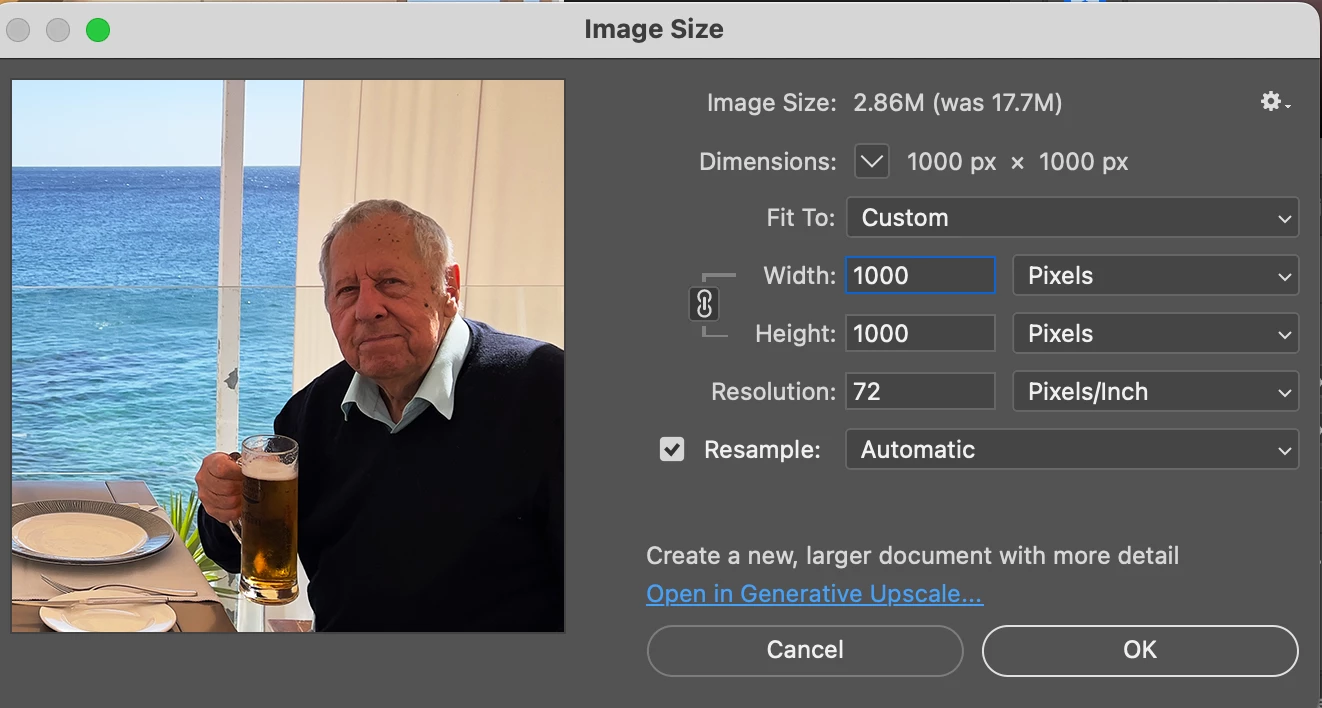
Crop the image to a square and ensure it's 1000 x 1000px in Image > Image Size

875071iB9889C8EAB93EB07.png

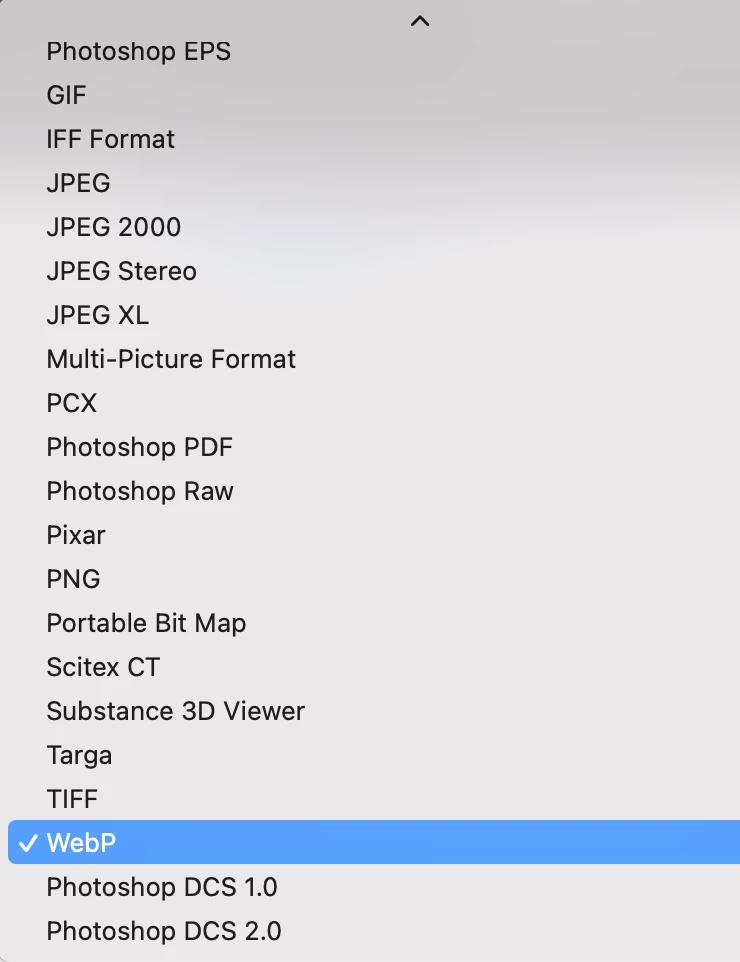
Save the image File > Save a Copy and select WebP from the Format dropdown menu.

875072i8B71C9752C47F059.png

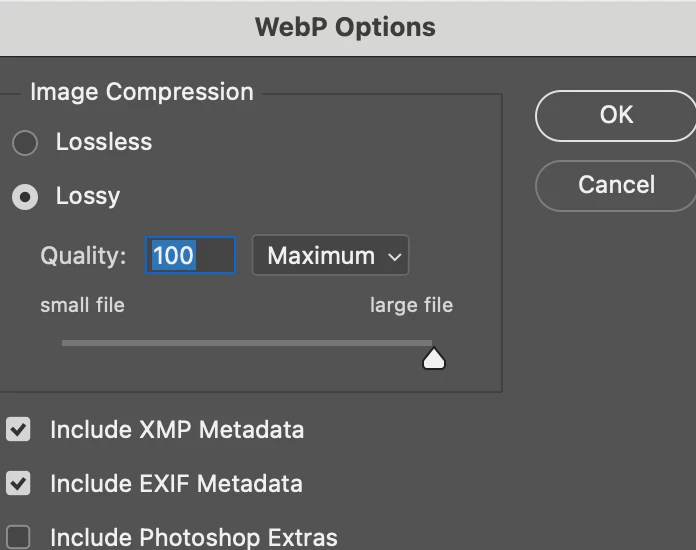
You can adjust the compression and some other items in the subsequent dialogue box.

875073iEC819DD5535BA04D.png

2 replies

Derek Cross
Community Expert
Derek CrossCommunity ExpertCorrect answer
Community Expert
January 17, 2026

Crop the image to a square and ensure it's 1000 x 1000px in Image > Image Size

875071iB9889C8EAB93EB07.png

Save the image File > Save a Copy and select WebP from the Format dropdown menu.

875072i8B71C9752C47F059.png

You can adjust the compression and some other items in the subsequent dialogue box.

875073iEC819DD5535BA04D.png

Participant
January 18, 2026

Thank you very much !