



Answered
External hard drives stopped appearing in scratch disks in Photoshop
Hi,
Up until about a week ago, Iu sed my external HDs for scratch disks in Photoshop and they are no longer appearing in the app. I am running Tahoe on a MacBook Pro and have the latest version of Photoshop (and Photoshop Beta).
I have tried:
- Updating Photoshop
- Rebooting my machine
- Ensuring Photoshop and cloud have full Disk access (both under Privacy permission and in Files & Folders)
- Both drives have plenty of space (3TB and 5TB respectively)
- I have full read/write permission of both drives and they are connected directly to my Mac (not through a hub)
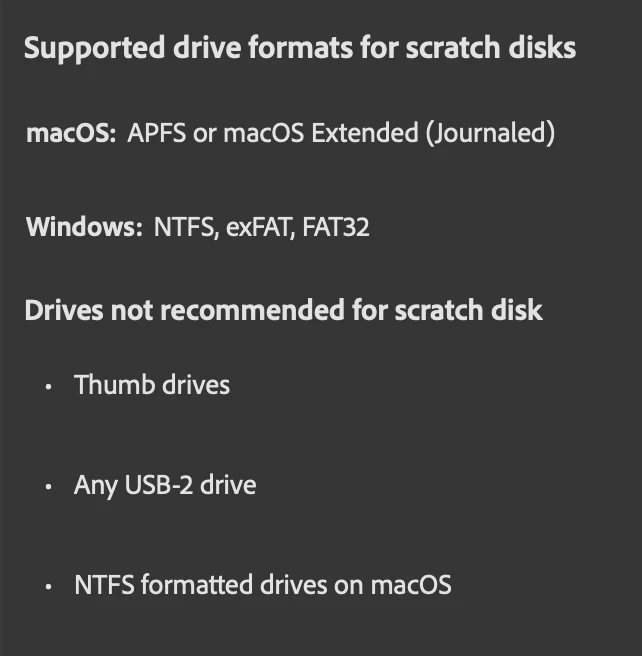
Both drives are formatted as ExFAT and while some online chats indicate it isn’t compatible with Photoshop . . . it WAS until about a week ago. I cannot reformat them, as they have other data that I cannot erase / move.
UGH. Help!
 AdChoices