
Inspiring
September 23, 2024
Question

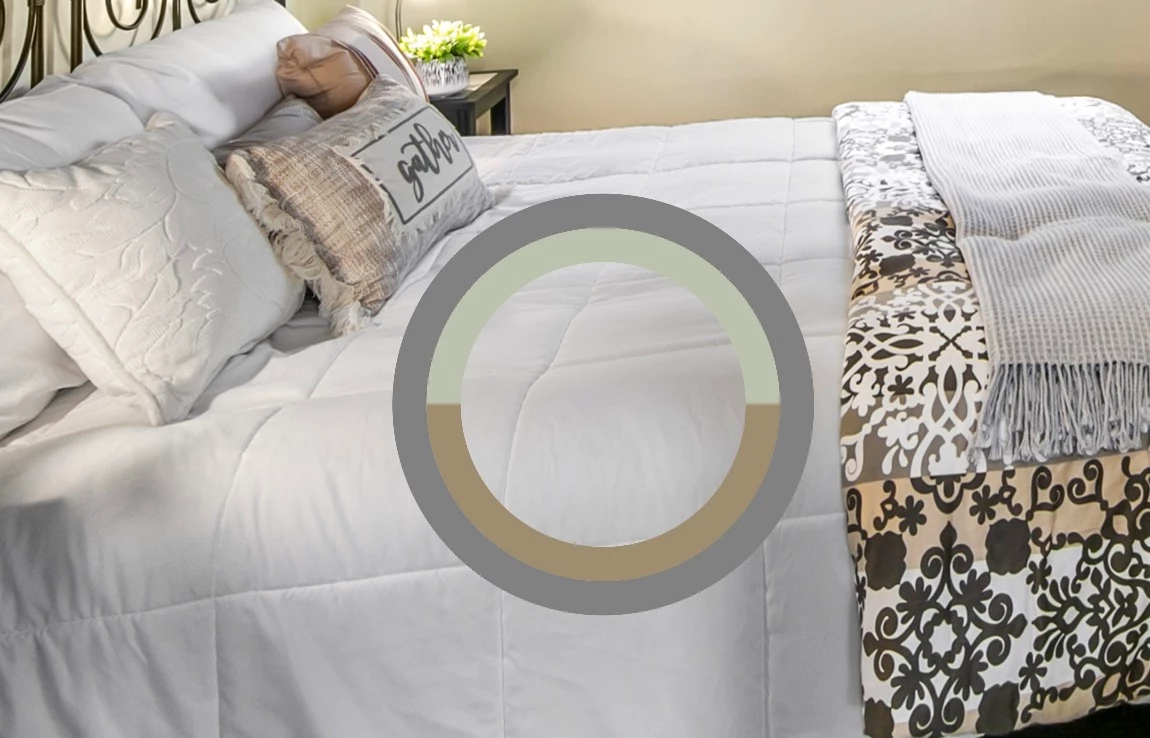
Eyedropper preview color is too green.

  • September 23, 2024
  • 2 replies
  • 427 views

Photoshop Classic 25.12.0   Mac OS 13.6.1


Eyedropper preview color shows white as greenish yellow and all colors are shifted greenish in the preview, but the swatch color is correct.  The usual middle eyedropper is missing from this screen grab.   Apparently this problem also occurs in Windows 11.   
 

[Moved to the Photoshop forum]


This topic has been closed for replies.

2 replies

Ged_Traynor
Community Expert
Community Expert
September 23, 2024

@GWSHARK101 it's a bug that was carried over from the Beta version, it's reported as been fixed in Beta version 25.13

https://community.adobe.com/t5/photoshop-beta-bugs/p-color-picker-wheel-is-showing-wrong-color/idi-p...

Per Berntsen
Community Expert
Community Expert
September 23, 2024

Your question is about Photoshop, but you have posted in the Lightroom Classic forum.

A moderator will move your post to the Photoshop forum.

And there is no Photoshop Classic – it's just "Photoshop".

Inspiring
September 27, 2024

Whoops, not sure how I posted to Lightroom Classic.    Yes you're right it's just "Photoshop".   It's confusing, especially given that Lightroom Classic is to me the equivalent version of just "Photoshop".  I was trying to clarify that it's not "Photoshop for web" or "Photoshop (Beta)".  In my mind, it's Photoshop Classic.  🙂    I guess the only thing to do to fix the issue currently is to revert to Photoshop 25 unti Adobe fixes the bug.