Participating Frequently
March 20, 2023
Answered

EYEDROPPER while using BRUSH tool (witOPT/ALT) picks up background color instead of foreground color

  • March 20, 2023
  • 5 replies
  • 4274 views

Ps 24.2.0

MacOS Big Sur


I've been using Ps for years and have always used OPT/ALT to quickly switch between BRUSH and EYEDROPPER tool to change the brush color, so when I'm using brush tool I temporarily hold on OPT key and select a different FOREGROUND colour.


Now I realize that in doing so eyedropper picks up the BACKGROUND colour and not the foreground, no problem if I need to do this once, since with X key I can switch between foreground and background, but it turns out to be pretty annoying if I need to do multiple changes of colour in a short time.
I've looked into the preferences but without finding any solution yet.


Any suggestion?

Correct answer Kevin Stohlmeyer

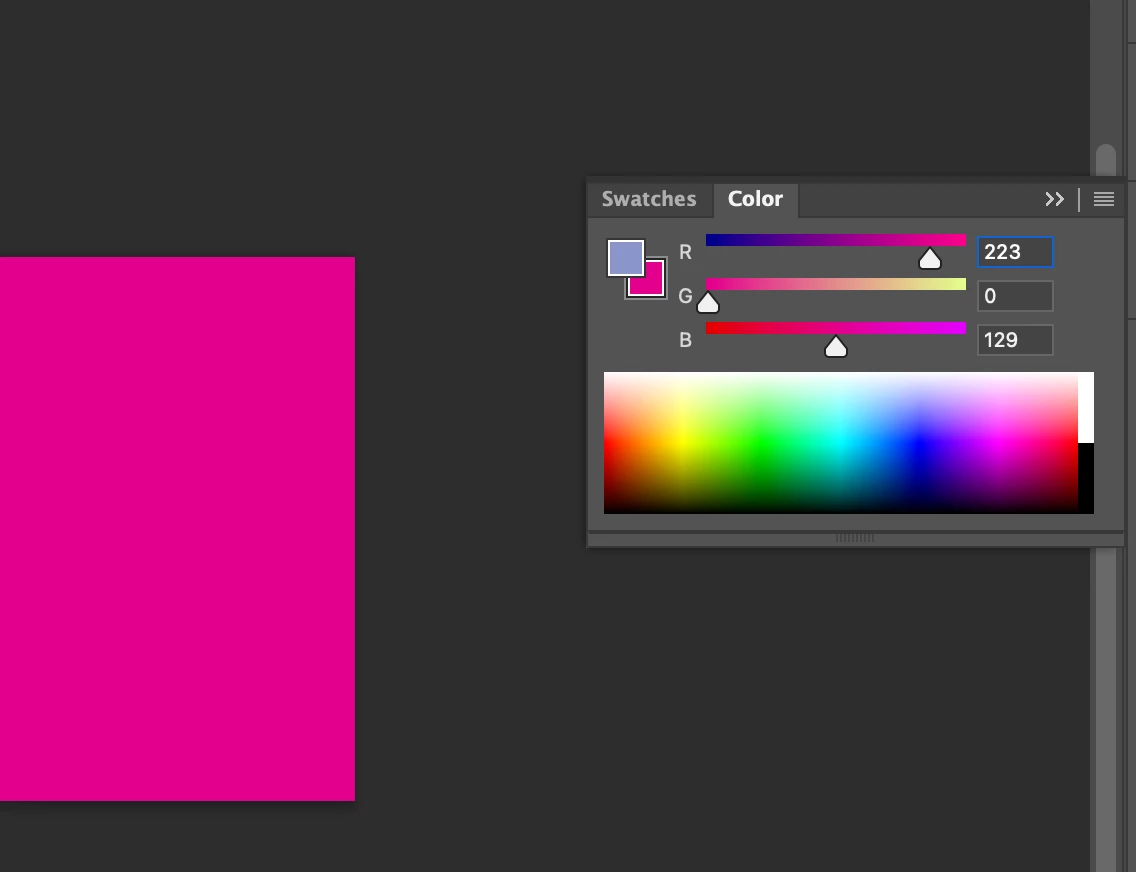
Hi @bergamar check your color panel - do you have the background swatch selected?

If unsure click the foreground color on this panel to confirm.


5 replies

REI KANO
Participant
September 28, 2025

Photoshop Eyedropper Picks Background Instead of Foreground (macOS)

Common Causes & Fixes


  1. macOS Permissions denied on first launch


    • Go to System Settings → Privacy & Security.

    • Under Full Disk Access and Screen Recording, make sure Photoshop is added and enabled.


  2. Wrong swatch active


    • If the Background swatch is active instead of Foreground, the Eyedropper will always update Background.

    • Solution: click the Foreground swatch in the toolbar so it becomes active.


  3. Corrupted Preferences (often after crashes or updates)


    • Quit Photoshop.

    • Hold Option + Command + Shift while launching Photoshop.

    • Confirm: “Delete the Adobe Photoshop Settings file?”.

    • This resets all tools to default, including Eyedropper behavior.


After this, Option + Click works normally again = samples Foreground Color.

bergamarAuthor
Participating Frequently
March 20, 2023

There it was! Thank you Kevin!

Kevin Stohlmeyer
Community Expert
Kevin StohlmeyerCommunity ExpertCorrect answer
Community Expert
March 20, 2023

Hi @bergamar check your color panel - do you have the background swatch selected?

If unsure click the foreground color on this panel to confirm.


Known Participant
May 26, 2023

This worked for me as well. Thanks.

bergamarAuthor
Participating Frequently
March 20, 2023

Thank you Kevin but I'm sorry it doesn't work.

Honestly I don't know how these two privacy settings could be related to my problem...eyedropper tool works perfectly, it actually can pick up colours from my screen to Ps foreground colour, but if I activate it while I'm using a brush tool holding ALT key it does store in memory the right colour but as background colour instead of foreground colour.

Participating Frequently
October 27, 2023

I have the same problem as well, but only in Photoshop Beta. All Beta versions have done this.

Kevin Stohlmeyer
Community Expert
Community Expert
March 20, 2023

Hi @bergamar go to Apple System Preferences/Security and Privacy/Full Disk Access and making sure PS is listed and active. Then go to Privacy/Screen Capture (or Screen record depending on your OS version) and add Photoshop and check that as active as well.


When you first used the eyedropper a Mac OS warning came up to allow - you hit decline and so PS cannot capture color properly without these settings.