This topic has been closed for replies.

2 replies

December 31, 2020

Hi

The issue you have is related to Camera Raw version 13.1, you need to downgrade ACR to version 12.4

You can download version 12.4 from here https://helpx.adobe.com/camera-raw/kb/camera-raw-plug-in-installer.html

Just run the installer and it will overwrite version 13.1, also disable auto-updates in the Creative Cloud app

https://community.adobe.com/t5/photoshop/can-t-start-photoshop/m-p/11667845?page=1#M493109

Akash Sharma
Legend
December 31, 2020

Hi there,


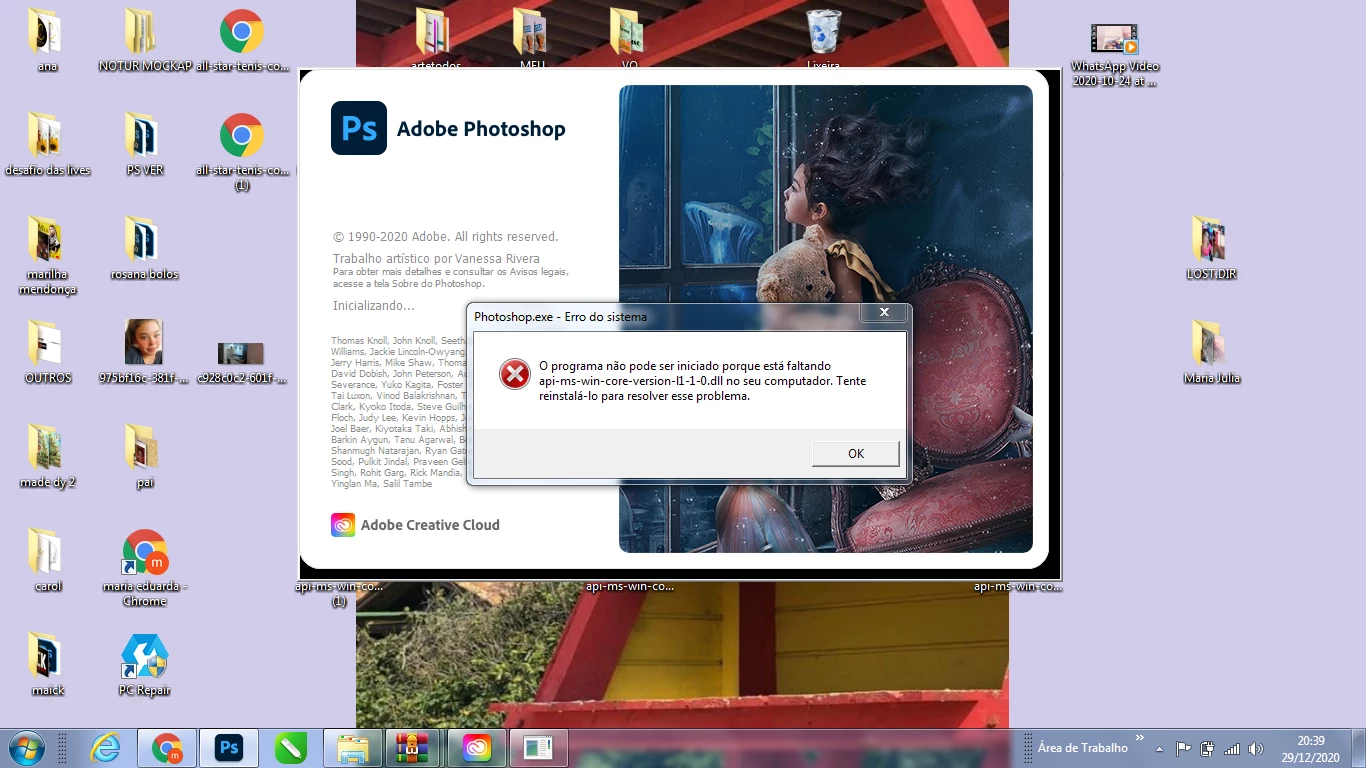
Sorry that you're getting an error message "api-ms-win-crt-runtime-l1-1-0.dll is missing" while using Photoshop. 


Which version of Photoshop are you using and what is your computer's OS?


The missing dll api-ms-win-crt-runtime-l1-1-0.dll is installed with a Windows update. To resolve this issue, download and install the Update for Universal C Runtime in Windows from Microsoft.


NoteTo install this update, you must have the following operating system updates installed on your system.


Let us know how it goes.


Thanks,

Akash