

MauMan
Inspiring
March 2, 2020
Répondu

Fashion e-commerce AutoSelect Subject and Crop

Hi friends,

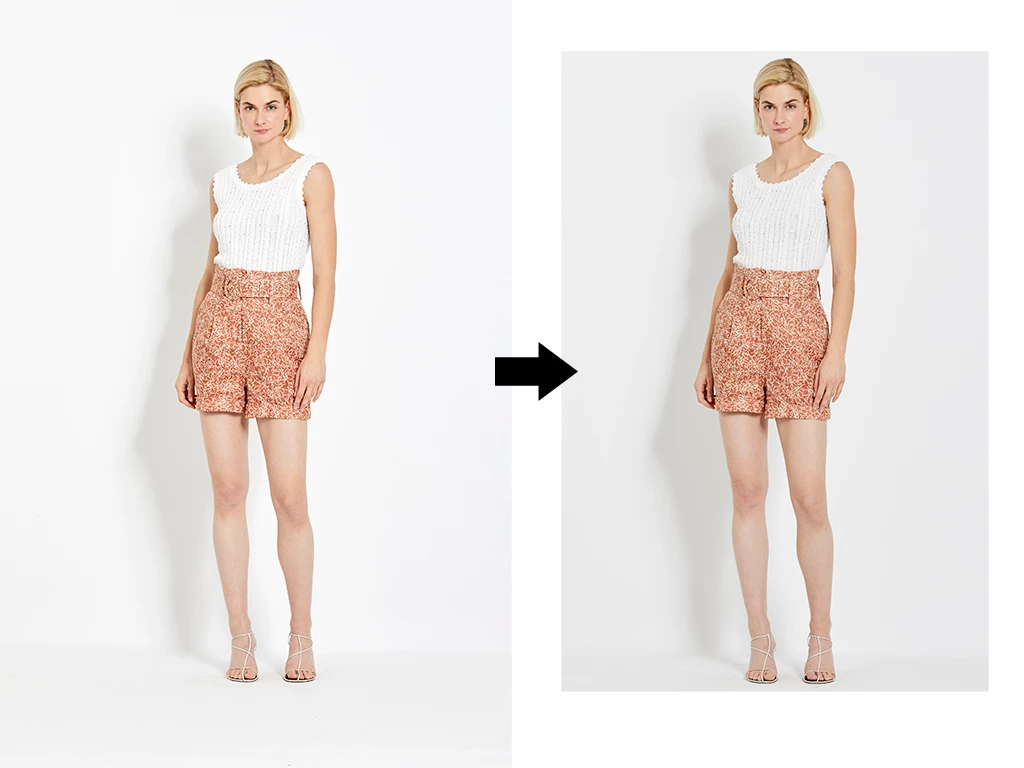
I'm looking for a script that detects a subject and crops the image.


Workflow

I get thousands of RAW files with a wide framing. Same camera all over the shooting, same pixel dimensions. Models move and change pose.

I develop on C1 and export PSD files.

Work on the PSD files and export JPEG for the client.


Script

Detect Model's height and crop leaving a few pixels above the head and bellow the feet.

Model should be centered on the image.

Keep aspect ratio 2:3.


Input files

https://www.dropbox.com/sh/gbufidhfqic1f4b/AADlTLSsfwDxTDBL-RcQHAxxa?dl=0


Thanks in advance!
Ce sujet a été fermé aux réponses.
Meilleure réponse par MauMan

Thanks all for your help!

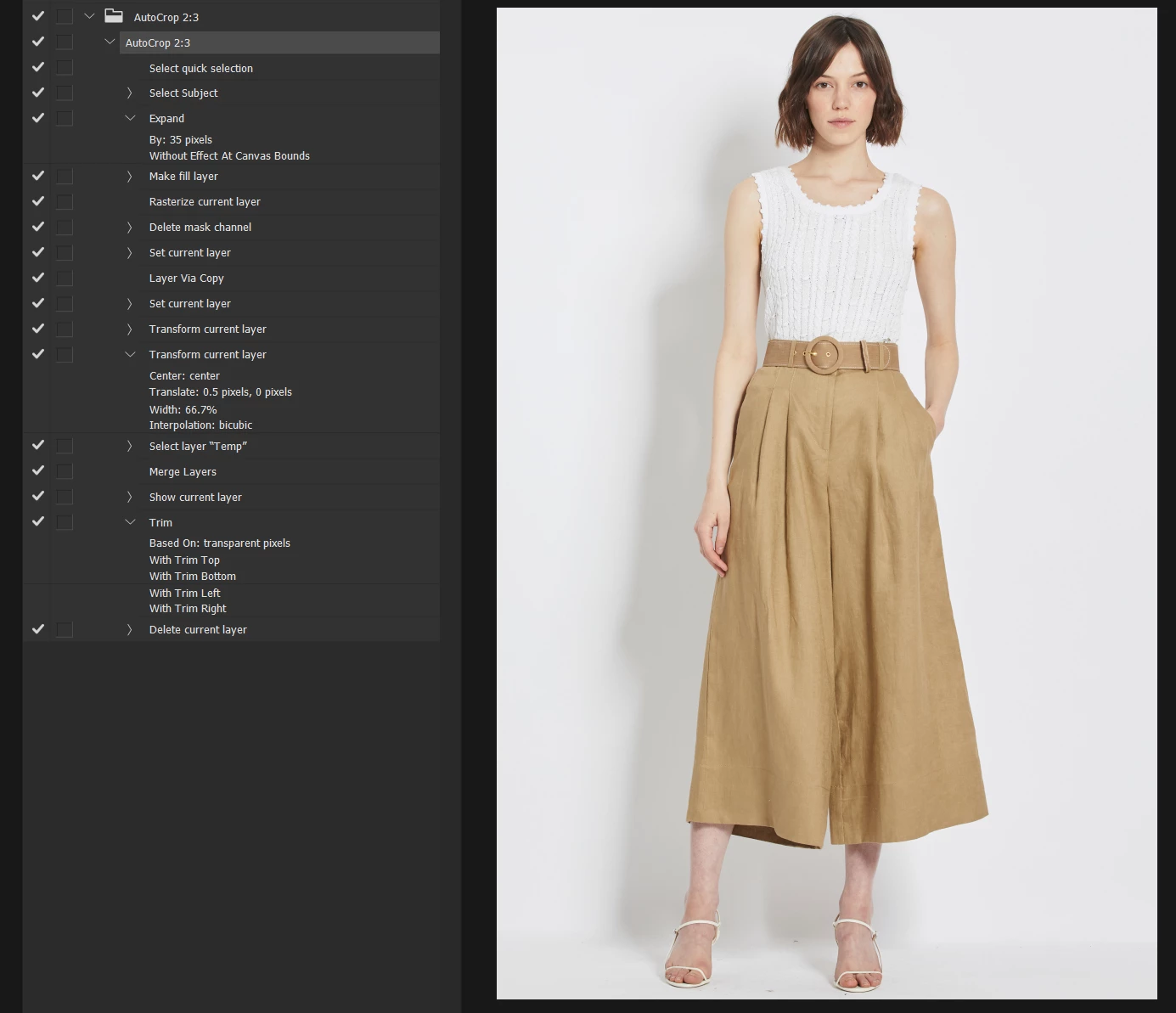
After reading all the proposals I came out with an action. Please take a look at it and let me know your comments.

The action runs auto-select, expands the selection 35px, creates a filled temp layer, transforms and uses the trim command.


To keep the 3:2 proportion I considered the model's height:

Width = 0.667 × Height

Once the model's height is "mapped" by the autoselect command I just copy the selection, rotate 90° and contract the width to 66.7%.
Then trim transparent pixels on top, bottom, left and right.


Download:

Autocrop.atn 


13 commentaires

Legend
March 2, 2020

Look at Select->Select Subject which is designed for this kind of use. I don't know if it is scriptable or requires Action Manager code.

Kevin Stohlmeyer
Community Expert
Community Expert
March 2, 2020

The issue with Select subject is the crop is made directly on the selection, not at an aspect ratio.

It gets you part of the way there, and you could expand the selection to give breathing room to the crop, but I'm stumped how to take the end selection and convert the crop from "Selection" to Aspect Ratio.

You lose the selection as soon as you attempt to convert.

Legend
March 2, 2020

Selection->Expand, Image->Crop, Image->Canvas Size

That's how I would do it. Crop works with the bounding box. Or delete above and below the selection and then set the canvas size.

Kevin Stohlmeyer
Community Expert
Community Expert
March 2, 2020

If you are using Adobe Experience Manager for your ecommerce site - it has this capability baked in called "Smart Crop". It uses AI to detect subjects and auto crop to an aspect ratio.

Unfortunately I'm not sure Photoshop has an AI functionality that will take the subject into consideration.

Any action would crop based on physical parameters risking cutting the subject off.

Kukurykus
Legend
March 2, 2020

C1?

MauMan
MauManAuteur
Inspiring
March 2, 2020

Capture One