


Leak Fix Experts
Participant
Oct 17, 2026 6:00 AM UTC
Question

Fastest workflow to clean up job-site photos — remove license plates and background clutter?

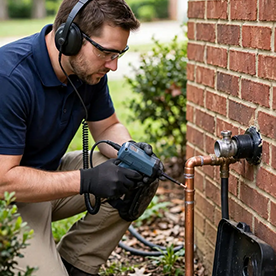
Hi! I run a small 24/7 leak detection business in Columbia, TN, and I take photos on job sites — under sinks, around water heaters, in crawl spaces — to document the work for customers and to publish on our company website.


The photos often have distracting elements: license plates on vehicles in driveway shots, cluttered backgrounds, house numbers, etc. I want to redact license plates for privacy and clean up the backgrounds so the photos look professional.


What's the fastest Photoshop workflow for this kind of cleanup?

- For license plates (redaction, not enhancement): is it better to blur/pixelate, or cover with a solid shape?

- For removing small background clutter: Remove tool vs. Content-Aware Fill — which is quicker for batches of photos?


For reference, the kind of job-site photos I'm working with are the residential shots like the ones on our site:  [Link removed by moderator]


Thanks for any tips!

    2 replies

    Trevor.Dennis
    Community Expert
    Community Expert
    Oct 17, 2026 9:48 AM UTC

    You are welcome to add example images, but links to business websites are frowned upon.

    Translate
    justlearn
    Community Expert
    Community Expert
    Oct 17, 2026 8:45 AM UTC

    ​@Leak Fix Experts cleanup can be done with just the Remove Tool and solid-shape redactions, with Content-Aware Fill reserved for the occasional difficult image. This gives the best balance of speed, privacy, and professional-looking results. 
     

    Remove objects from images in Photoshop​‌

    https://helpx.adobe.com/photoshop/desktop/repair-retouch/remove-objects-fill-space/remove-unwanted-objects-and-distractions.html


    Replace distractions with Remove Tool​‌

    ​‌https://helpx.adobe.com/photoshop/using/tool-techniques/remove-tool.html


    Remove objects with Content-Aware Fill in Photoshop​‌

    https://helpx.adobe.com/photoshop/desktop/repair-retouch/remove-objects-fill-space/remove-objects-with-content-aware-fill.html

    Translate
    m