@?????_?????????1223, I understand why this feels different from the workflow you were used to.
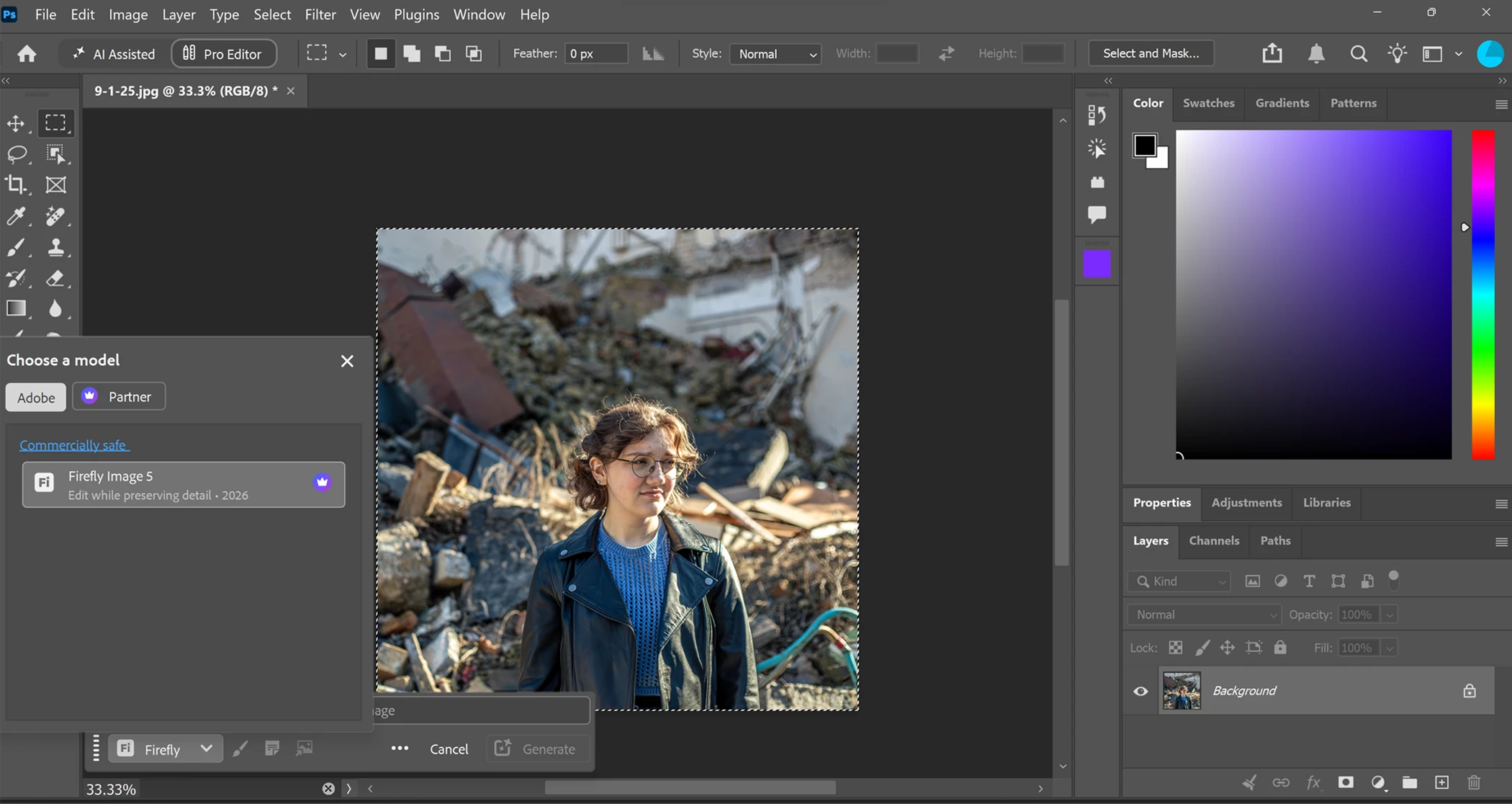
This change was introduced in Photoshop 27.10. Photoshop now distinguishes between editing the entire image and editing a selected area:
-
Entire canvas/image selected > Prompt to Edit
-
Partial selection > Generative Fill, where you can choose Firefly Fill & Expand
-
Empty/transparent layer > Generate Image
The reason for the change is that Photoshop now routes whole-image edits and selected-area edits through workflows designed for those different tasks. Prompt to Edit is intended for changing the entire image, while Generative Fill is intended for adding, removing, or replacing content within a selected area.
So nothing is missing from your installation; what you’re seeing in the screenshot is the expected 27.10 behavior.
If you specifically want the previous Contextual Task Bar behavior, you would need to use Photoshop 27.9.1 or earlier. Otherwise, in 27.10, make a partial selection to access Generative Fill/Fill & Expand.
I hope this clarifies why the option changed. Please let me know if you need any further help with the updated workflow.
Best,
Anshul Saini




 AdChoices