


Participating Frequently
January 24, 2026
Question

Fill only one of multiple selections

  • January 24, 2026
  • 3 replies
  • 65 views

I have a bunch of intersecting paths that are forming random triangles. Ctrl+click to select. I want to fill the triangles one by one, changing colors in between.


That used to be easy in CC! Leave "contiguous" off, and it would just fill in the single area you filled with your bucket. Can I not do this in 27.2.0 (Win 11)?
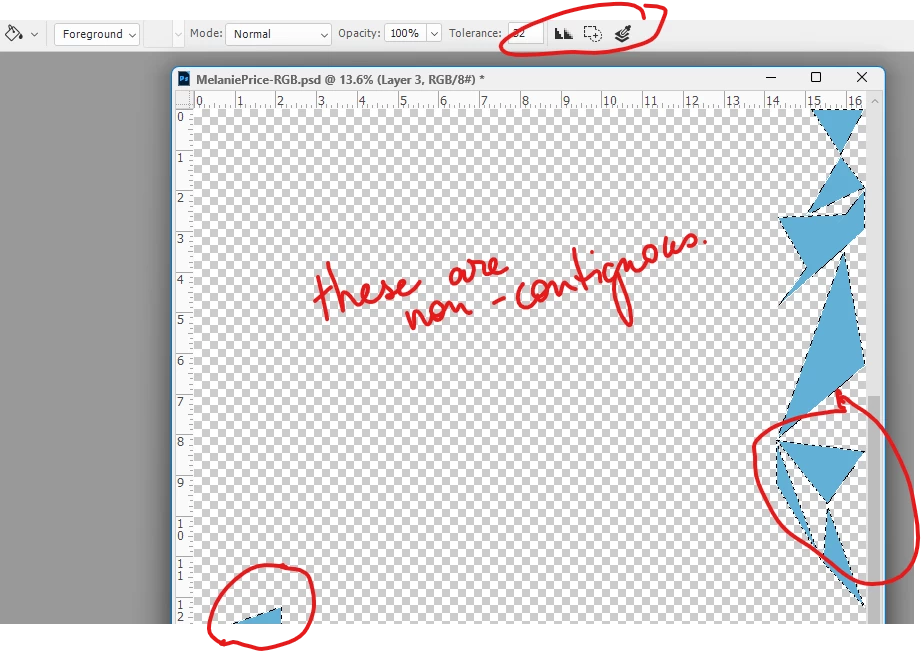
 

heathert_0-1769227788109.png


3 replies

barbara_a7746676
Community Expert
Community Expert
January 24, 2026

Select the shapes. Get a hard-edged brush and paint over each area separately swith the color you want.

Trevor.Dennis
Community Expert
Community Expert
January 24, 2026

Contiguous restrains a fill to a boundery of a different tone.

If you use the paint bucket or Alt backspace with non intersecting selections, it's going to fill all of the selected area.  

That's how it works.  

barbara_a7746676
Community Expert
Community Expert
January 24, 2026

With the object selected, use the Live Paint Bucket tool. Select a color and click the area you want to fill.

jane-e
Community Expert
Community Expert
January 24, 2026
quote

With the object selected, use the Live Paint Bucket tool.

By @barbara_a7746676


The "Live Paint Bucket" tool is in Illustrator, not Photoshop. Do you mean the "Paint Bucket" tool?


Jane

barbara_a7746676
Community Expert
Community Expert
January 24, 2026

Oops. Of course your right!