Participant
November 2, 2025
Answered

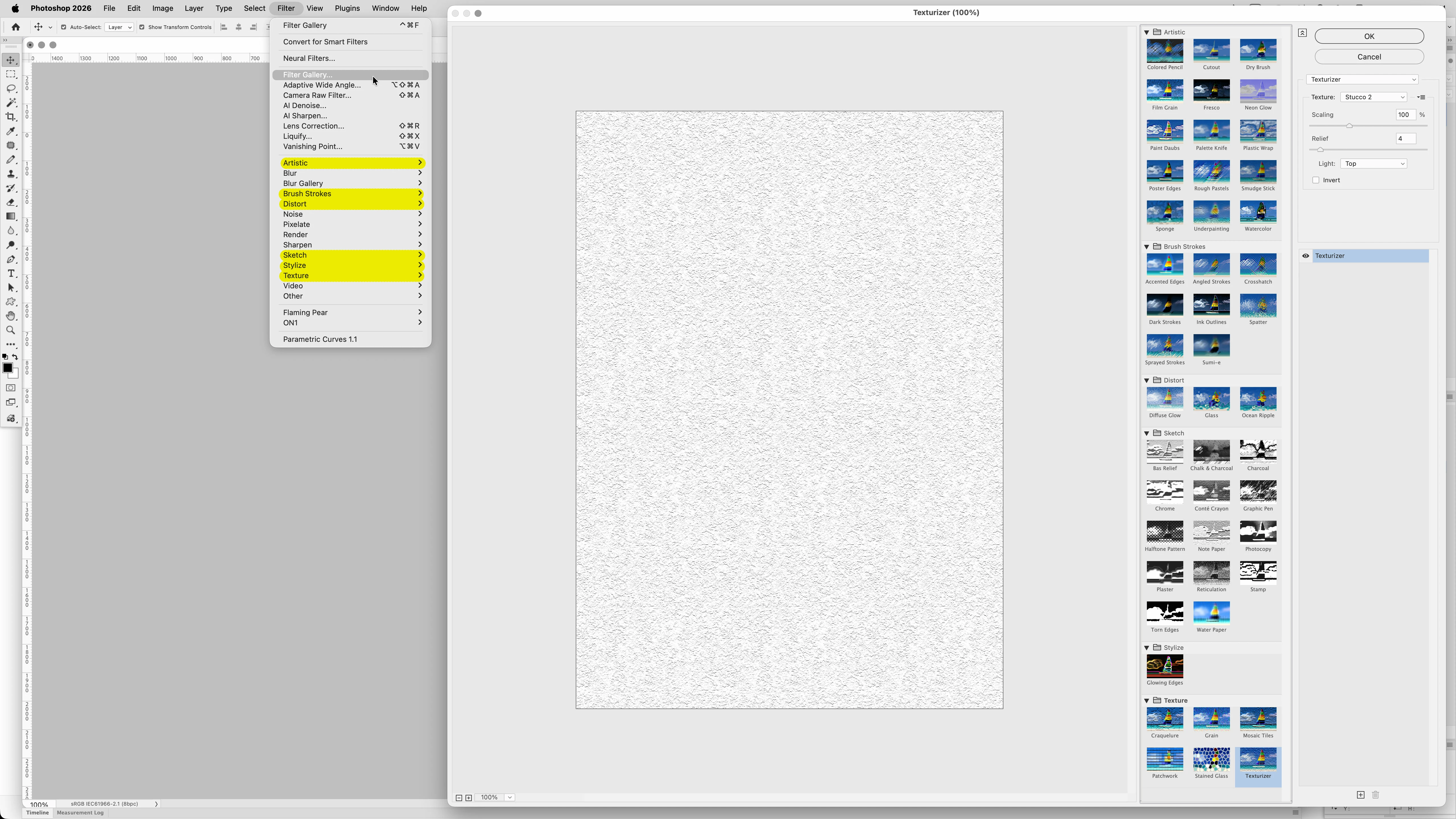
Filter Gallery Never Groups up when ticked in settings after opening

  • November 2, 2025
  • 4 replies
  • 122 views

This is a minor annoyance that still hasn't been resolved, but the filter gallery effects always appear ungrouped in the filters tab every time I open Photoshop. The annoying part is that it does this even when I have it checked to group them in the plugins settings. I have to uncheck and then recheck it for them to group up every time I have to reopen the program. Can someone fix this, please?

Correct answer Jeff Arola

Thanks for the video.


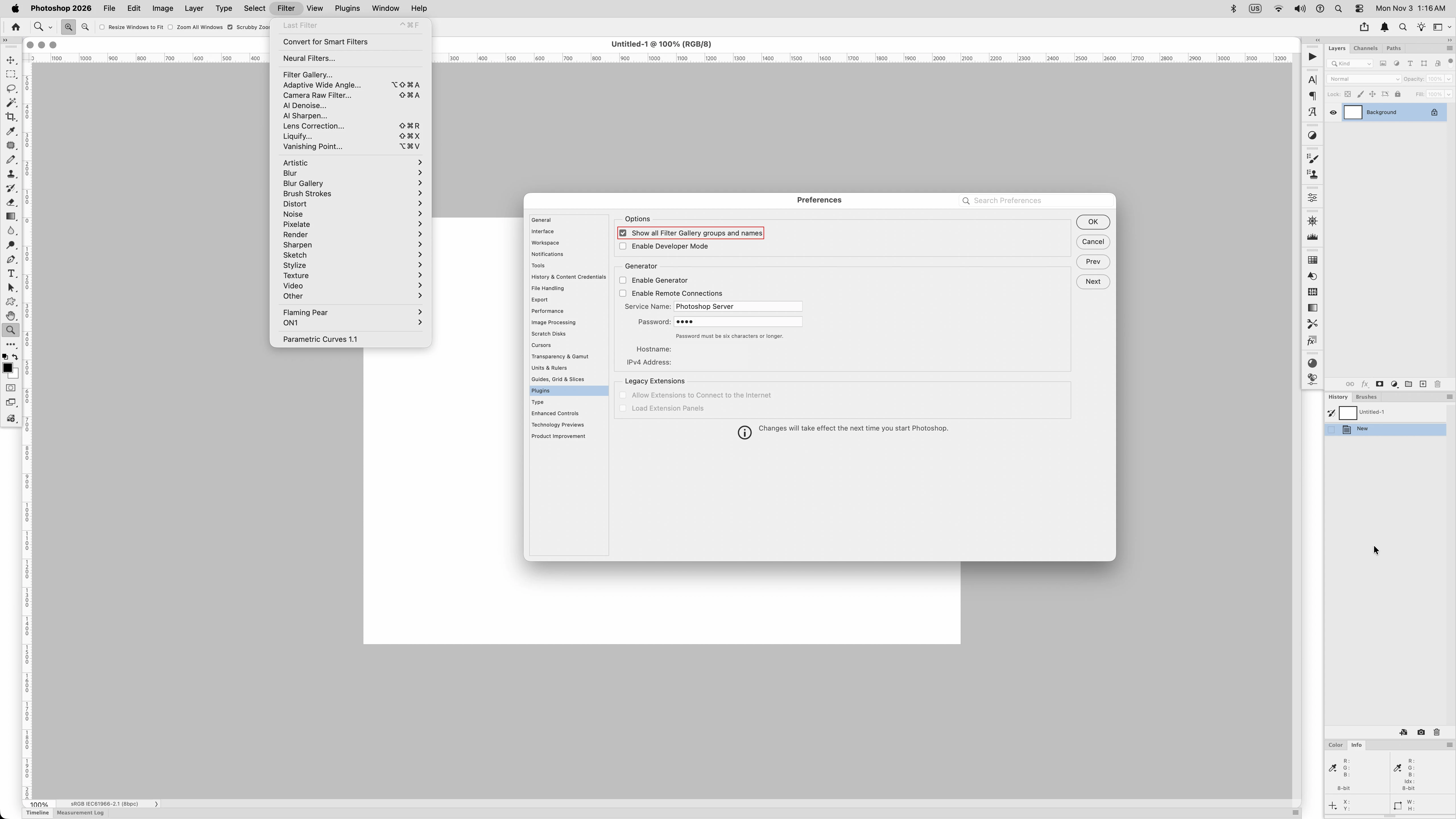
In your video when you open Photoshop, the filter menu looks as it supposed to be when one has 

Show all Filter Gallery groups and names checked.

When Show all Filter Gallery groups and names is checked, then the Filter>Filter Gallery groups and names show as menu entries in the Filter menu.

Otherwise when Show all Filter Gallery groups and names is unchecked, the Filter>Filter Gallery groups and names are not shown on the Filter menu.


It's only when you uncheck and check that preference that the Filter Gallery groups and names don't appear on the Filter menu as it would if Show all Filter Gallery groups and names were left unchecked and Photoshop restarted.


Am i missing something?


4 replies

Jeff Arola
Community Expert
Jeff ArolaCommunity ExpertCorrect answer
Community Expert
November 3, 2025

Thanks for the video.


In your video when you open Photoshop, the filter menu looks as it supposed to be when one has 

Show all Filter Gallery groups and names checked.

When Show all Filter Gallery groups and names is checked, then the Filter>Filter Gallery groups and names show as menu entries in the Filter menu.

Otherwise when Show all Filter Gallery groups and names is unchecked, the Filter>Filter Gallery groups and names are not shown on the Filter menu.


It's only when you uncheck and check that preference that the Filter Gallery groups and names don't appear on the Filter menu as it would if Show all Filter Gallery groups and names were left unchecked and Photoshop restarted.


Am i missing something?


Claire H.
Community Manager
Community Manager
November 14, 2025

Hi @Ryan Boies, I'm just checking in to see if the suggestion helped or if you are still running into this issue? Let us know how things are going. Thanks! ^CH

Participant
November 3, 2025
Participant
November 3, 2025

Tahoe and the latest version of Photoshop. It used to not do this for the early 2024 version, but when I updated it to 2025, it started to do this. I had to redo all my preferences too since it carried over an older one from 2025 for some reason, so I had to start my preferences up from scratch. 

Jeff Arola
Community Expert
Community Expert
November 2, 2025

What version of Photoshop and macOS are you using?


We have a bunch of Photoshop installs on various macOS versions and i don't believe we've ever seen that particular issue.


Is this your personal Mac or company owned?


Have you tried a Photoshop preferences reset?

https://helpx.adobe.com/photoshop/desktop/get-started/settings-and-preferences/adjust-preferences.html