
Torgeir J
Participant
March 10, 2021
Answered

Fixed: Unable to export Save for Web in Photoshop 22.3 Windows 10

  • March 10, 2021
  • 23 replies
  • 63725 views

After update to Photoshop 22.3.0 today export to Save for Web (Legacy) stopped working. Opens up a error message: The operation could not be completed.

Quick export is working ok. 
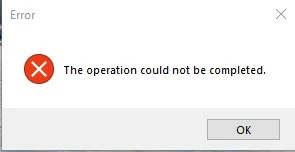
{Moderator note: Edited the thread title, PS-60637}

This topic has been closed for replies.
Correct answer Akash Sharma

Hi there,


This issue should be fixed in the Photoshop 22.3.1 update that went live today. This update includes fixes to some of the top customer reported issues among other bug fixes. See Bug fixes and security updates


To update Photoshop to 22.3.1, click "Update" in the Creative Cloud desktop app next to Photoshop. See: More detailed instructions for updating


Let us know how it goes.

Thanks,

Akash

23 replies

Participant
December 20, 2022

It looks like Adobe still hasn't fixed this bug in 24.0.1 (2022), but instead has decided to inactivate the ability to 'Save for Web (Legacy)'. This is really not good at all because how do I export slices now?? 

Participating Frequently
January 4, 2022

same issue, i have 23.0.0 installed on Windows 10 PC. i noticed in the About Photoshop pop up where i got the version number from that they haven't updated the copyright date to be 2022 - so, maybe someone's asleep at the wheel or...?


i'm going to try the quick export option shortly. but i know my files are not big. i went through and shrank them all with no trouble today when i first opened ps. then when i went to save them after some editing, they were 'meh, today's not the day...' so it failed me yesterday, worked first thing today, then mid session stopped working. *shrugs*

emiglio
Participant
January 13, 2022

Today Photoshop CC was updated to 23.1.0. And now "save for web" no longer works.

Participating Frequently
January 13, 2022

Check out Export, see if the Save for Web(Legacy) option is in there. I haven't had Save for Web for awhile. And there's that Export>Quick Export option too.

Participant
December 5, 2021

Still getting same error for me too


Participant
September 20, 2021

I am still having this issue. Are any others still experiencing issues with this?

joshuah46928535
Participating Frequently
September 20, 2021

I think most of us have given up.

Inspiring
August 27, 2021

Started getting this error, for the first time ever, this week after update to PS 22.5. So it STILL isn't fixed. 


Have tried all the recommendations:

- Reset prefs

- Updated Mac OS to latest version (11.4) today

- Rebooted

- Still have my 16 GB RAM

- Still have the Intel i7 

- Checked and confirmed for the millionth time since using Adobe CC that my graphics card is well beyond recommend specs 

- Rubbed my belly and patted my head while spinning around 3 times 


But yet again, nothing fixed this issue. 


joshuah46928535
Participating Frequently
August 27, 2021
Please fix this issue!
Participant
September 9, 2021

miraculously, by adding more RAM memory this issue got solved! I use an iMac 27" 2020. (Originally comes with 8 GB, I added 32 more, so 40 GB in total.

Participant
July 22, 2021

I contacted Adobe support after having this issue for 6 months.. They did a remote screen share and after 2 hours, the key was to log out of my Mac account and sign in as a new user!! Now photoshop works fine!

Note: they created a new user first called 'Root', and made me designate a password. Then I signed out, and clicked 'New User', put in username 'Root' and my password. Apparently then you can contact Apple support to move all your stuff over from the other account which I'm yet to do, but at least I can render videos and save for web!!


CEJLLC
Known Participant
July 22, 2021

Wow!!! @ninaabrahams  you are very diligent.  I believe my original issue was the output file size.  Even though it was under 500 frames [the limit] perhaps the file size was going to be too large.  Since then I have had no issue rendering for web [yet]  The thing is I do not really know.  One tries so many solutions it is difficult to determine what one actually worked.  In spite of  the plethora of Adobe's updates and their wack-o-mole style of bug fixes we continue creating.  FYI:  I've been using Adobe "creative suite" since 2005. I miss the days when we had posession of the media and complete control of updates.

davescm
Community Expert
Community Expert
July 22, 2021

"I miss the days when we had posession of the media and complete control of updates."

Turn off auto-updates in teh CC desktop application and then you can choose when to update.


Dave

markb47158988
Participant
July 12, 2021

Hey All,

I've run into this issue on 22.4 as well. I found that if I switched my image mode from 32 bit back down to 16 bit, it gives you the option to use save for web again.


hope that helps some of you.

Participant
July 7, 2021

Having this issue with 22.4.1... someone??!


Participant
July 20, 2021

the only solution I found was to purchase gifgun unfortunately. it's $30 bucks which isn't bad i guess but also... I've stopped yelling at my computer so there is that. 


Participant
June 16, 2021

I have tried all of the suggestions and nothing is working.

I have unistalled 22.4.0 reistalled 22.3.0 and 22.3.1 and still getting the error message. Can someone please help me with this?


thank you! 

Participant
June 10, 2021

I've been dealing with the same trouble for a couple of versions now. I have updated it to Photoshop 22.4.2, and it is still there. Deleting Photoshop Settings Files did not work for me.

I'm getting an "Adobe Save for Web Error — Could not complete this operation. A write permissions error has occurred." when saving for web.

Participant
June 11, 2021
I have the same issue! Adobe just doesn't care because I assume if they did
they'd make more of an effort to let people know it's not working