Answered
Flashing White oblong instead of the image you are trying to open
If you have the above problem go into photoshop prefrences performance and uncheck use graphics proccessor. That should fix the problem, it worked for me!

If you have the above problem go into photoshop prefrences performance and uncheck use graphics proccessor. That should fix the problem, it worked for me!
@Bakst Creatives by disablng the GPU you will lose some functionality that requires it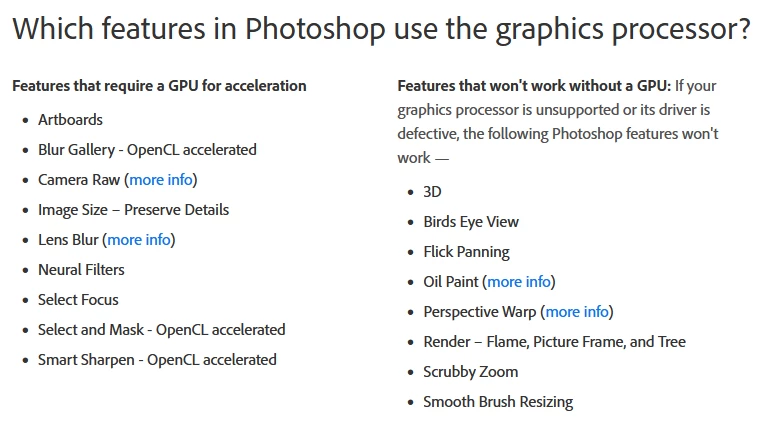
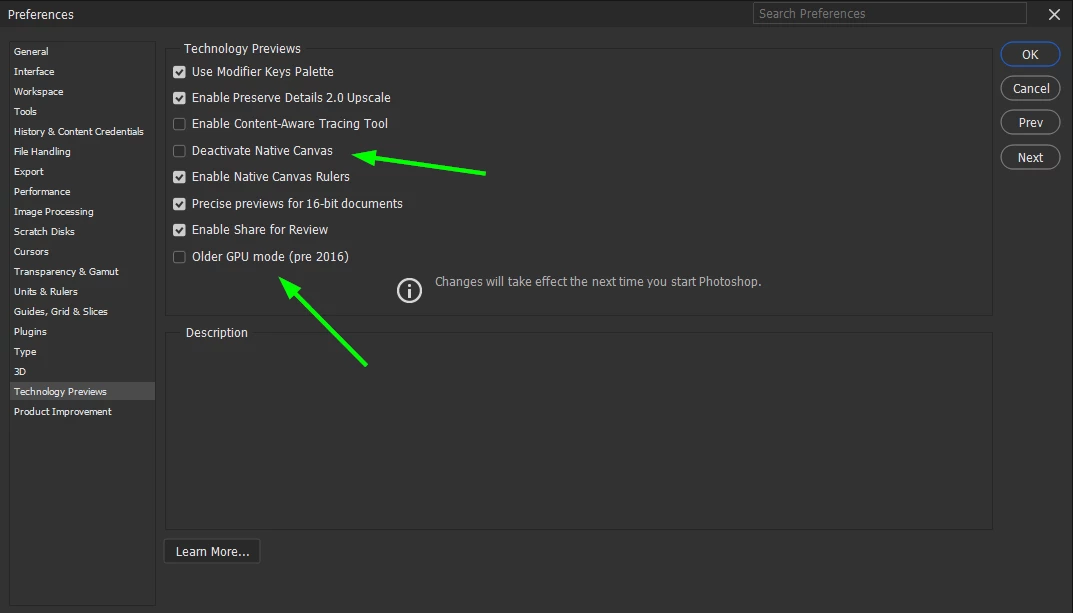
You can try enabling Deactivate Native Canvas to see if it helps, if that doesn't help try enabling the second option highlighted, restart Photoshop on each occassion
Already have an account? Login
Enter your E-mail address. We'll send you an e-mail with instructions to reset your password.


 AdChoices