


Fonts search bug on mac.
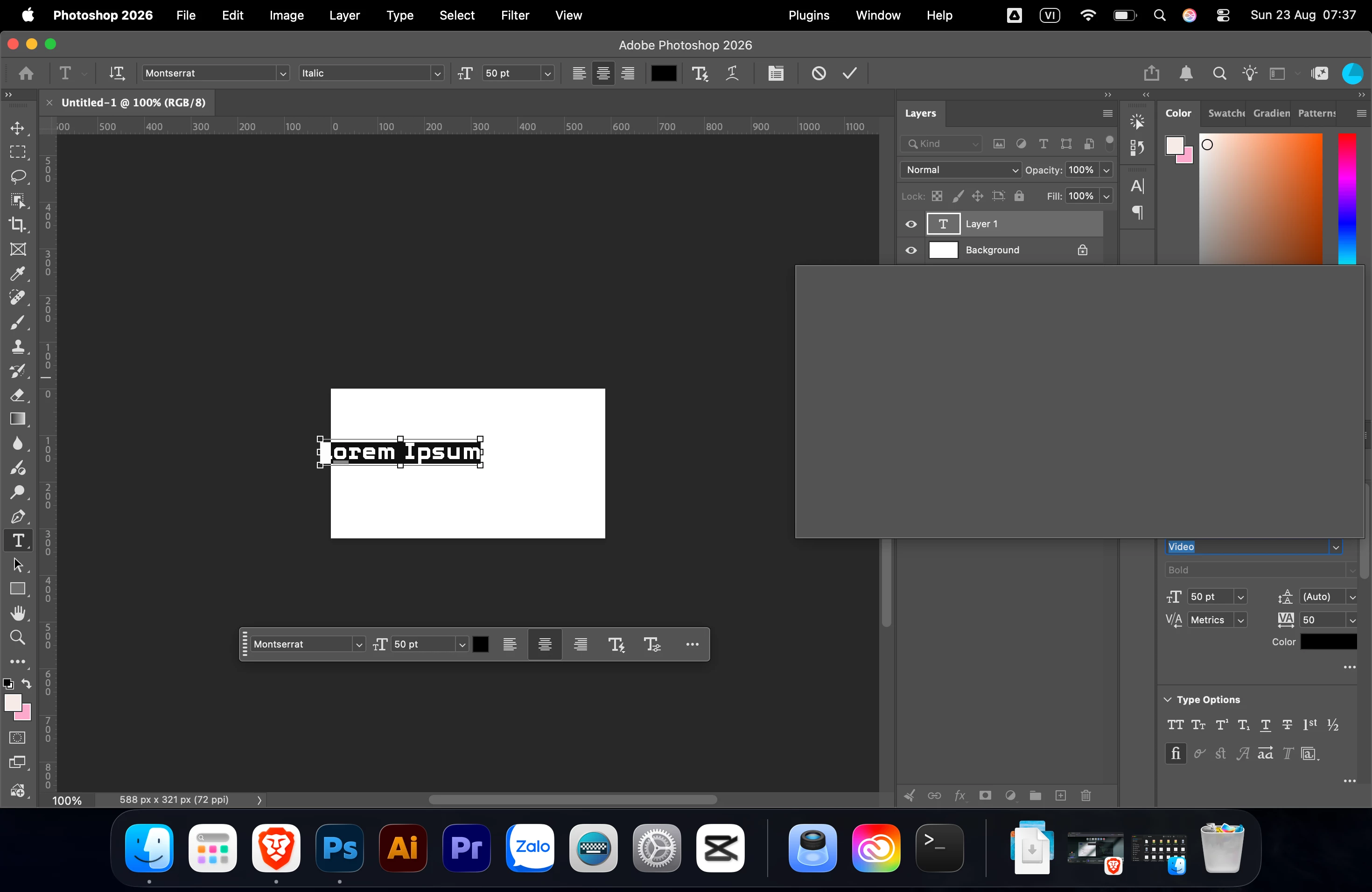
This happens when I highlight a section of text, go to Character, type a font name, and press Return (Enter). The text block then turns completely grey, and I have to find a way to turn it off. Sometimes it even gets stuck on the screen when I minimize Photoshop.
I just bought a new Mac Air M5 expecting a better experience than my old Windows laptop, but then I ran into this bug. Does anyone know why this happens and how to fix it? It's really ruining my experience on Mac.
I’m using Photoshop version 27.9.1
If I don't search for fonts and just select them manually, it doesn't happen.
Someone literally told me to '"just quit the habit of searching for fonts." and I was like, 'WTF is that?" I shouldn't have to change my entire workflow just because of a bug.

 AdChoices