Srishti_Bali
Legend
October 28, 2025
Question

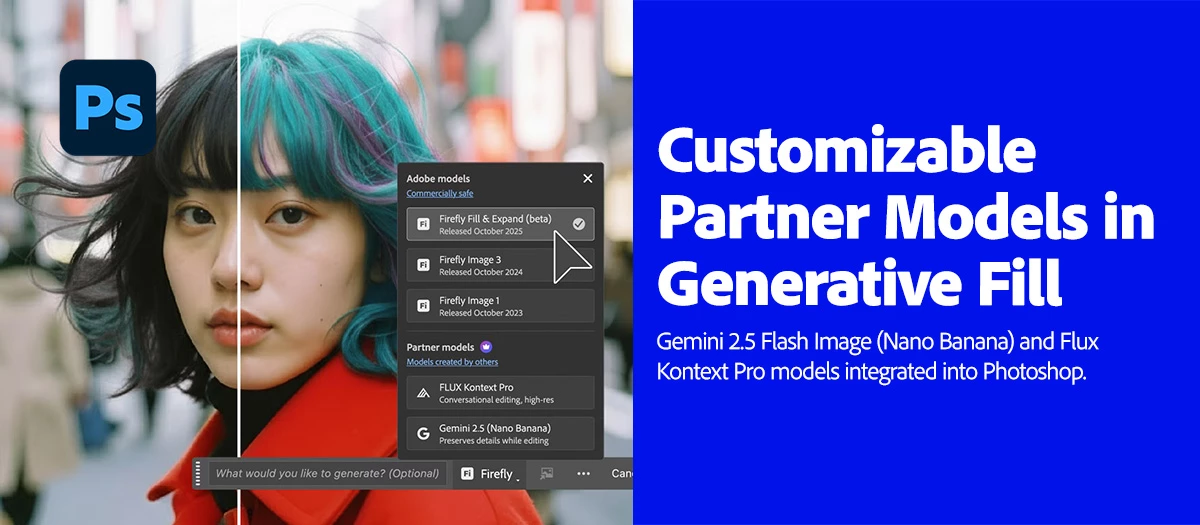
Gemini 2.5 (Nano Banana) and Flux Kontext Pro models now in Photoshop MAX update 27.0
  • October 28, 2025
  • 17 replies
  • 5219 views

Big news for Photoshop creators! 

We’re thrilled to announce that Gemini 2.5 Flash Image (Nano Banana) and Flux Kontext Pro models are now integrated into the Photoshop Desktop Generative Fill workflow! These models unlock advanced capabilities to help with your creative vision, including:

  • Style transfer
  • Text editing
  • Object modification
  • Quick or controlled edits
  • Complex transformations

All within a non-destructive, creative control environment.

 

Try it out now

Download the latest version and dive into the new Adobe Photoshop features.

To update Photoshop 27.0, click "Update" in the Creative Cloud desktop app next to Photoshop. More detailed instructions for updating.

Here's how to use these Models in Photoshop's Generative Fill:

  • Open a file → Create a selection (try Select All or Selection Brush)
  • Click the Generative Fill button
  • Tap the Model Picker icon
  • Choose Flux Kontext Pro or Gemini 2.5 (Nano Banana)
  • Enter a detailed prompt → Generate!
  • Click here for more details.


Pro-Tips for using Generative Fill:

  • Use larger, loose selections with the Selection Brush.
  • Avoid hard edges to prevent shifting or visible seams.
  • Add clear prompts to guide the model’s output.
  • Use Flux Kontext for seamless, context-aware backgrounds. It is conversational, helping maintain character consistency and precise edits.
  • Use Nano Banana for stylistic fills. It is optimized for preserving details, making it ideal for creative transformations.


Important Note About Generation Credits:

  • Generative Fill and Generative Expand using Adobe Firefly models are standard features and will consume 1 credit per generation.
  • Generative Fill and Generative Expand, powered by Firefly Fill & Expand (beta) model in Photoshop (beta) on desktop, deduct 1 credit per generation.  
  • Generative Fill, powered by Gemini 2.5 (Nano Banana) and FLUX.1 Kontext [pro] (partner AI models), is a premium feature and deducts 10 credits per generation.
  • Learn more about premium features and generative credits in the generative credits FAQ.


Are you ready to get started? Update Photoshop to the latest version and explore these LLM models and other new exciting features. More details can be found here.


We’d love to hear from you!

Try out these new models in Photoshop 27.0 and let us know your thoughts. Feel free to reach out if you have any questions or need more tips!

If this was helpful, please click the Upvote icon in the top left corner of this post. Your feedback helps us improve the experience. Thank you!


We’d love to see what you’ve created and hear about your experience or feedback! Click 'Reply' below.

Click 'Follow' below to bookmark this post for easy reference.

For other questions, feel free to start a new post in the community.

17 replies

Participant
November 20, 2025

This is huge! Bringing Gemini 2.5 Flash Image and Flux Kontext Pro directly into Photoshop’s Generative Fill workflow is a game-changer for creators. Having style transfer, text editing, and complex object transformations built right into a non-destructive environment means faster, cleaner, and way more controlled edits. Can’t wait to see how much this speeds up real-world creative workflows!

Participant
November 20, 2025

Thanks for the update! It’s exciting to see Flux Kontext Pro and Gemini 2.5 integrated into Generative Fill, especially with different strengths for context-aware edits vs. stylistic transformations. I do have one question though—do these models use the actual canvas context the same way Firefly does, or do they rely mostly on the prompt and selection area? Just trying to understand how precise the control is.

Participant
November 17, 2025

Huge news! Generative Fill was already great, but adding models optimized for consistency (Flux) and detail (Nano Banana) is next level. Congrats to the team on getting these integrated so quickly. Downloading the update now to test them out!

Participating Frequently
November 14, 2025

Thanks for the update!
The new integration of Gemini 2.5 (Nano Banana) and Flux Kontext Pro into Photoshop 27.0 looks great so far.

I’ve tested a few features already, and here’s what I noticed:

Flux Kontext Pro handles complex edits with much better structure and realism—especially for object manipulation.

Gemini 2.5 feels noticeably faster for quick creative adjustments and texture-style edits.

The Model Picker inside Generative Fill is a big improvement. Switching models for different tasks makes the workflow smoother.

One question:
Are there any recommended prompt styles or optimization tips from Adobe for getting the best results from each model? Especially for text editing and style transfer?

Overall, loving the direction—thanks for continuing to improve the GenAI workflow in Photoshop!

Participant
November 13, 2025

I am on an enterprise account and our admin/IT hasn't approved the Parner Model functionality within Photoshop yet. As a workaround, can I use an adobe stock photo in nano banana to create a video clip and use it commercially?

Participant
November 13, 2025

Hello,
I've used up all my Nano Banana and Flux.1 Kontext credits. I'm only being offered Firely credits, even though I have 1000/1000! How can I get more Nano Banana and Flux.1 Kontext credits?

Noel Orridge
Community Manager
Community Manager
November 13, 2025

Hi @Cap Horizon! Thank you for reaching out! Could you please send me your email address privately, so I can look into this further? Thanks! 

Noel
Participant
November 13, 2025

Hi
There is my email adresse below.
Sincerely yours.
Rémy Cantin

[PII removed by moderator]

Glenn 8675309
Legend
November 12, 2025

Only getting one or two uses before you to subscribe to yet another thing from Adobe makes it virtusally useless for the non -business user of the sfotware.

Participant
November 12, 2025
nrt.jpg
Participating Frequently
November 10, 2025

Excited to try the Gemini 2.5 and Flux Kontext Pro models in the latest Photoshop MAX update. Looks like some powerful new tools.

Participant
November 4, 2025

This update sounds amazing! I'm excited to try the Gemini 2.5 and Flux Kontext Pro models in Photoshop. The new style transfer features could really boost my creative projects. Thanks for the helpful news!

Glenn 8675309
Legend
November 5, 2025

I tired the flux Kontext last night- I either got one 2 tries- then they want to stick you with a subscription for that feature.