
February 7, 2026
Answered

"Generate Background” option greyed out in Photoshop 2024 even with an active selection.

  • February 7, 2026
  • 2 replies
  • 62 views

Hi everyone,

I’m facing a strange issue in Photoshop 2024. The Generate Background option under Generative Fill stays greyed out even when I have a clear selection active with the lasso tool. Generative Fill itself works if I type a prompt, but the specific “Generate Background” shortcut never becomes clickable.

I’ve checked that I’m signed into Creative Cloud, internet is working, and GPU acceleration is enabled. I also reset preferences and tried a fresh document with a simple subject cut out, but the option still does not activate. I’m on Windows 10 with the latest Photoshop update.

Has anyone run into this where Generative Fill works but the Generate Background option refuses to enable? I’m wondering if this is tied to document size, color mode, or some hidden requirement I’m missing.
    Correct answer c.pfaffenbichler

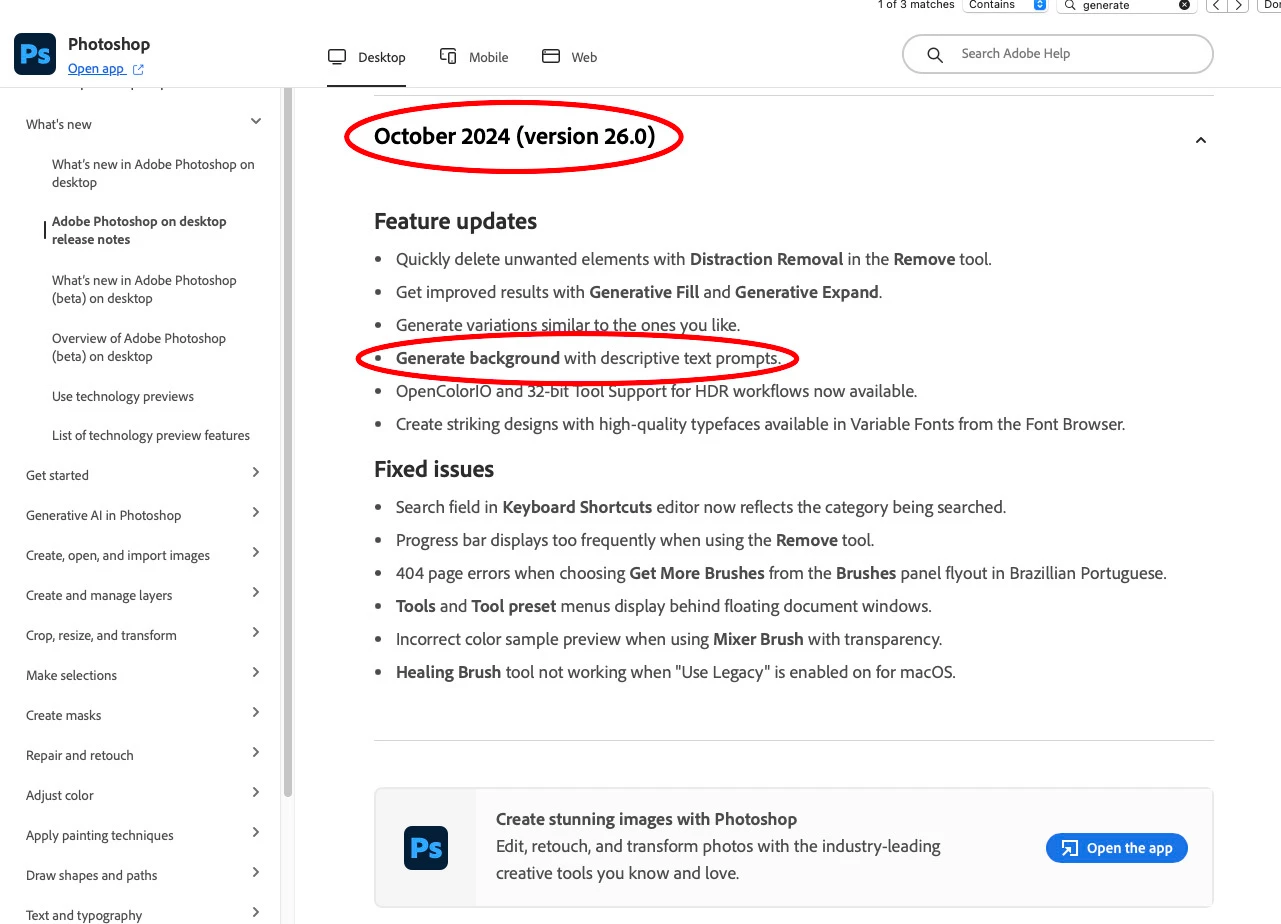
     I just checked on some old installations – wasn’t »Generate Background« introduced in Photoshop 2025? 


    Edit: I just confirmed with the release notes, »Generate Background« was introduced with Photoshop 2025 (a.k.a. 26). 

    https://helpx.adobe.com/photoshop/desktop/whats-new/photoshop-on-desktop-release-notes.html


    2 replies

    c.pfaffenbichler
    Community Expert
    c.pfaffenbichlerCommunity ExpertCorrect answer
    Community Expert
    February 8, 2026

     I just checked on some old installations – wasn’t »Generate Background« introduced in Photoshop 2025? 


    Edit: I just confirmed with the release notes, »Generate Background« was introduced with Photoshop 2025 (a.k.a. 26). 

    https://helpx.adobe.com/photoshop/desktop/whats-new/photoshop-on-desktop-release-notes.html


    c.pfaffenbichler
    Community Expert
    Community Expert
    February 8, 2026

    Could you please post screenshots with the pertinent Panels (Toolbar, Layers, Options Bar, …) visible? 


    Why are you working with Photoshop 2024 instead of 2026? (If you should decide to upgrade make sure not to remove the old version to make sure you can go back in case the new version provides [other] problems.)