
Participant
Apr 4, 2025 6:56 AM UTC
Question

generative fill error

Hello everyone. I bought your product. Faced with the problem of using generative filling. When trying to use generative filling, it gives an error "Check your Internet connection and try again." Photoshop is set to a clean registry, all remnants of old versions have been cleaned. The host is clean, I tried the same VPN (I'm from Ukraine) and still nothing works. Adobe Photoshop: 26.4.1 20250225.r.194 4c5f14b x64 . Windows 11 Pro 26100.3624. Windows 1000.26100.66.0 Does not work on 2 computers, home and work.
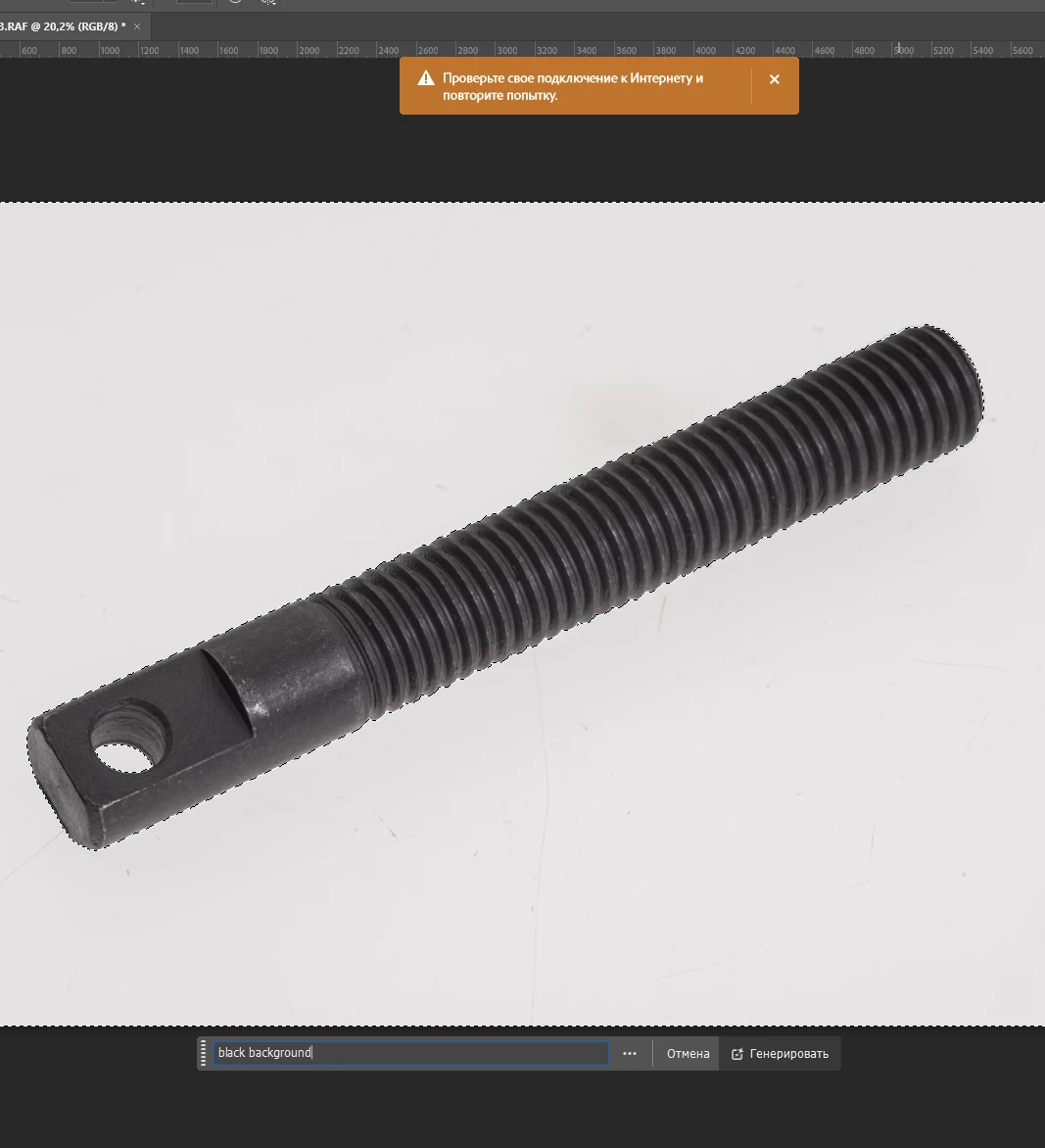
    2 replies

    c.pfaffenbichler
    Community Expert
    Community Expert
    Apr 4, 2025 1:15 PM UTC

    Have you seen this page yet? 

    https://helpx.adobe.com/enterprise/kb/network-endpoints.html

    Translate
    jane-e
    Community Expert
    Community Expert
    Apr 4, 2025 12:04 PM UTC

    @Andre Nikolski 


    I've moved your post from Using the Community to the Photoshop forum.


    • Please show a screenshot that includes your layers panel and options bar in addition to the image.
    • What was the prompt that you used?
    • The forum software cannot translate screenshots. Can you please type out what the screenshot says so we can translate?


    Jane


    Translate