Participating Frequently
March 26, 2025
Question

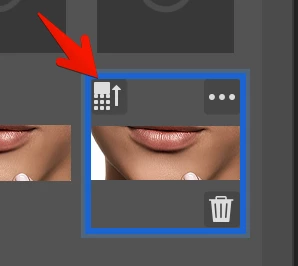
generative fill increase detailing not working

  • March 26, 2025
  • 3 replies
  • 285 views

hi, i'm not sure what it is but in my beta and regular photoshop when i click increase the quality of the generated layer simply nothing happens. couldn't find anything helpful on the web 
 

3 replies

Sameer K
Community Manager
Community Manager
March 27, 2025

Hey, @Artur28778655c2if. Welcome to the Photoshop Community. I'll help you figure this out. 


I've tested this, and it appears to work as expected. Give this a try:

1 - Use Generative Fill once on a new image. 

2 - Click on the Generative Fill Layer > CTRL/CMD+J to duplicate the layer. 

3 - Use Enhance on one of the layers. 

4— Zoom in close to the affected area and toggle the visibility for both layers to compare the results. 


Let me know how it goes. 

Thanks!
Sameer K

(Type '@' and type my name to mention me when you reply)

Participating Frequently
March 29, 2025

yes that's where i experience the issue. when i click on Enchance nothing happens. 

Sameer K
Community Manager
Community Manager
April 15, 2025

Thanks for adding the video. I couldn't recreate this, and I've tried this on macOS as well. If the generated content is too small, you'll see a prompt in Photoshop's top center stating the same. Here is a short video related to the Enhance workflow: https://adobe.ly/42mU752


Thanks! 

Sameer K
