



LauraMacky
Inspiring
May 7, 2026
Answered

Generative Fill not working properly?

  • May 7, 2026
  • 1 reply
  • 52 views

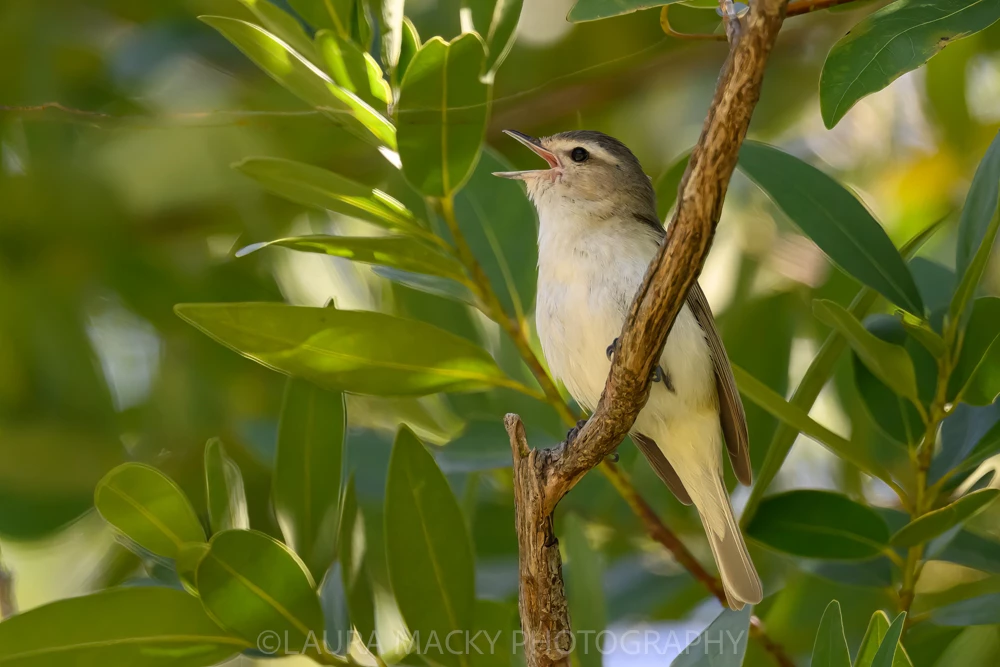
I cannot get Generative Fill to work properly.   I’ve done this hundreds of times before but now for some reason it isn’t working.  I used the object tool in lasso mode to select the branch above the bird, clicked on generative fill without any text in the box and this is what I got.  And like I said, I’ve used this hundreds of times in the past with zero issues with the same exact process.


Any ideas on how to rectify this?  I would really appreciate the help!
 

    Correct answer LauraMacky

    It’s working now.  It must've been a glitch in the system or something because it started working a few days later.  Thanks for the response.  

    1 reply

    Sameer K
    Community Manager
    Community Manager
    May 21, 2026

    Hey, @LauraMacky. Welcome to the Photoshop Community. I'll help you figure this out.


    What model are you using in Generative Fill? Partner models require a prompt. Try using Firefly 1 and Firefly Fill and Expand model; it should work without a prompt.


    Thanks!
    Sameer K
    (Type '@' and type my name to mention me when you reply)

    LauraMacky
    LauraMackyAuthorCorrect answer
    Inspiring
    May 21, 2026

    It’s working now.  It must've been a glitch in the system or something because it started working a few days later.  Thanks for the response.  

    Laura Macky