


Known Participant
December 24, 2025
Question

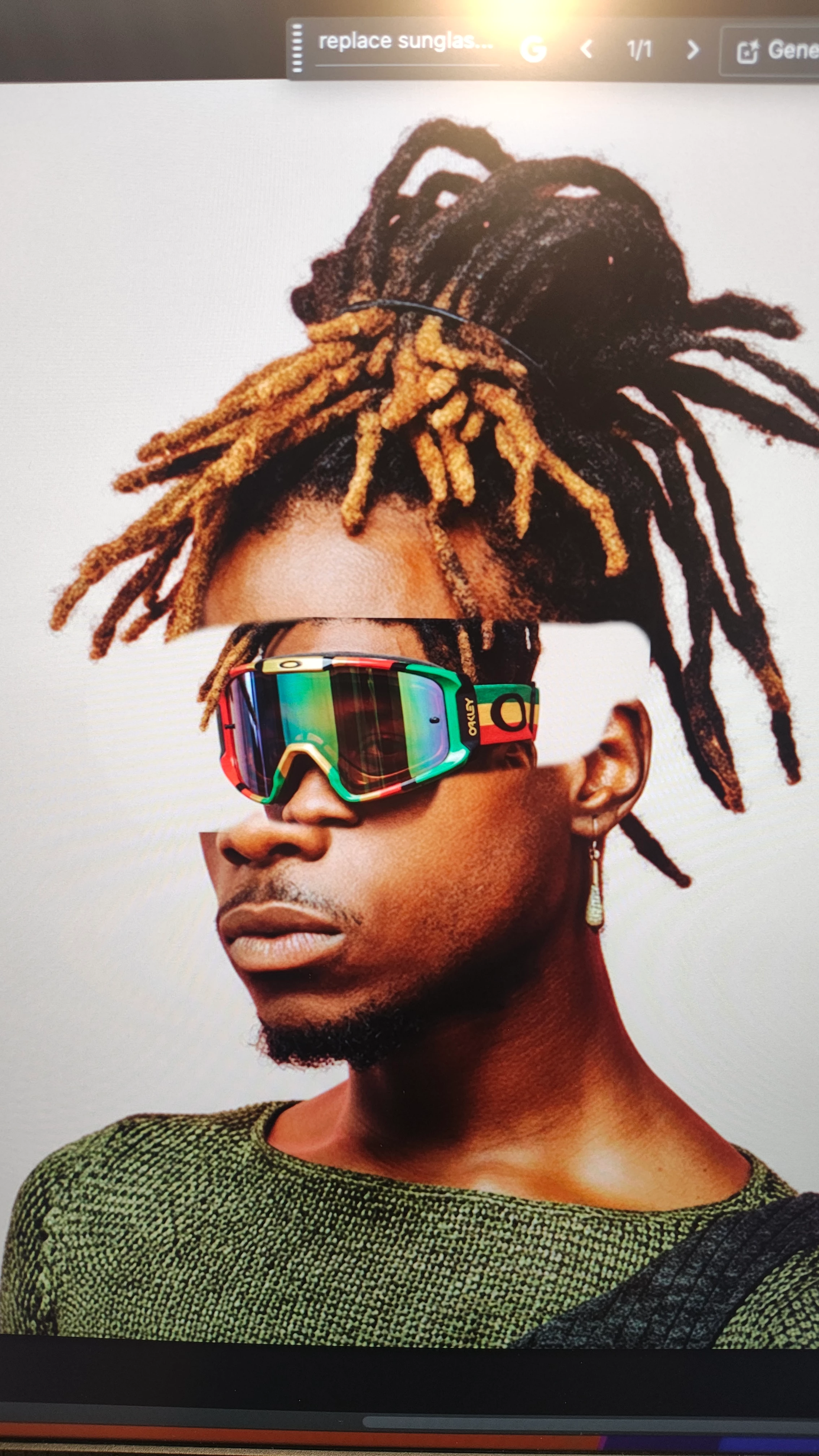
Generative fill not working (what's new feature)
  • December 24, 2025
  • 10 replies
  • 446 views

871374i8F112F9FE287F7DD.jpg

 Im using the generative fill feature the way that the what's new tutorial is telling me how to. I'm basically looking to replace sunglasses with ski goggles. Problem is that it creates the image that I want but it puts it in the small box on top of the original image as shown in the photo. What am I doing wrong and how do I fix it? 

10 replies

DragonfliesDesign
Known Participant
December 28, 2025

I'm getting similar results with gen requests when I use the new build 27.2.0, it is awful. In the past it would fill a gap in between two images and it look exactly like it was always supposed to be there, now I get random images like clouds or posts. I've tried turning off the other layers, I've tried every gen model they offer. Adobe please take a step back, something is broken.

Srishti_Bali
Legend
December 30, 2025

Hi all,


We’re sorry to hear about your experience with the new Generative Fill. To help us better understand and investigate the issue, we’d appreciate it if you could share a screen recording of your complete workflow. Please make sure the recording includes:

  • The prompts you’re using

  • The Layers panel


Additionally, please share your system information from Photoshop by going to Help > System Info, then copy and paste it here. This information will help us reproduce the issue on our end and escalate it to the Product team.


Regards,

Srishti

ClipskidAuthor
Known Participant
December 31, 2025

I already did this at the top of the thread..

Legend
December 24, 2025

It depends on your prompt. Can you tell us what text you're using?
I've seen tutorials showing the item to be replaced as Selected; other tutorials say to select the entire image.

Which did you try? Maybe you could insert a screenshot  into this post of one click prior to the generated result?


Larry
ClipskidAuthor
Known Participant
December 24, 2025
  1. 871375iD72954BA6D0AE657.jpg

    I tried selecting just the object as was suggested. my prompt was to "replace sunglasses with Oakley ski goggles in a Rasta colorway" 

Legend
December 24, 2025

Thanks for the post. I wouldn't have expected the result. My instincts tell me "in a Rasta Colorway" was misunderstood (much like me; what's a 'colorway'?).  Try "replace sunglasses with Oakley ski goggles".

Larry