



Tony223009470zdi
Participant
Feb 14, 2026 6:05 PM UTC
Answered

Generative fill producing an oil painting not working. You go up on the price and the feature I like the best is not working, how do I get this feature back?

Is Adobe addressing the generative fill question about turning my image into an oil painting like it use to. I can’t find a remedy to this problem>

    Jeff Arola
    Jeff ArolaCorrect answer
    Community Expert
    Feb 14, 2026 6:31 PM UTC

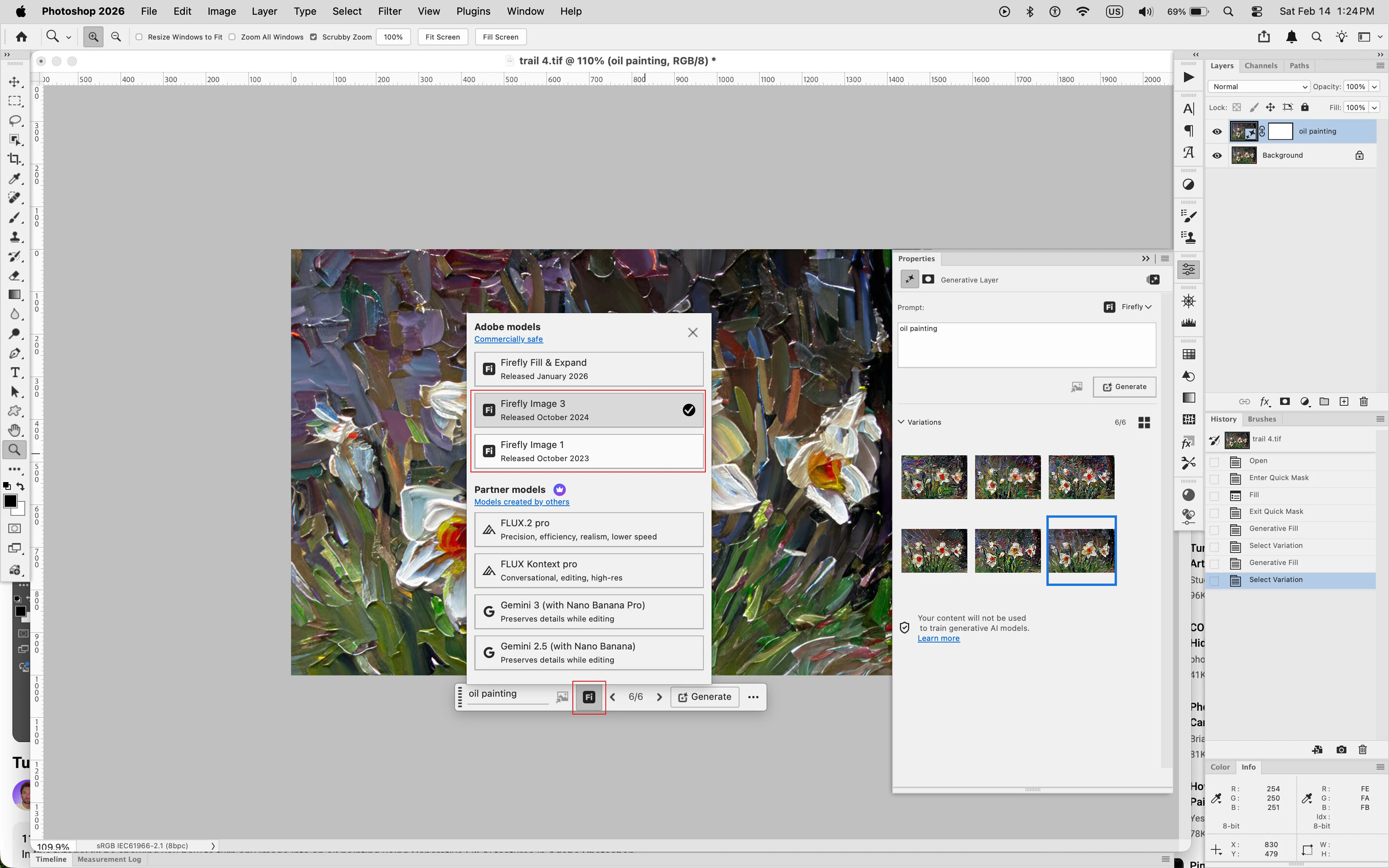
    When you use Generative Fill, change the Model to either Firefly Image 3 or Firefly Image 1 before clicking on the Generate button.


    3 replies

    c.pfaffenbichler
    Community Expert
    Community Expert
    Feb 14, 2026 7:55 PM UTC

    In case ​@Jeff Arola hasn't solved the issue please provide a meaningful description of your workflow and how and since when it does not meet your expectations anymore (please include meaninful screenshots if possible).

    Translate
    Jeff Arola
    Community Expert
    Jeff ArolaCommunity ExpertCorrect answer
    Community Expert
    Feb 14, 2026 6:31 PM UTC

    When you use Generative Fill, change the Model to either Firefly Image 3 or Firefly Image 1 before clicking on the Generate button.


    Translate
    Joules326
    Participant
    Feb 26, 2026 2:42 AM UTC

    Thank You!  So glad I found your fix.

    Translate