Participant
August 7, 2020
Question

Getting an error message while using the history brush tool in Photoshop on Windows.

  • August 7, 2020
  • 1 reply
  • 349 views

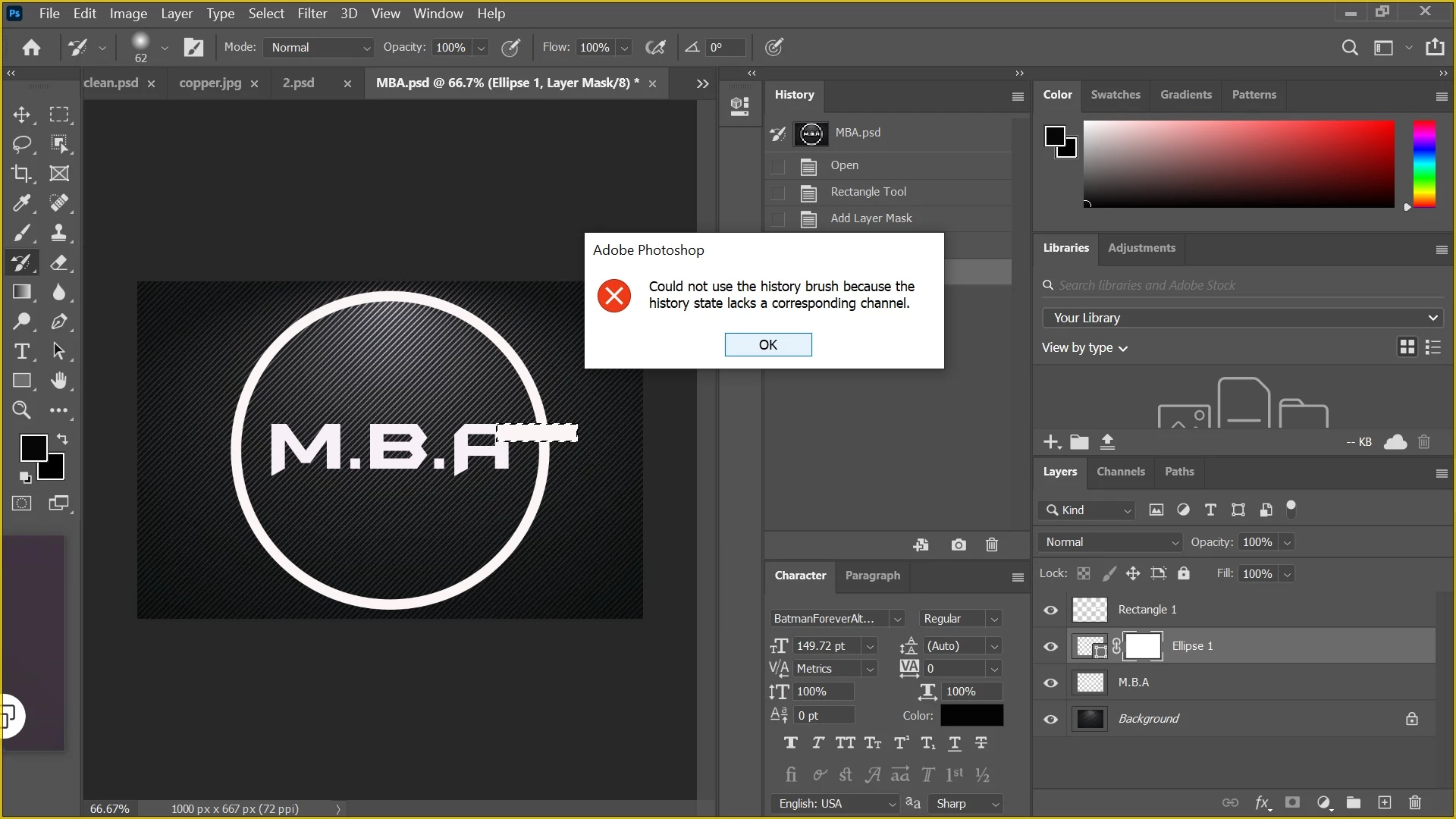
hey i have issue i add mask layer but when i try use history brush i get error plzz can some one help i look all through net still cant find 1 to help me 
This topic has been closed for replies.

1 reply

Akash Sharma
Legend
August 7, 2020

Hi there, 


Sorry that you're getting an error message " Could not use history brush because the history state lacks a corresponding channel " while using the using the History brush tool. 


Which version of Photoshop are you using and what is the Windows version? Does the problem occurs while working on a particular file or file type? 


Would you mind checking the steps mentioned in this discussion https://community.adobe.com/t5/photoshop/could-not-use-history-brush-because-the-history-state-lacks-a-corresponding-channel-please-help-cs6/td-p/4918765?page=1 and let us know if that helps?


Thanks,

Akash

Participant
August 7, 2020

im using creative cloud on 1 week trial im on windows 10 i tried the steps but i dont get it is there a video that i can watch or someone that can remote acess me and show me its been about 9 hours still in same part i have no clue with photoshop im just going off what i saw on youtube know that not a pic the back ground is but everthing else is with rectangles and text could u make a tutorial doing what i want to do where the  rectangle is i wont to remove the eclipse not whole lot just the bit under the rectangle sorry but i lean better with videos then messages

JJMack
Community Expert
Community Expert
August 7, 2020

Why you trying to Paint into the Layer Mask on your shape layer with the History Brush? What is the Tutorial Step doing?

JJMack
