

yeejoy
Participant
April 1, 2026
Question

Getting glitched PSD preview

  • April 1, 2026
  • 2 replies
  • 23 views

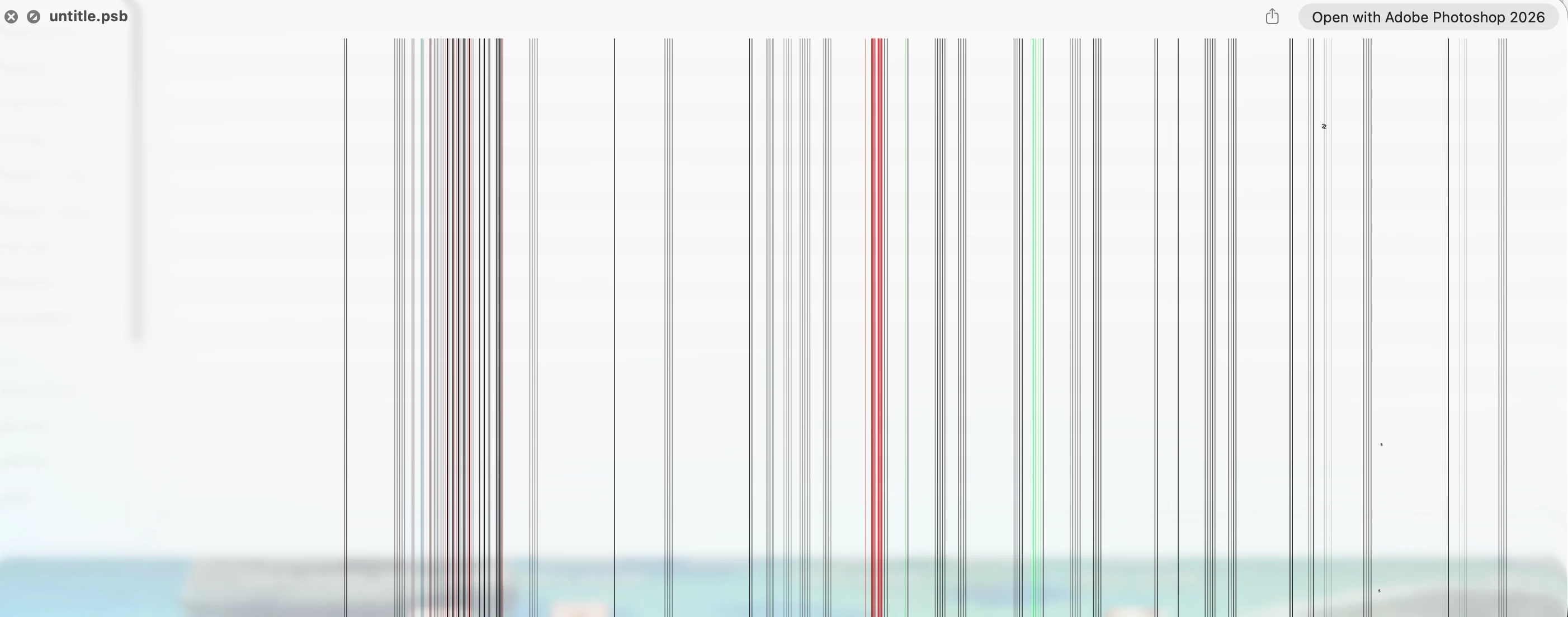
Hi, I’m having an issue with PSD previews on Mac. Whenever I save a PSD from Adobe Photoshop, the preview looks glitchy when I press spacebar (Quick Look in Finder). 

The actual file is completely fine when opened in Photoshop — it’s just the preview that’s broken.

Anyone experienced the same thing? 😣
 

    2 replies

    Sameer K
    Community Manager
    Community Manager
    April 1, 2026

    Hey, @yeejoy. Welcome to the Photoshop Community. I'll help you figure this out. Please share the system info from Photoshop Help > System info > Copy and paste into a text document > Upload and attach here.


    Is the document/image stored on an external drive or in a folder associated with cloud backup services? Working through a network or external drive is unpredictable & is not recommended. Head here to learn more: https://adobe.ly/3A2G2zK


    Please ensure there are no stale preferences in your Photoshop. You can go to the location of the preference folder below and rename it to back it up. (https://adobe.ly/3u7u84j)

    This method is more effective compared to the in-app Reset Preferences at quit method. 


    macOS: Hold down the Option key in the Finder when using the Go menu. The library will appear below the current user's home directory.

    Library > Preferences > Adobe Photoshop [version] Settings

    Rename the Adobe Photoshop folder by adding a .old at the end. (Adobe Photoshop 2026 > Rename > Adobe Photoshop 2026.old)


    This will give Photoshop a fresh start as a new installation.

    Let me know if it helps. Thanks!
    Sameer K

    (Type '@' and type my name to mention me when you reply)

    yeejoy
    yeejoyAuthor
    Participant
    April 1, 2026

    My solution is to uninstall PS and install again, for the old psd that has glitched preview i’ll just make a copy and move to new psd file. 😉