
Getting odd registration on drop shadow and bevel and emboss on Photosop Win
Going for a while started about a year ago and I've just been working around it.
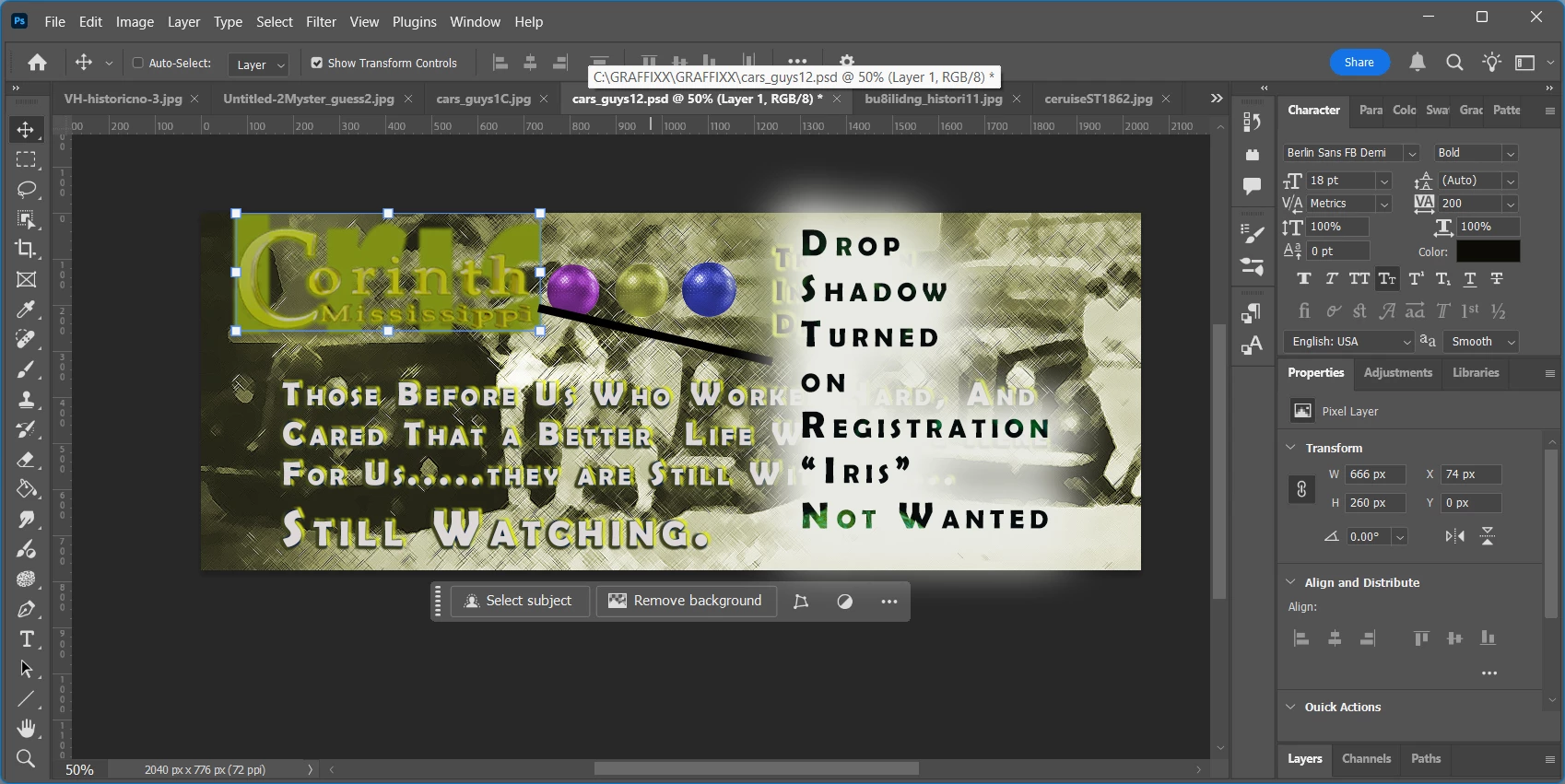
This is weird. In P-shop 2024-2025 etc. when I apply drop shadow and/or bevel and emboss to type
elements the word "iris" shows up in the exact color and position of where I'd like by layer effects to be. While have the word "iris" on the ready is certainly an excellent opportunity for individual expression, my specific needs for that exact word run in the "once in ten years" demographic, especially when using photoshop. I use Photoshop every day of the world, so, that usage ratio could easily spike. And It seems like I remember going to a blog some time back written by an Adobe Developer, but not on the CC site who had a cat named "Iris" and apparently he, amazingly, was disgruntled with his tenure at Adobe. Something about "not getting enough exposure for himself or his cat, Iris." Apparently just before being terminated he floated a mysterious script across the bright-web that enigmatically wrote itself into the layer effects of any version of Photoshop CC it encountered and now those users are doomed to remember that blasted cat in infamy. Now...I am not a cat person, but I certainly appreciate his desire to have people love and appreciate his pet more. I really do. I would, however prefer not to put in my share of free advertising for old Iris when I am simply, and perhaps pedantically, looking for that old faithful drop shadow and bevel and emboss that is some familiar, friendly, and confidence inspring.
I'm sure there has been a fix for this in the works that is just about to be available and I"ll be getting it soon, or else the Adobe Team will be anncouncing the bug fix at any minute now. Yes? Yes? Great!!
Just for the record.....here is what I am talking about.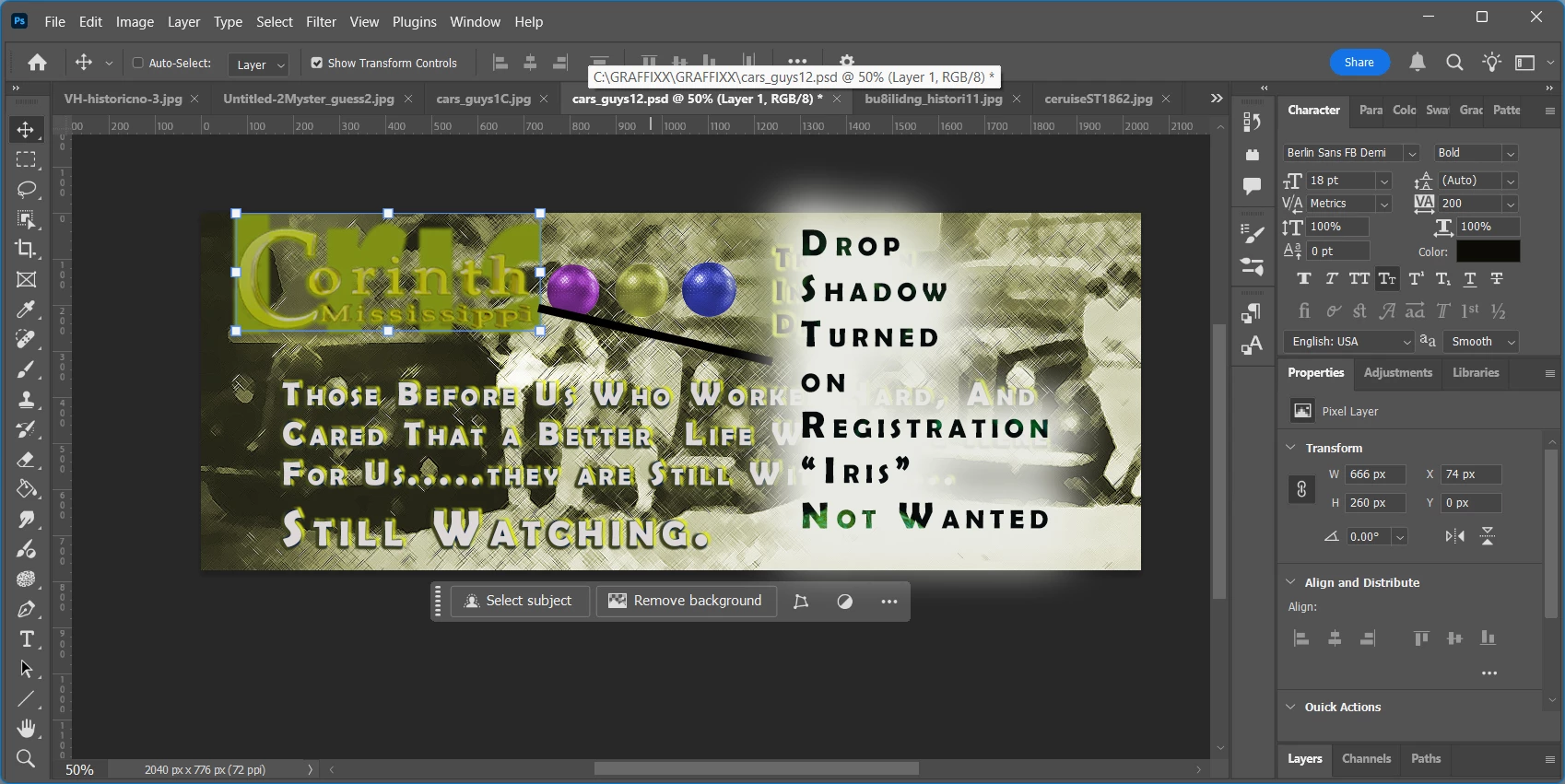


 AdChoices