

j.khakase
Inspiring
November 9, 2024
Answered

GIF animation doesn't play while Opened the file in Photoshop CC. Pls Help

  • November 9, 2024
  • 1 reply
  • 844 views

Hello PS Community,

I  Need an urgent help on the facing issue on GIF animatted file.

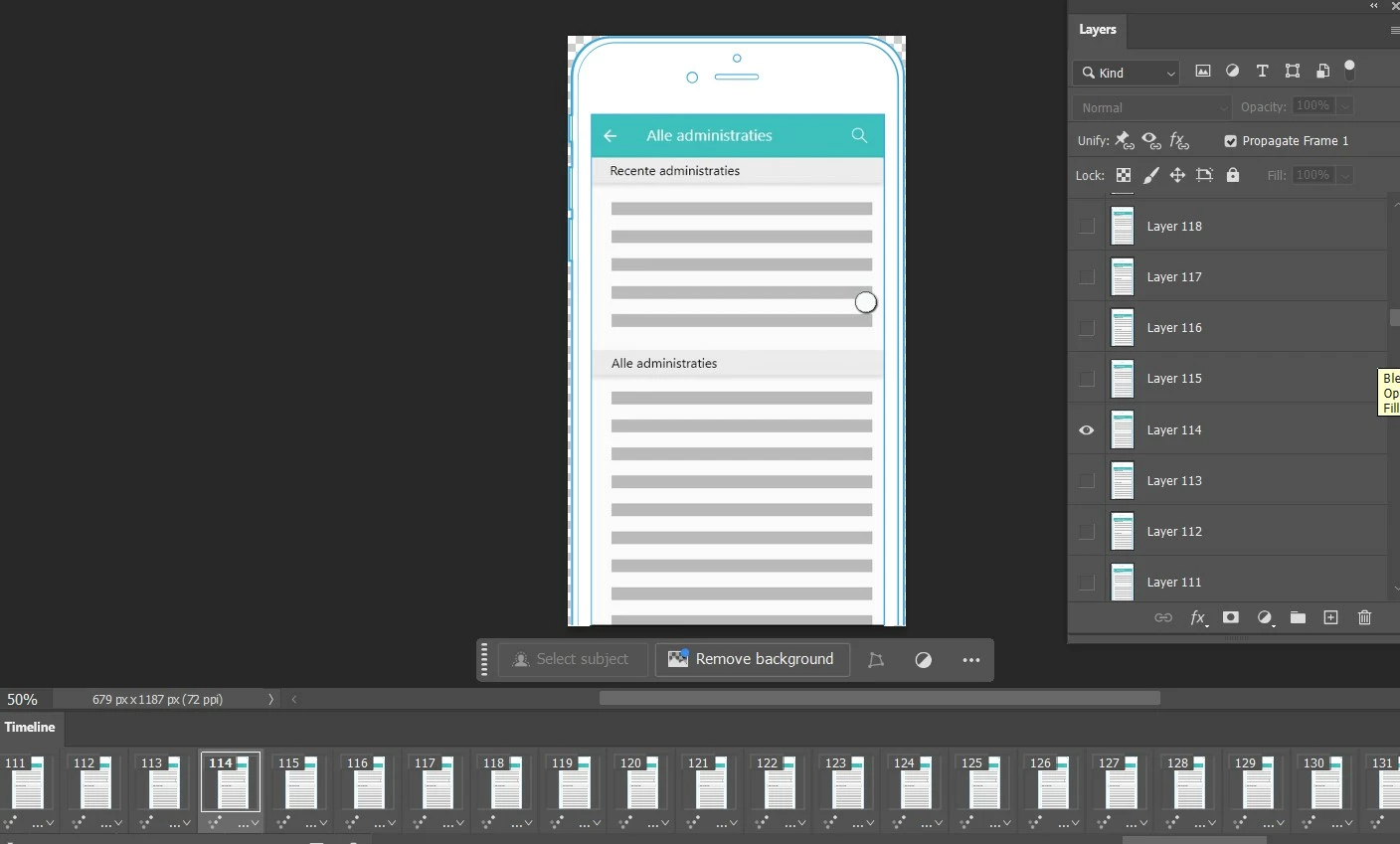
Few years back I was made Animated GIF using Photoshop and Exported them successfully. but now I want to replace color for according to some specific brand, for that while opening the animated GIF file in Latest Photoshop Version. its not playing the animation.

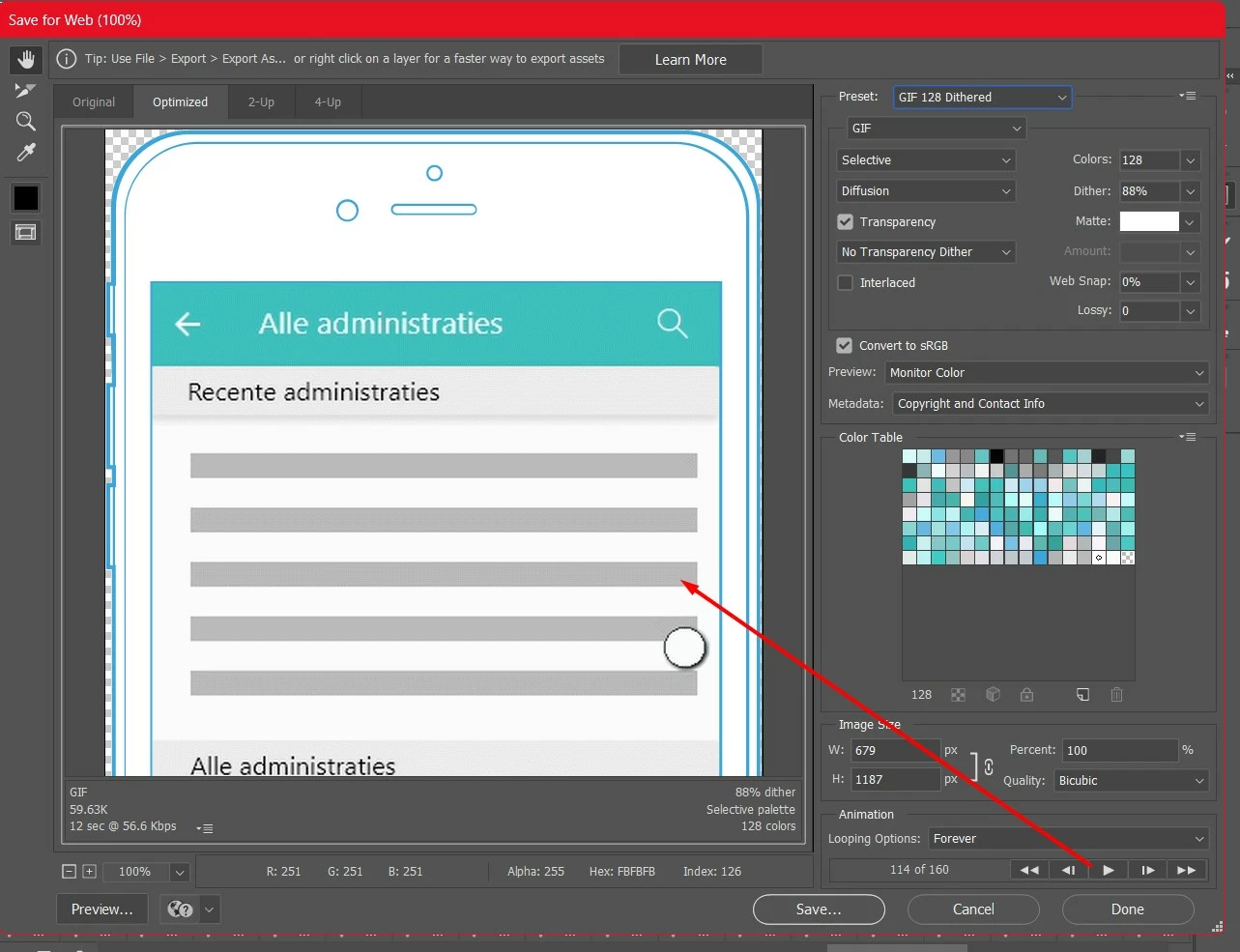
 While playing animation by click on play buttton, it doesn't play at screen, and not even while exporting through Save for Web (Legacy) Dialog while click on play button.

I gone through similar video tut but doesn't get the solution on it. Sharing screenshot to refer. pls suggest where I am wrong
This topic has been closed for replies.
Correct answer j.khakase

Thanks for your reply @Sameer K , The issue is resolved now as follow.

I imported animated GIF into Adobe Animate creating a symbol and export from it as Animated GIF again. that way its updated with Photoshop compitabable file and was everything as normal as expect.


1 reply

j.khakase
j.khakaseAuthor
Inspiring
November 9, 2024
Sameer K
Community Manager
Community Manager
November 13, 2024

Hey, @j.khakase. Welcome to the Photoshop Community. I'll help you figure this out. 


Please share the system info from Photoshop Help > System info > Copy and paste into a text document > Upload and attach here. 


Does this happen with specific documents? Try switching to a Video timeline & switching back to Frame Animation.

If this does not help, try these steps: 

Ensure there are no stale preferences in your Photoshop. Go to the location of the preference folder below and rename it to backup.

  • Windows 10/11: Users/[user name]/AppData/Roaming/Adobe/Adobe Photoshop [version]/Adobe Photoshop [version] Settings
  • You can press Press the Windows key > Enter 'Run' > Enter %APPDATA%\Adobe
  • Rename the Adobe Photoshop folder by adding a .old at the end. (Adobe Photoshop 2025 > Rename > Adobe Photoshop 2025. old), You can restore these preferences later if needed.(https://adobe.ly/4860qM9)
  • Restart the computer.

These changes will give a fresh start to Photoshop as a fresh install. Let me know how it goes.

Thanks!

Sameer K

(Use '@mention' to tag me when you reply)

j.khakase
j.khakaseAuthorCorrect answer
Inspiring
November 18, 2024

Thanks for your reply @Sameer K , The issue is resolved now as follow.

I imported animated GIF into Adobe Animate creating a symbol and export from it as Animated GIF again. that way its updated with Photoshop compitabable file and was everything as normal as expect.