Pimmskie
Participant
April 18, 2025
Answered

Gradient background with AI photoshop

  • April 18, 2025
  • 1 reply
  • 1022 views

Hi, is there a good prompt for photoshop AI to create a nice background with some white soft gradient behind the subject? I have attached an example what I want and one example the best I can achieve now.


Im not an expert in Photoshop so looking for easy ways how to achieve the same background as show in the example attached.


Who can explain me a bit how to do?


I use Photoshop, latest version on MacOS

Correct answer davescm

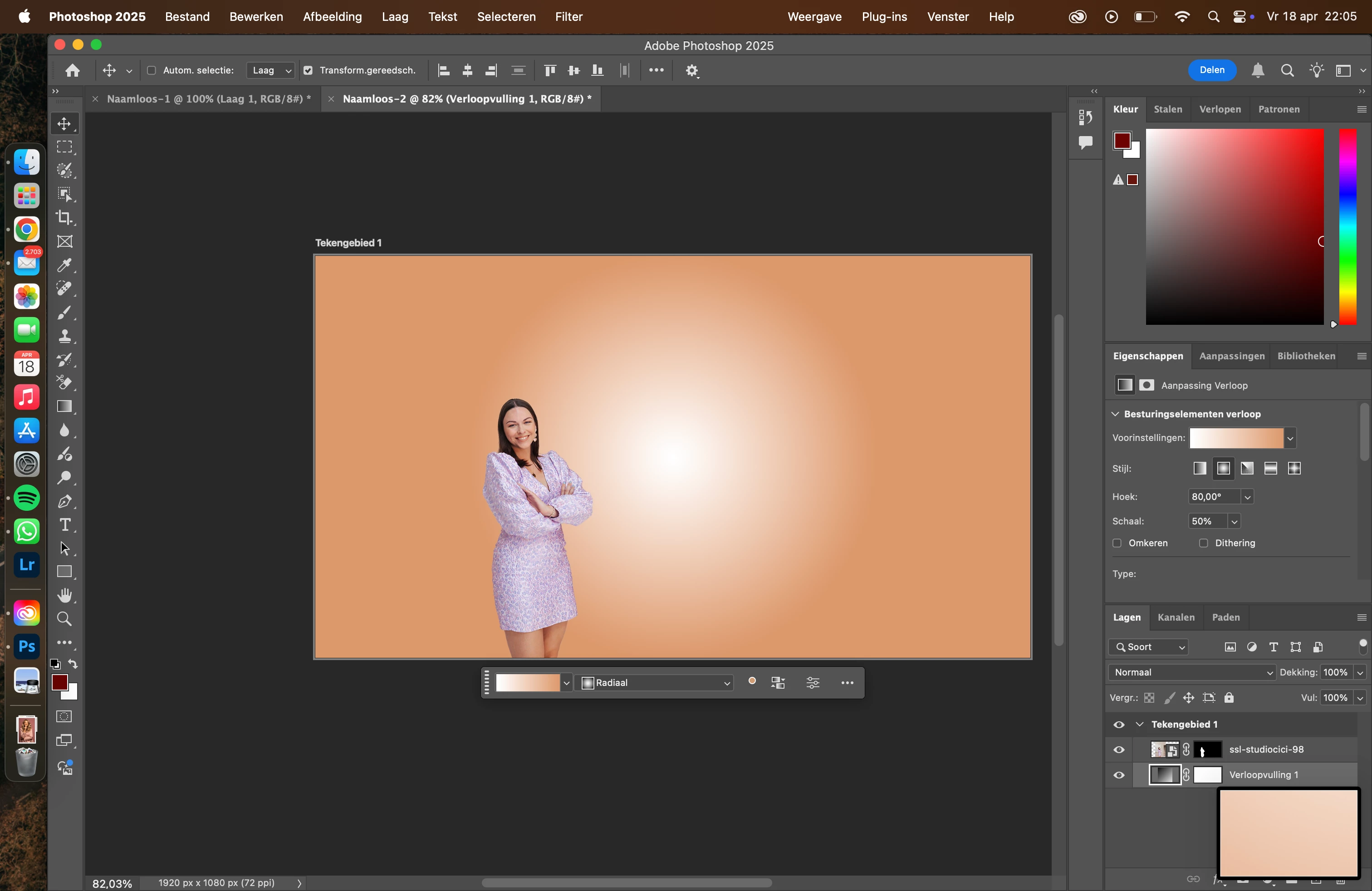
Hmm, seems simple with your tips but now I cant get the background moved...


Hi,

To move the gradient, double click on the colour fill layer icon in the layers panel (not the mask) and the gradient fill dialogue should open. Then move your cursor over the canvas and you should be able to click and drag the gradient around. When you are happy, click OK in the gradient fill dialogue.


One more tip - if you are working in an 8 bit/channel document, as your screen shot shows, turn on Dither by checking it in the same dialogue, or in the properties panel. It will hide any stepping caused by working in 8 bit.

Dave

1 reply

davescm
Community Expert
Community Expert
April 18, 2025

Hi

No need for AI for that one. In the example below I used select subject and copied the woman onto a separate layer.

Below that layer I added a gradient fill layer (Layer > New Fill Layer >Gradient). Set the style of that gradient to Radial. Click on the gradient and then adjust the gradient to the colours your require by clicking on the end stops and then the color box for each. Then uncheck 'Align with Layer' and drag with the move tool to move the centre of the gradient behind the girl.


I hope that helps you

Dave

Pimmskie
PimmskieAuthor
Participant
April 18, 2025

Sounds good! But Im struggling with the custom gradient. Can't get the colors working. Also have Photoshop in Dutch and cant get in English without re-install. So searching for all the options :S But this is another topic, think found the right options.

Background color which I use is #DC996C


davescm
Community Expert
Community Expert
April 18, 2025

In your screenshot the two ends of the gradient are transparent. If you click on the lower stops you set the colour, and you click on the upper stops to set the opacity. Set the opacity of both ends to 100%.

Dave