
Known Participant
June 13, 2023
Resuelto

Gradient doesn't use current foreground color photoshop may 2023

  • June 13, 2023
  • 17 respuestas
  • 21765 visualizaciones

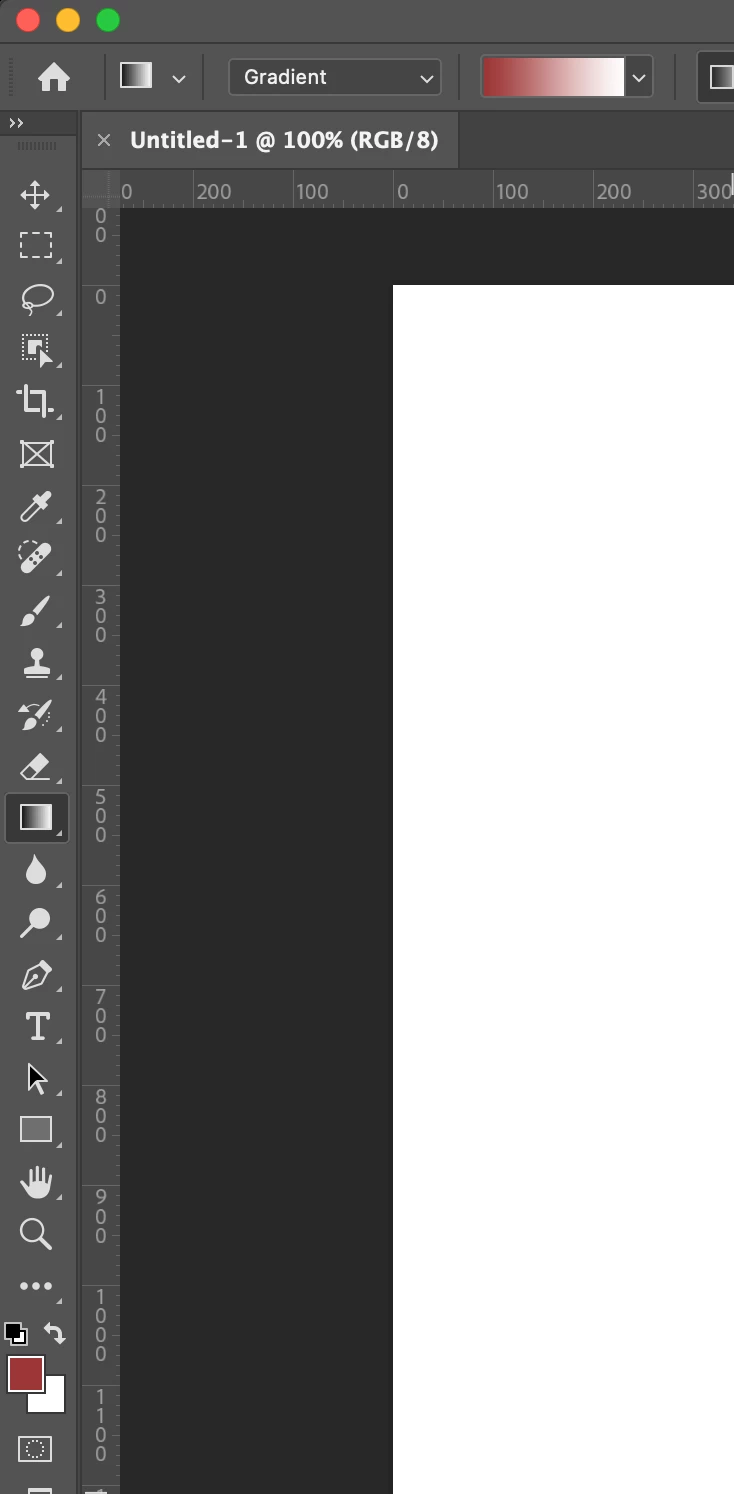
why the new photoshop is not using colors for basic gradient that are currently chosen (in tools pannel) like it was in all previous versions? It's really annoying- I have to change colors erey time in the gradient options, instead of what was before -  photoshop used current foreground color (i use it for shadows, for example)

Mejor respuesta de Kevin Stohlmeyer

That is not how its acting on my version of PS - 24.5. Once I have the tool set to Foreground/Background its auto updating when I change a color. Try resetting the tool by clicking the gradient icon top left of the option bar and choose reset tool.


17 respuestas

Participating Frequently
July 21, 2023

up vote. same problem here. -- the constant annoyance of being a forced beta tester for Adobe.

Most Funnest
Participating Frequently
July 10, 2023

Same problem for me. I hope they can address this soon.


Semaphoric
Community Expert
Community Expert
June 20, 2023

Okay, I can confirm there is a problem with this. It works as it always has using the Classic Gradient, but if the "new" Gradient has been used, it does not update when the foreground color is changed. Annoyingly, this behavior continues if you switch back to Classic Gradient.

Known Participant
June 20, 2023

Have the same problem, everything works like it's supposed to except for "Foreground to Transparent" in the new gradient tool. It's broken and ignores when you change your foreground color. The only fix is to change back to the classic gradient method, select the Foreground to Background preset, and then change back to Foreground to Transparent preset.

Participant
February 20, 2024

Upvoting because this finally worked for me, thanks!!

Rubber Johnny
Known Participant
June 15, 2023

Same problem here.  Never underestimate Adobe's ability to screw things up.

Semaphoric
Community Expert
Community Expert
June 13, 2023

In the Gradients panel, open the Basics preset drop down. One of the options there is Foreground to Background; drag this into the top section of the preset list.

Known Participant
June 13, 2023

thank you, I think I didn't explain my problem well. I know where the option is, I just dont want to change it from the panel, i want my foreground color to became automaticaly my foregroung color in gradient...as it ws for 20 years of my work with photoshop

Semaphoric
Community Expert
Community Expert
June 13, 2023

Drag it all the way to the top, and put it first among whatever you have there already.


Kevin Stohlmeyer
Community Expert
Community Expert
June 13, 2023

Hi @Mariusz5D34 have you tried setting the tool prior to opening a document?

The first option under Basics is foreground/background.


Known Participant
June 13, 2023

yes, I use foreground to transparent. The problem is - I have to go to that panel every time I want to change the color. Before it was automatic -  the chosen foreground color would become the foreground color in gradient. Now - as you can see in my picture - it doesnt't change, it keeps the previous color. So I have to go to panel and change it, it is very tedious

Kevin Stohlmeyer
Community Expert
Community Expert
June 13, 2023

That is not how its acting on my version of PS - 24.5. Once I have the tool set to Foreground/Background its auto updating when I change a color. Try resetting the tool by clicking the gradient icon top left of the option bar and choose reset tool.