chrisb33930735
Participant
June 26, 2023
Answered

Gradients not exporting with image

  • June 26, 2023
  • 33 replies
  • 19501 views

Something really strange is going on. My gradients look fine when I'm editing, but when I export, it's only showing the leftmost color. I've attached images.


Correct answer c.pfaffenbichler

Here's a better screenshot. I cannot provide the file due to copyright issues.
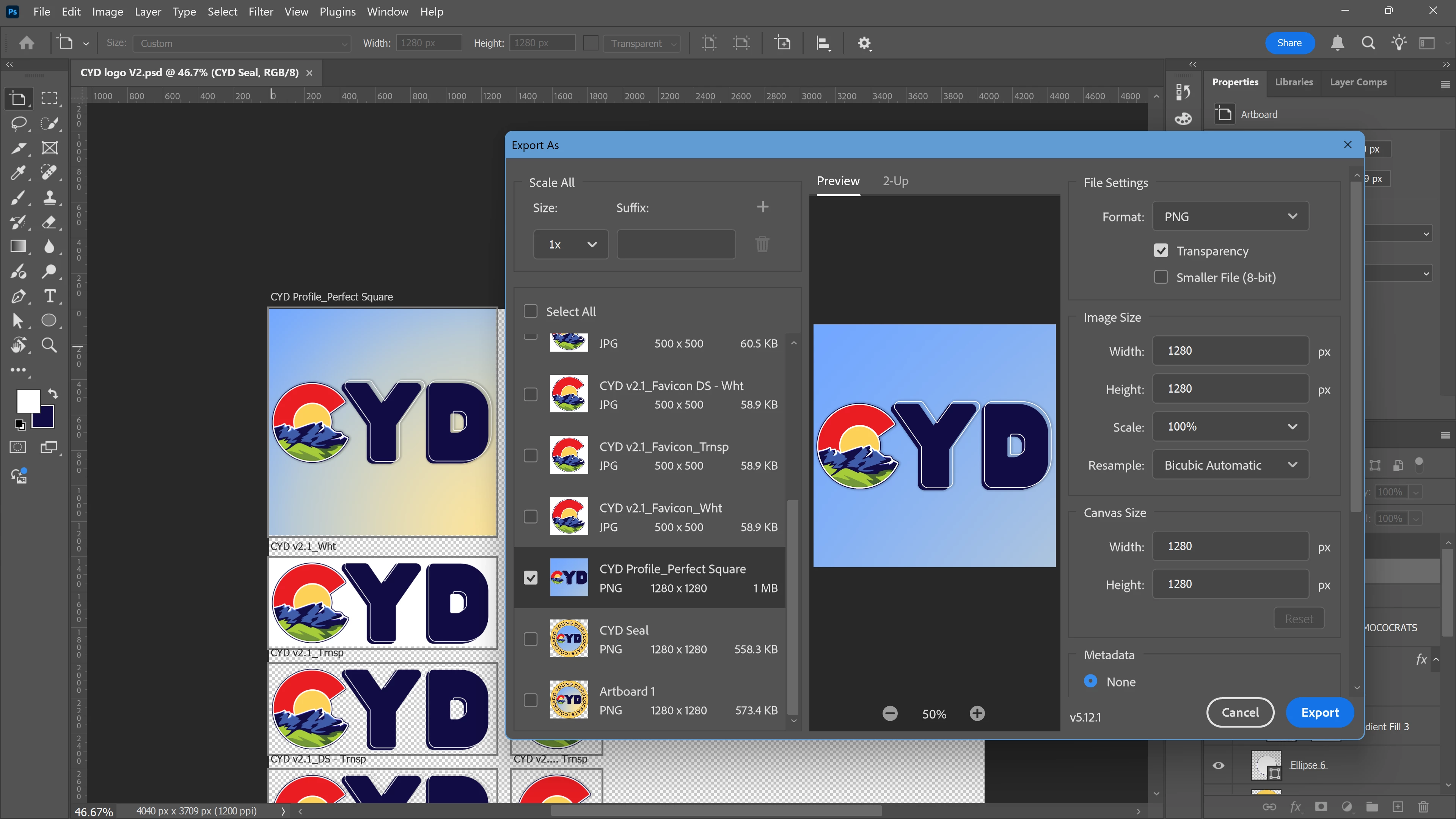


If I remeber correctly this is a known issue with »Export As«. 

In the meantime please use the work-around of applying a Layer Mask (of the Artboard’s dimensions) to the Gradient Layer or convert it to a Smart Object. 

33 replies

anavic
Participant
February 18, 2026

In my case, I double-click on the gradient and mark “Align with layer”. Sometimes it moves the position of the gradient, but it respects the colour and transparency when exporting 100%

Double-click to the gradient


Participant
August 18, 2025

The soloution is to go to File > Export > Export prefrences >  click -use legagy "Export as" then save  OR  Ctrl K > Export > Export prefrences >  click -use legagy "Export as" then save. simple as that 

Participant
April 7, 2025

Same issue here

c.pfaffenbichler
Community Expert
Community Expert
April 7, 2025

Where are the screenshots? 

Participant
May 7, 2025

While I can't speak for the author of this reply, I can speak for myself, who is experiencing this issue. The left is the artboard and the right is the "Export As".


Participant
February 22, 2025

My workaround is to rasterize the gradient layer, and it exports properly. 

c.pfaffenbichler
Community Expert
Community Expert
February 22, 2025

Converting it to a smart object might be more prudent in case of later editing needs.

Participant
November 4, 2024

I am having the same issue, we are paying customers not getting the service that was promised to us.

Participant
October 31, 2024

Convert the gradient in a smart object.

Participant
October 13, 2024

Still Issue not solved. I am facing it from last 6 hours. Dear Team Adobe! please solve this issue.

Harry
Participant
October 13, 2024

Issue is not resolved. This happened to me today. v25.7.0

Participant
August 27, 2024

Seems like a common issue, the least destructive way I've been able to work around it is by selecting all layers and convert to a smart object, then export. Hopefully Adobe will resolve this soon.

Participant
May 17, 2024

Can confirm, I'm having this issue. I've noticed, even if I use the 2023 version of Photoshop, the issue persists.
