
Grayscale Problems
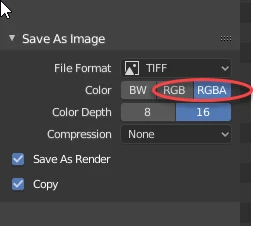
I created a new canvas and needed a specific picture to start it off, which I made using Blender, a rendering program. I saved the render from Blender and it was very colorful. However, when I put it into Photoshop, the transparent photo had the background become black and the render itself shades of gray. I checked to see if it was in grayscale, and it was. So, I put it into RGB mode but the image was still gray. I tried using brushes to see if the render alone was gray or each layer, but it seems to only be the render. I cannot get its color back. I looked through countless discussions, followed the steps, and nothing works. I tried restarting Photoshop, resetting the preferences, etc. I also checked to see if only one channel was selected, but each color (red, green, and blue) were selected.
This is a big issue as this image is paid for and my client needs it sometime soon. I don't have photos but I think I described the problem well.


 AdChoices