
Participant
Nov 13, 2026 12:13 PM UTC
Question

grids

Hi everyone,


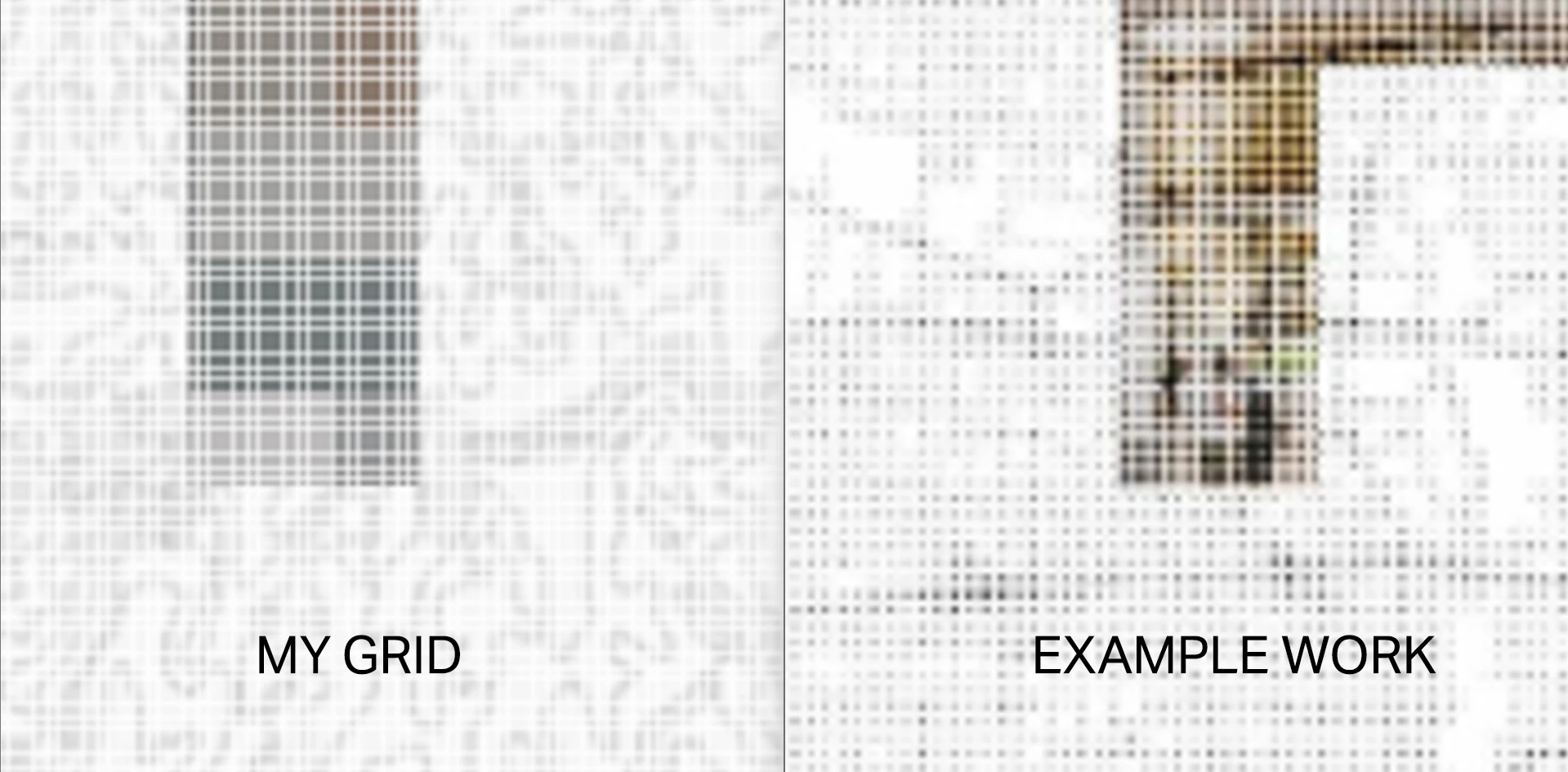
Newbie here. Not sure why the last post didn’t go through, so I’ll have to post again. I’ve been studying other people’s work, but couldn’t figure out why their grids have those inner shadows or glows that looks nothing like my grids. Definitely have tried the options inside the Layer Style Panel, not sure what’s wrong.


Thanks for reading!

    2 replies

    CORCTON34033231
    Community Expert
    Community Expert
    Nov 14, 2026 12:23 AM UTC

    Hi, thanks for the comparison image - it helps a lot. In your image, your grid is made of thin lines, while the example grid is made of dots whose size and density change across the image, which is why it reads as a shadow/glow rather than a flat line grid. A Layer Style on a line grid won't turn it into that dot effect, so the difference is in how the grid itself is built, not in a Layer Style setting.


    Could you share how you built your grid (for example, lines drawn with the Line tool, a pattern fill, or the Grid in View > Show > Grid), and where the example work comes from? With that I can point you to the right way to build a dot grid like the example, rather than guessing at its technique.

    Translate
    Participant
    Nov 15, 2026 6:28 AM UTC

    Hi CORCTON,

    Thanks a lot for reaching out!

    I used a pattern fill, and placed it on top of an image.

    The reference from is the cover page (p1) of this portfolio:

    https://issuu.com/roy_yue/docs/master_works_portfolio_2024 

    You might be right about the dots! After zooming in on issuu I can see that now 😂


    Is the dot technique related to ‘halftone’?

    Translate