
Participant
July 25, 2024
Question

[HELP] I don't know how to remove this little thing

  • July 25, 2024
  • 1 reply
  • 142 views

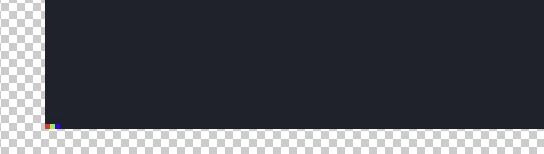
Hi can someone tell me what happened here? Just after the update my screenshots are having this small rgb thing. On the lower right.. Is there any solution how to remove this after pasting image from snipping tool?
 

This topic has been closed for replies.

1 reply

Sameer K
Community Manager
Community Manager
July 25, 2024

Hey, @Allenpogz. Welcome to the Photoshop Community. I'll need more information to help you figure this out. Please share the system information from Photoshop Help > System info > Copy and paste into a text document > upload and attach here.


Does this happen with all the images? Has this started since a recent update of Photoshop or the operating system?


Ensure there are no stale preferences in your Photoshop. Go to the location of the preference folder below and rename it to backup.

  • Windows 10/11: Users/[user name]/AppData/Roaming/Adobe/Adobe Photoshop [version]/Adobe Photoshop [version] Settings
  • You can press Press the Windows key > Enter 'Run' > Enter %APPDATA%\Adobe
  • Rename the Adobe Photoshop folder by adding a .old at the end. (Adobe Photoshop 2024 > Rename > Adobe Photoshop 2024. old), You can restore these preferences later if needed.(https://adobe.ly/4860qM9)
  • Restart the computer.

These changes will give a fresh start to Photoshop as a fresh install. Let me know how it goes.

Thanks!

Sameer K

(Use '@mention' to tag me when you reply)