
Question
help me with sky replacement
i have 2 questions:
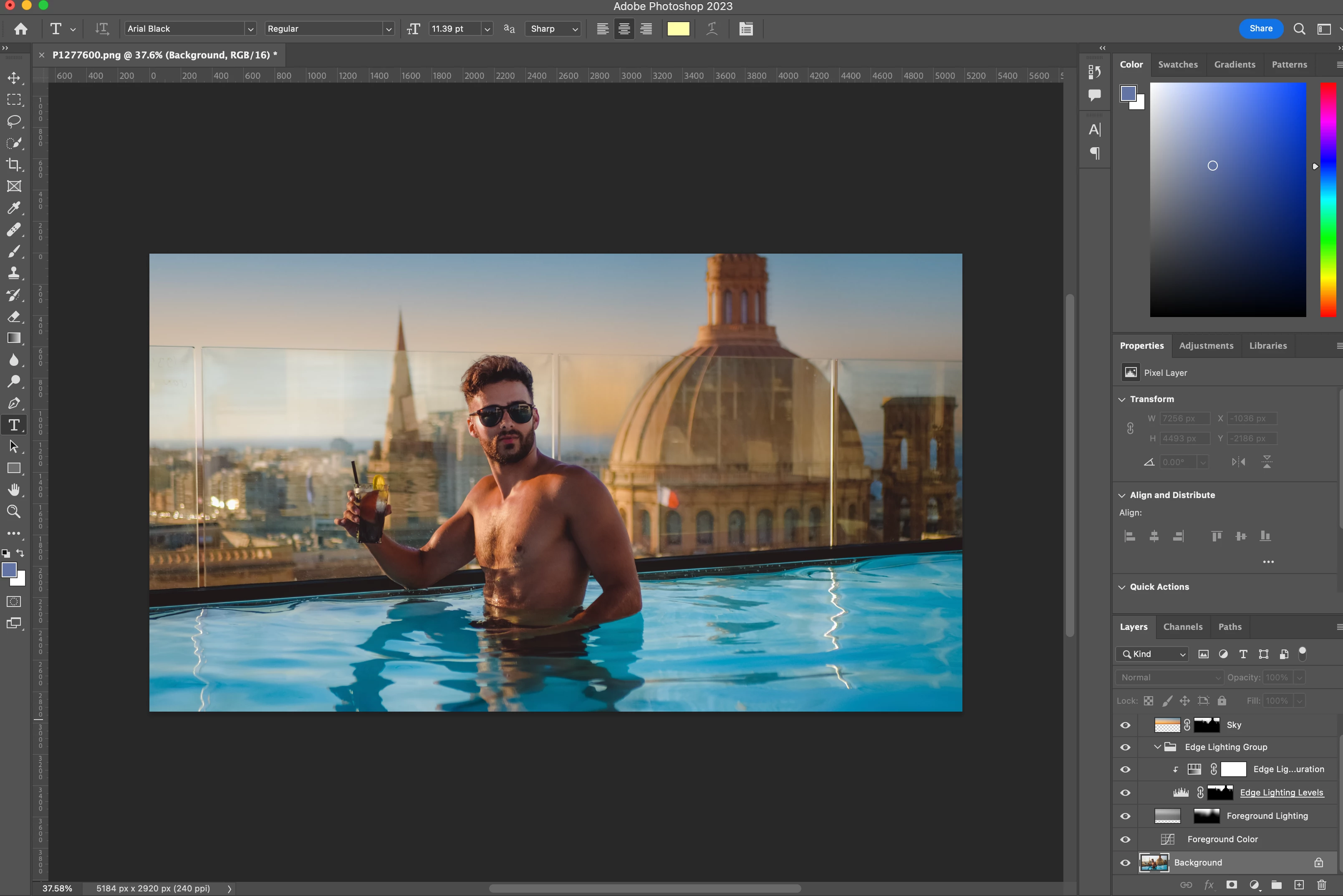
1) i want to pull up the sky replacement menu again with all the options to adjust brightness, foreground, etc (basically the screen that appears once you first select the sky replacement tool) - seems the only way is to keep clicking undo until it disappears, and then start all over...
2) you will notice the part of the sky where the glass enclosure of the pool is covering it, has no sky replacement. how can I manually select that this area has the sky replacement added in it?
thanks


 AdChoices