Answered
Help! My Photoshop has a sort of a pink hue
Does anyone know how to fix this?
I updated my Photoshop and when I opened it, it had this strange pink hue on the image and on the color swatch.
Please help I can't figure it out.
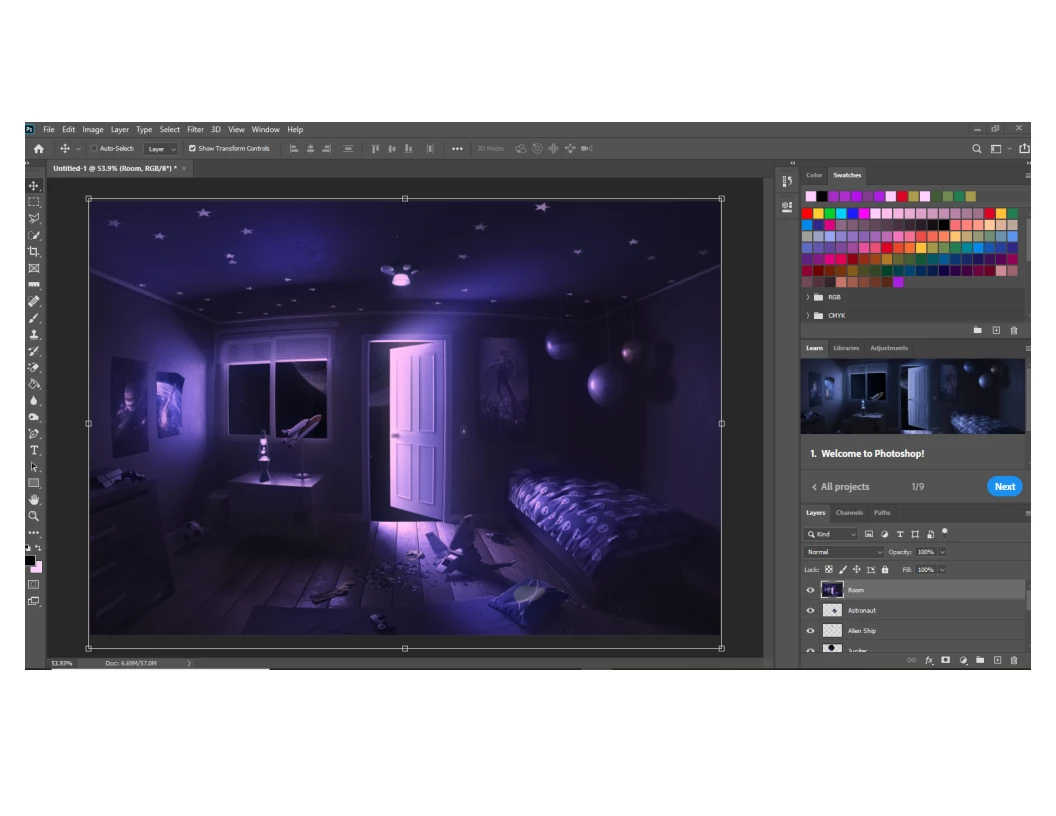

Does anyone know how to fix this?
I updated my Photoshop and when I opened it, it had this strange pink hue on the image and on the color swatch.
Please help I can't figure it out.
This is caused by a defective monitor profile.
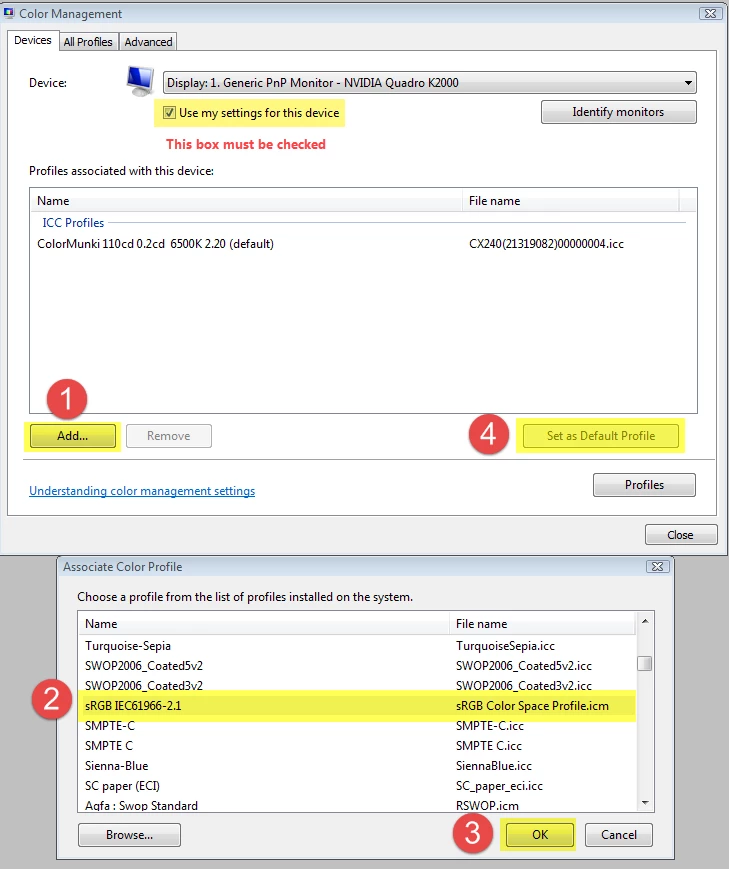
As troubleshooting, and as a (temporary) fix, go to Control Panel > Color management.
Add the sRGB profile, and set it as default. Use Adobe RGB if you have a wide gamut monitor.
Photoshop needs to be restarted to become aware of the new profile.
If this fixes the issue, you should ideally calibrate the monitor with a hardware calibrator, which will also create and install a custom monitor profile that accurately describes your monitor.
Already have an account? Login
No account yet? Create an account
Enter your E-mail address. We'll send you an e-mail with instructions to reset your password.


 AdChoices