Answered
HELP: PDF SHOWING "CLEAR"AREA!
Hi there! I imported a PDF, here PDF screenshot:
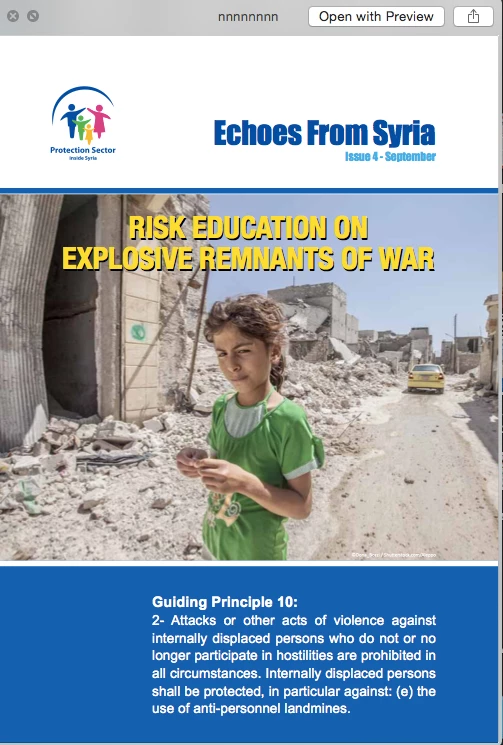
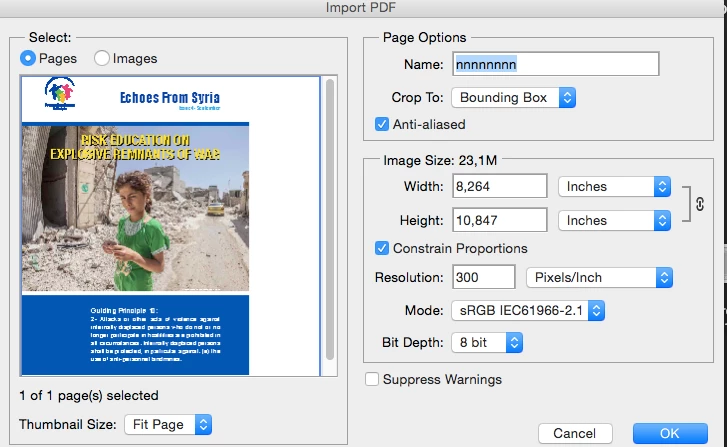
here showing as page, notice white area on top
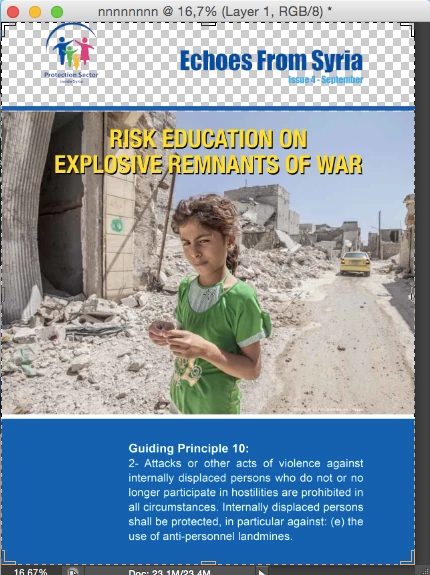
here after I hit OK, showing the typical "no pixel" area instead of the white. what happened ? thanks!!

Hi there! I imported a PDF, here PDF screenshot:
here showing as page, notice white area on top
here after I hit OK, showing the typical "no pixel" area instead of the white. what happened ? thanks!!
I believe that this is just as simple as the import preview window does not show existing transparency, while Photoshop does. Just flatten the rasterised image and move on, there is nothing to be concerned about here (unless you happen to be importing a flattened PDF 1.3 that has stitching artefacts once rasterised, then you need to jump through some hoops to fix things up).
Already have an account? Login
No account yet? Create an account
Enter your E-mail address. We'll send you an e-mail with instructions to reset your password.


 AdChoices