
Participant
June 16, 2022
Question

Help Photoshop X and Y Free transform Move not working

  • June 16, 2022
  • 3 replies
  • 438 views

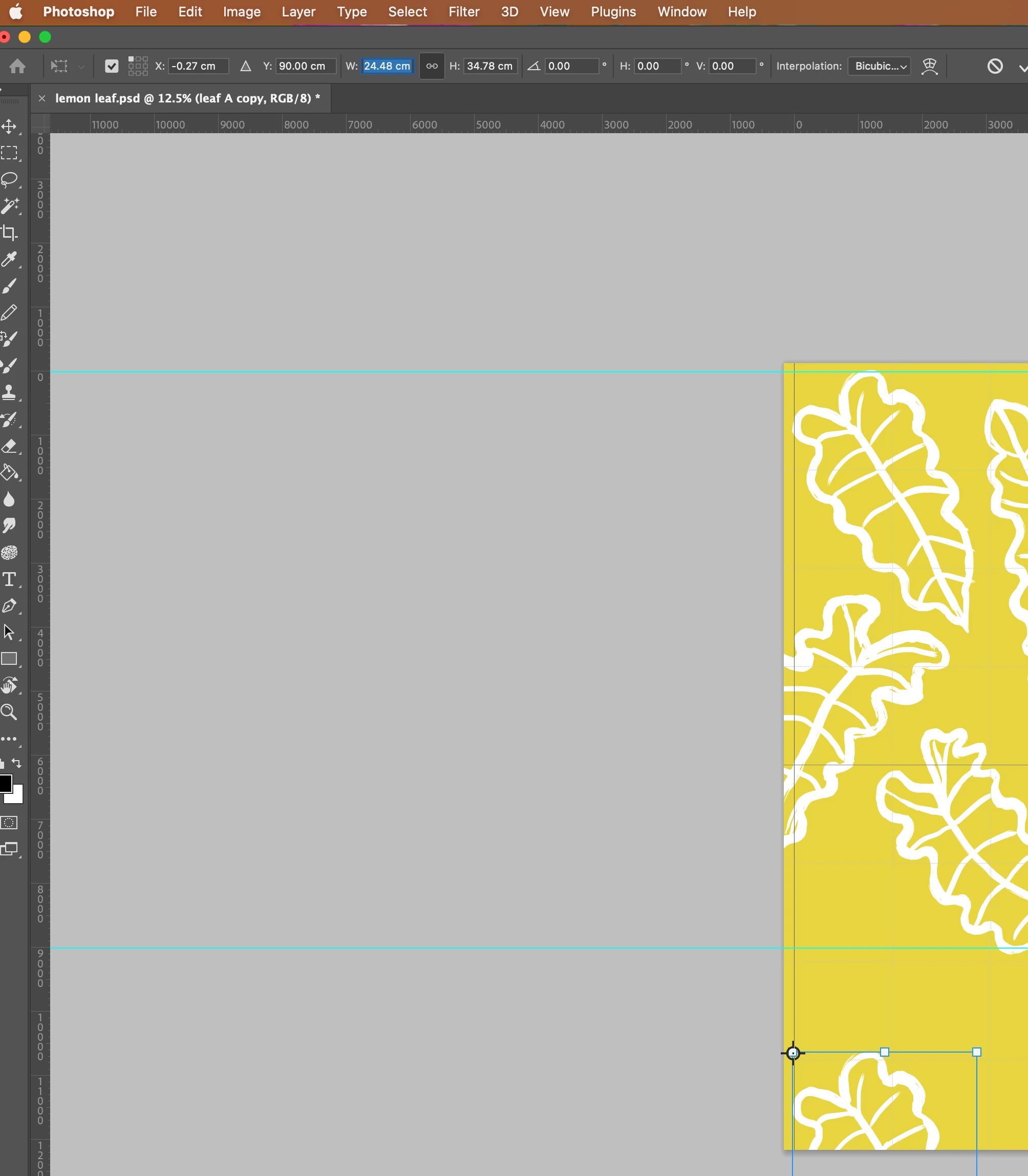
I am trying to move a motif on a layer on a specific measurement - attached example by 90cm on the 'Y' axis. Every time I type the measurement in the motif moves on some random measurement. I have used this command for years with no issues and now its not playing ball can anyone help? This is  Photoshop 23.3.2. Hoping somone can help me. 
    3 replies

    na-ramirez
    Participant
    January 8, 2025

    Hi!! have you solved the problem? The same thing happens to me and I don't know how to solve it :'(

    MassC
    Legend
    January 8, 2025

    Hey @na-ramirez, It looks like this is an older thread and may not get a response. Could you share more about your workflow? I’d be happy to help! ^CM

    c.pfaffenbichler
    Community Expert
    Community Expert
    June 17, 2022

    Just to make sure: What are the Ruler Units? 


    I am trying to move a motif on a layer on a specific measurement - attached example by 90cm on the 'Y' axis. 

    Do you actually mean »by« or »to«? 

    Bojan Živković11378569
    Community Expert
    Community Expert
    June 17, 2022

    At your screenshot W or width field is highlighted so you are working with width of object not with position. If you want to change Y position then try to highlight number after Y. You may want also to click on triangle =  Use relative positioning for reference point.

    Participant
    June 17, 2022

    thanks yes I know that, I was in Y box when I was moving the object. Highlighted W, is just from the grab. I also tried the relative point - clicking on the triangle does not help - but thanks.