
Help please! Depth Pass Redshift to Photoshop Lense Blur Issues
Hello,
I am beyond frustrated and I could really use some help. I am trying to get a Z-Depth Pass from Cinema 4D Redshift into Photoshop. I got it to work ONCE and I have no clue how. It's been hours now and I can't replicate the results that I got.
I "thought" I had figured it out and when I went to make a quick tutorial for a team member I could not replicate the screen shots below at all...no matter how many times I tried I do not understand what the problem is.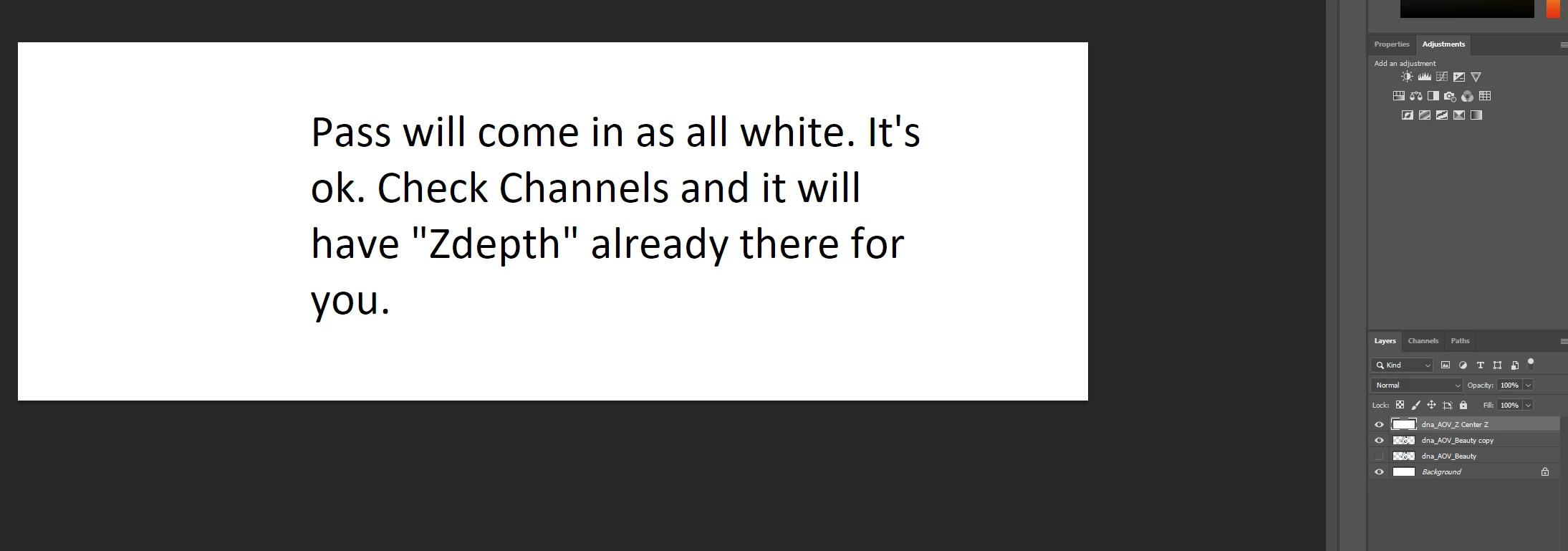
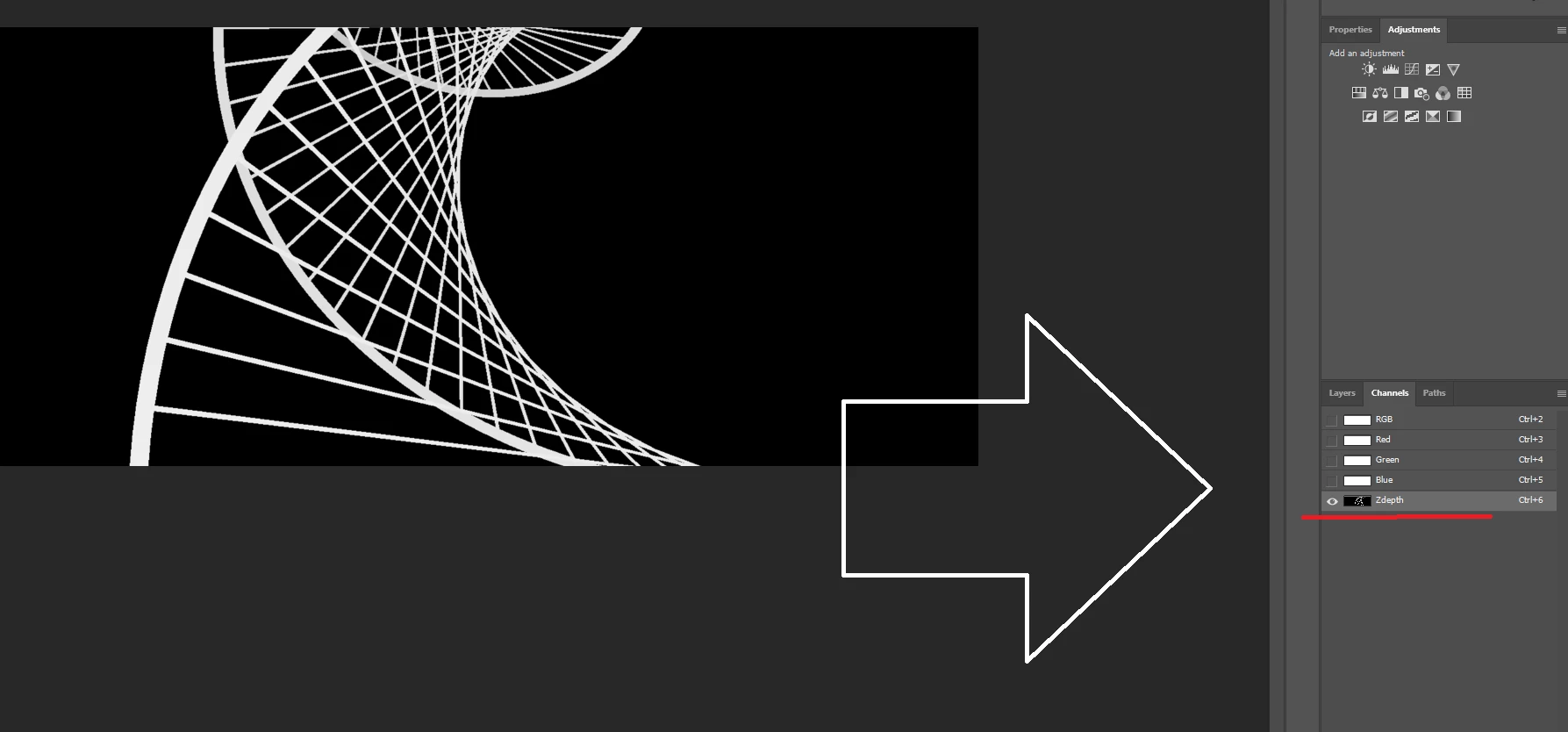
I was in a 16bit PS document so the lense blur effect would work (in 32 bit it's greyed out).
The Z-depth pass had these settings: 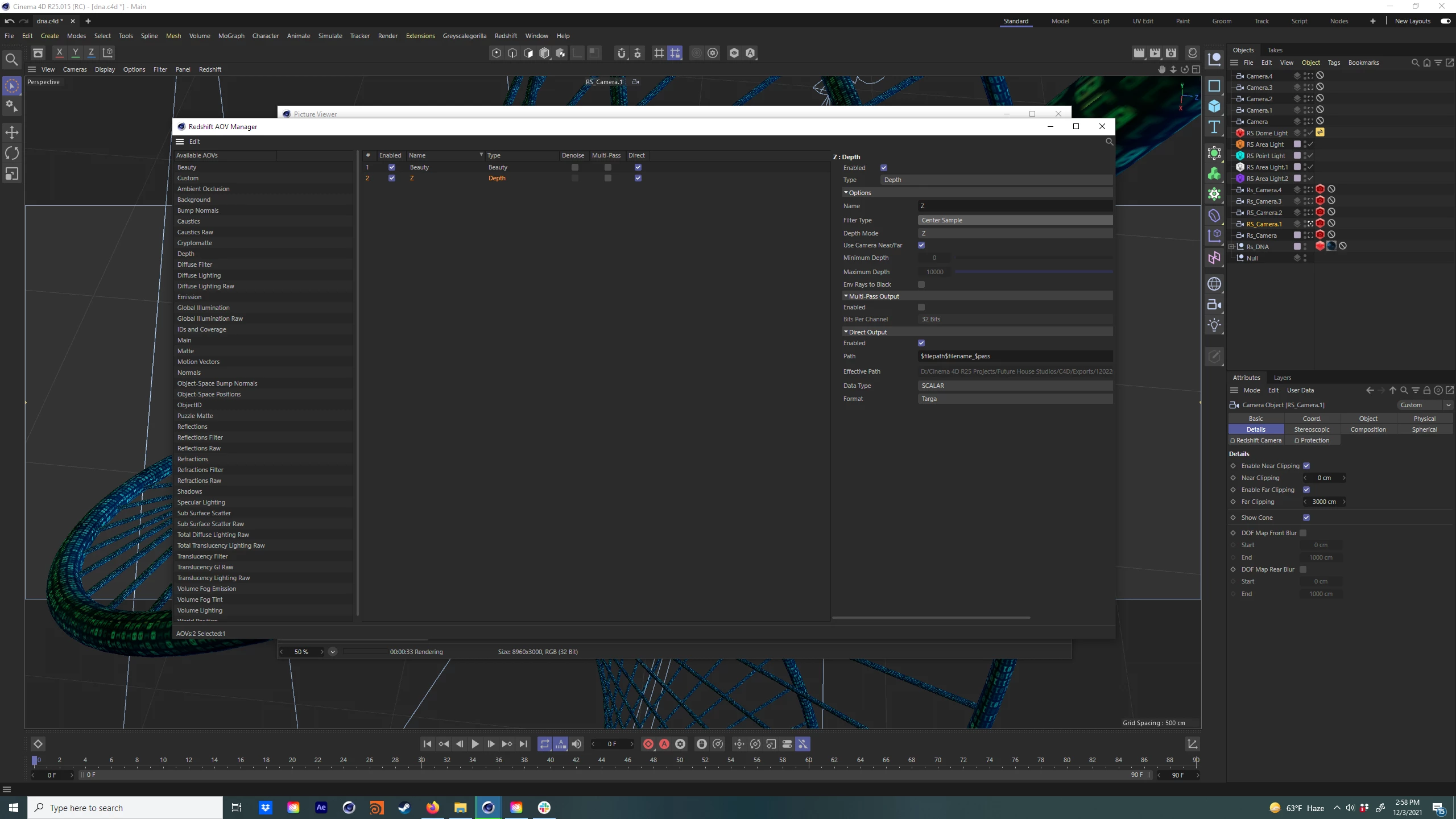
I have tried Filter type:Z & Centered
Depth Mode: Z, Normalized, & Inverted (Normalized and Inverted yield horrible blurry halo-ing on the lens blur).
And I'm using .Targa because Ps can't understand .EXR Z-Depth.
Tried .TIFF at 16bits...didn't work at all.
It works with no issue in After Effects, Black Magic Fusion, Nuke...and I got it to work ONCE in Photoshop. But I can't replicate the ability to bring it in and have the Zdepth channel already be there although the image appear pure white like in my 2 example screenshots.
Please please please someone help me because I am losing my f!@#$%ing mind. I even took the exact Z-Depth AOV and put it back into photoshop and I'm getting nothing...It's pure white and all the channels are white with no pre-exisiting Zdepth channel.
And for the record, the client wants the Ps file for their own manipulation after we finish. Which is why I don't want to bake the depth blur into the image. This should of been simple and worked easily... It's been agonizing.


 AdChoices