
Participant
February 3, 2025
Question

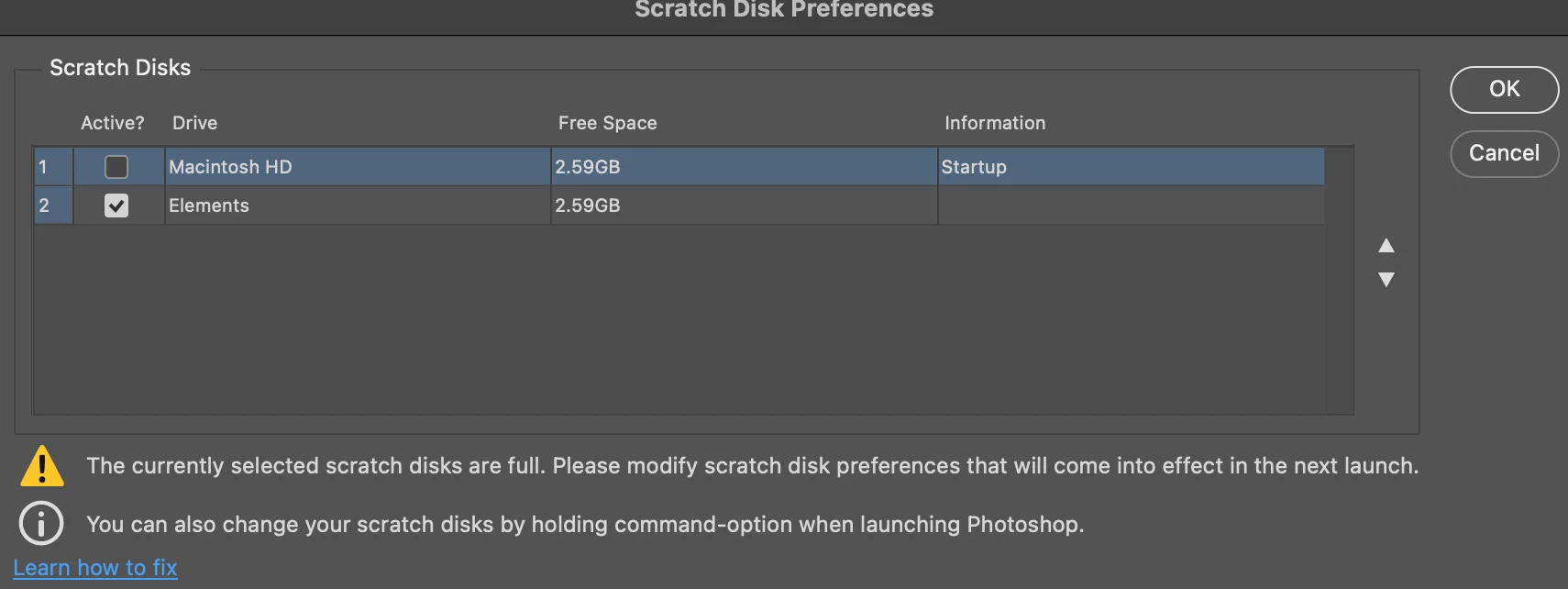
(HELP) Scratch Disk Preferences bugged free space display

  • February 3, 2025
  • 1 reply
  • 105 views

Hello all,

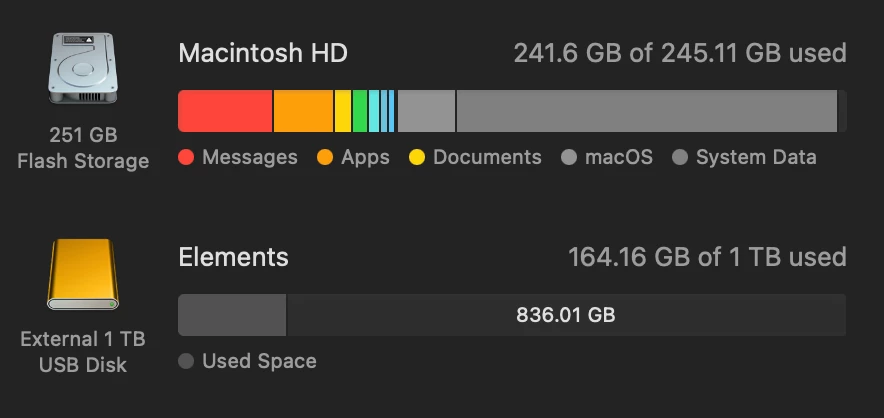
I am on Mac I've been having this issue where, upon startup, Photoshop is displaying that my external drive has the same amount of space as the mac storage, despite the drive having 836 gb of free space. It's not allowing me to boot up Photoshop. I have uninstalled and reinstalled twice now, un and replugged my drive, restarted my computer, and the problem is still persisting. Please help!! It is driving me crazy.

Thanks in advance 🙂


Best,

Caleb

1 reply

Sameer K
Community Manager
Community Manager
February 3, 2025

Hey, @Caleb271084997tp8. Welcome to the Photoshop Community. I'll help you figure this out. 


I'll move this to discussions for now. In this case, you'll need the external drive to be formatted in the following supported drive formats & few other steps:

  • macOS: APFS, macOS Extended (Journaled)
  • Ensure Photoshop has the required permissions of the macOS: https://adobe.ly/4aLJ5dv

If these two steps don't help, please ensure there are no stale preferences in your Photoshop. You can go to the location of the preference folder below and rename it to back it up. (https://adobe.ly/3u7u84j) This method is more effective compared to the in-app Reset Preferences at quit method. 


macOS: Hold down the Option key in the Finder when using the Go menu. The library will appear below the current user's home directory.

Library > Preferences > Adobe Photoshop [version] Settings

Rename the Adobe Photoshop folder by adding a .old at the end. (Adobe Photoshop 2025 > Rename > Adobe Photoshop 2025.old)


This will give a fresh start to Photoshop as a new installation.

Let me know if it helps. Thanks!
Sameer K

(Type '@' and type my name to mention me when you reply)