Inspiring
April 26, 2024
Question

Help with layer mask

  • April 26, 2024
  • 2 replies
  • 344 views

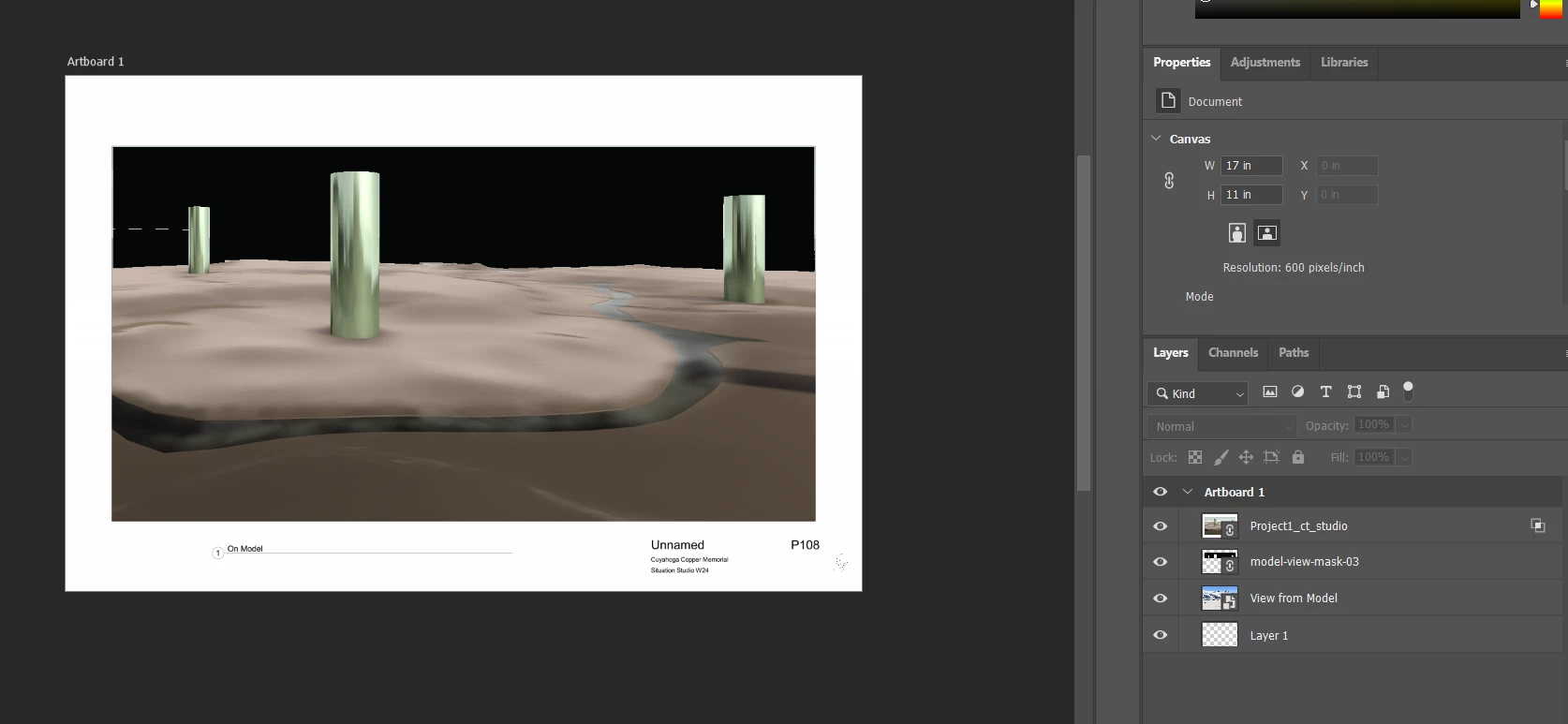
I am trying to use the black shape "Model-view-mask-03" to knock out the background of "Project1_ct_studio" so that "view from model" can be seen. I dont think I have it quite set up right.

 

This topic has been closed for replies.

2 replies

c.pfaffenbichler
Community Expert
Community Expert
April 27, 2024

Did you set a Knockout? 

Wabber_HM
Inspiring
April 29, 2024

I don't think it should be necessary in this case. It's essentially one layer on top of another with the first one being masked out. You would only need the knockout settings if you're trying to punch through multiple layers in a group or through the entire document. And even that could be worked around by masking a group layer.

Wabber_HM
Inspiring
April 26, 2024

One thing you may do is if the model-view layer is only black and white, select all the pixels in that layer, then make a layer mask on the top layer. Alt-Click on the mask to enter the mask edit mode. Paste in Place (Ctrl+Shift+V) and then exit out by clicking on the layer thumbnail. Does that produce the effect you're looking for? You can also invert the mask.