This topic is closed to new replies. Start a new post to keep the conversation going.
davescm
davescmCorrect answer
Community Expert
May 24, 2021

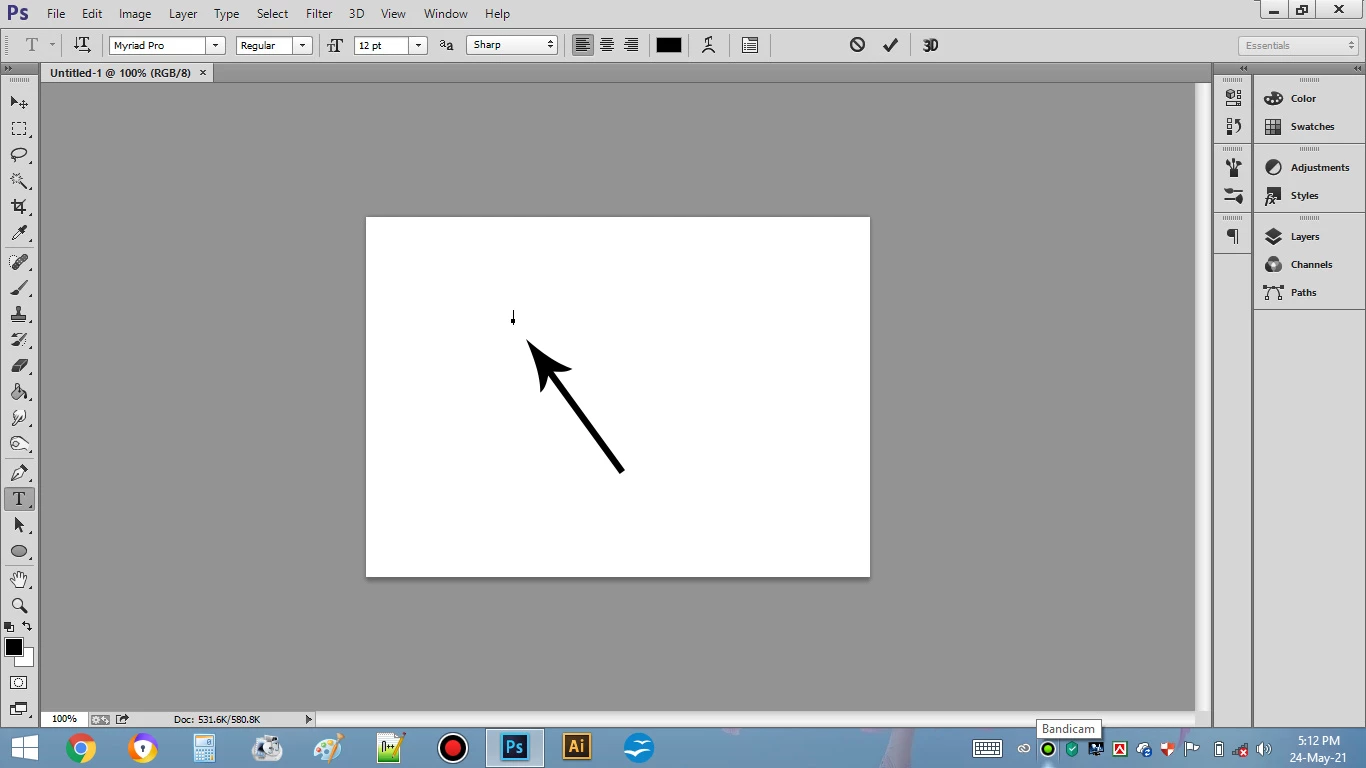
There is no issue. Either click and drag to make a box for paragraph text or start typing for point text

Dave

5 replies

Participant
December 19, 2023

This due to a corrpution in the Adobe preferences file. This file is found in different places depending on your version and OS. It looks like you are using CS 2 or 3, so do a search in Windows File Explorer for: Adobe Photoshop CS2 Prefs.psp 

When you find it, make sure Photoshop is closed, and delete that file.

Photoshop will automatically make a new version when you next open the application (note that any other preferences you had saved will also be lost, but at least that problem with the text should be solved).


 

Translate
c.pfaffenbichler
Community Expert
Community Expert
December 19, 2023

You might have misunderstood the issue, the »point« is a normal interface element for Point Text Type Layers. 

Translate
c.pfaffenbichler
Community Expert
Community Expert
May 24, 2021

Looks like Point Text. 

If you want Paragraph Text you need to click and drag. 

Translate
Noyon5FC1
Noyon5FC1Author
Participant
May 24, 2021

yea point text....How I solve the issue?


Translate
davescm
Community Expert
davescmCommunity ExpertCorrect answer
Community Expert
May 24, 2021

There is no issue. Either click and drag to make a box for paragraph text or start typing for point text

Dave

Translate