



Answered
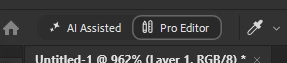
hide the "AI Assisted / Pro Editor" button/
I would like to know how to disable or hide the "AI Assisted" and "Pro Editor" mode switch button (shown in the attached screenshot) from the workspace/header.
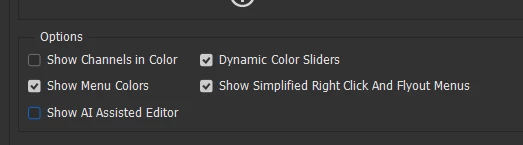
I prefer a clean workspace without these AI feature toggles. Is there a preference setting to turn off this UI element?
 AdChoices