

Luuuh
Participant
May 23, 2026
Question

High-DPI Scaling Issues in a 4K Development still a thing in 2026 - why no fix yet?

  • May 23, 2026
  • 1 reply
  • 15 views

Using latest photoshop 2026 version, and still, nothing fixes the problem for tiny fonts on a 4k display monitor…

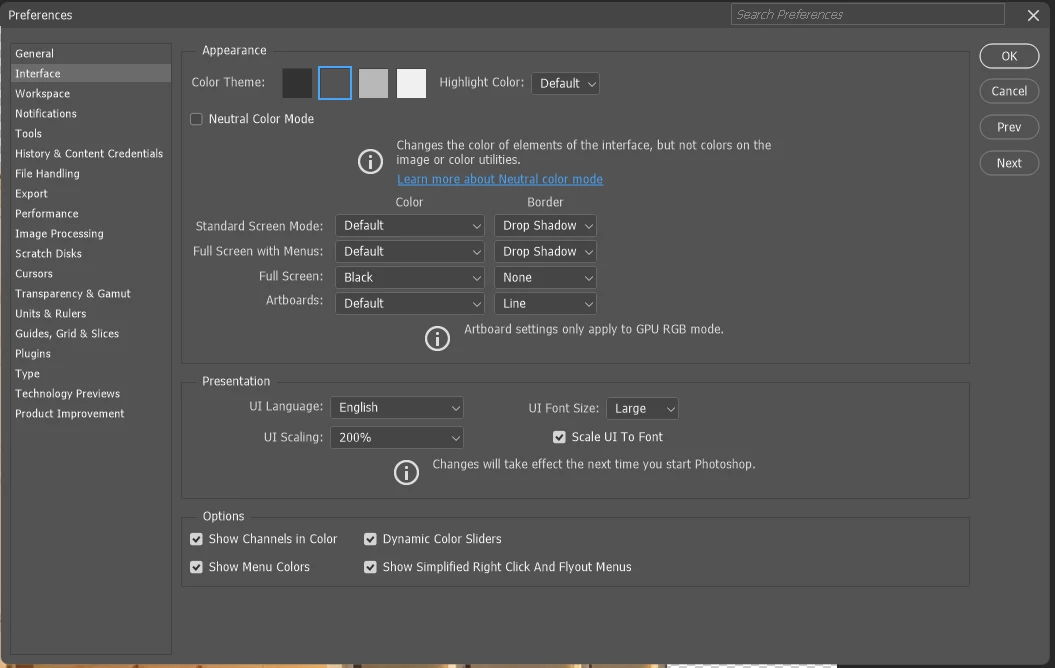
Preferences UI scale to Large, nothing. Enabling High dpi scaling in photoshop exe, nothing….

By the way, going to interface and choosing UI font size as tiny, small, medium, large does absolutely nothing different. It's always the same tiny font...

So, has anyone ever come up with another solution that actually works?


    1 reply

    D Fosse
    Community Expert
    Community Expert
    May 23, 2026

    UI scaling in Photoshop follows the UI scaling you set in Windows. If you set 200% in Windows, it’s 200% in Photoshop.


    The idea is that what works in one application should work in any other. It’s difficult to understand why you should need to scale one application but not another. Effectively, that’s the situation we had before 4K displays came on the market: UI elements were the size they were and that was it.