ajitsawant
Participant
Feb 27, 2016 5:27 AM UTC
Answered

Hindi/Marathi Text Problem In Photoshop

I've been stuck in this for a while and have searched the internet for the solution. I have seen a few solutions but none of them have really helped me.
So here's my problem:
Our client provides me the content of his project for design in hindi (He used google translater to type / Google Inputs)
So suppose this is my word I want on photoshop->
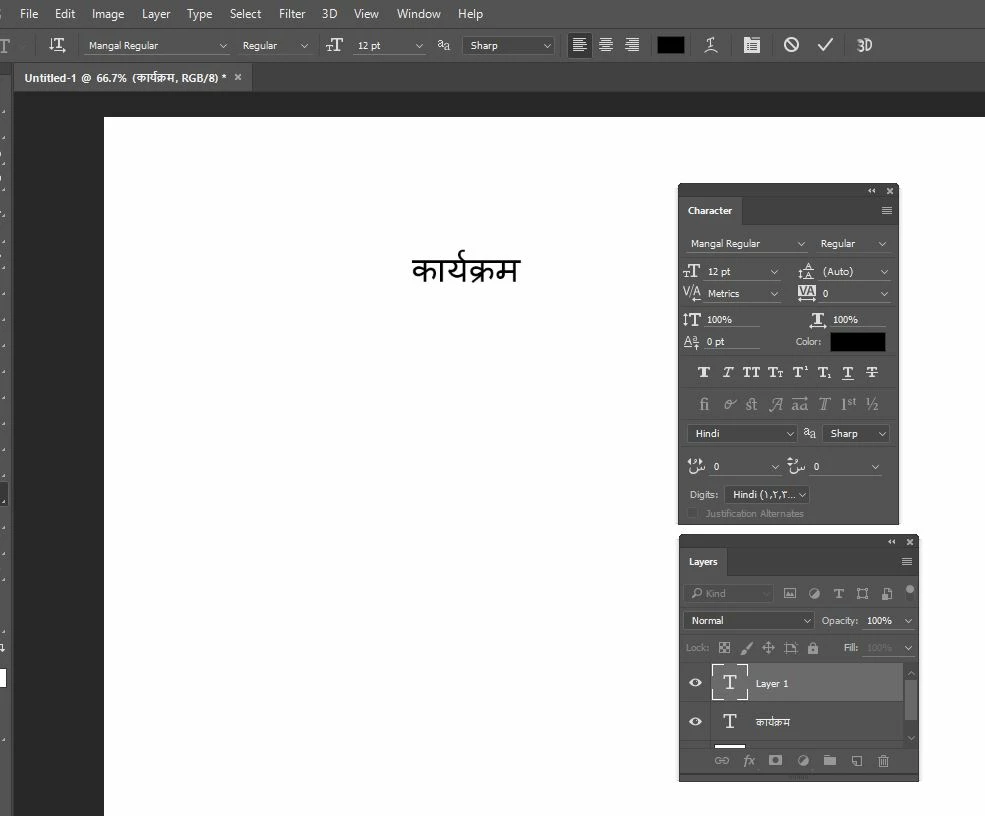
कार्यक्रम
I open the text box and paste this word there, and PS automatically selects the hindi font and everything. but the word pasted is like this->
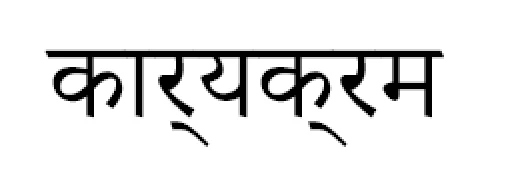

However if I right-click on the word: & see in layers panel, It shows the word that I originally pasted but for some reason it can't show that!
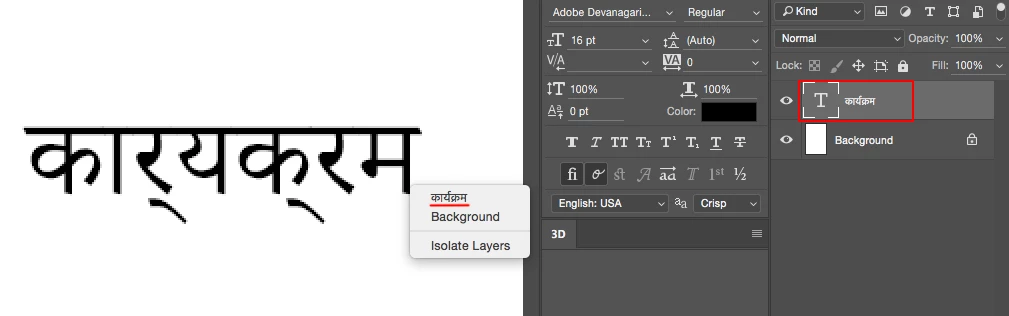


But If now I select that word from Photoshop & copied it and paste it on internet(e.g. Facebook ), It gives me the way I want! (Means proper text).

That means that photoshop is understanding the word but can't show it the way i want.

Please give me the solution for it.

Thanks a lot in advance...

This topic is closed to new replies. Start a new post to keep the conversation going.
Marvest
MarvestCorrect answer
Inspiring
Feb 28, 2016 4:15 AM UTC

Don't know what solutions have you tried. But, if you do Preferences>Type>Middle Eastern and South Asian and then from the top menu Type>Language Options>Middle Eastern Features and start a new document you should get:

15 replies

Participant
Feb 19, 2026 3:01 PM UTC

You can also try adding keyboards in Windows. Settings > Time & Language > Language > Add Hindi > Click Hindi > Options > Add Keyboards > Add Hindi Phonetic 


This will give you option to write how we write in whatsapp and text messages and generate hindi version of it. Will give you options to choose from as in what you meant. 


Translate
Participant
Nov 21, 2023 11:37 AM UTC

Thanks a lot... works for me!!!

Translate
Participant
Mar 19, 2021 10:12 AM UTC

Watch this and Solve your issue --
https://www.youtube.com/watch?v=d7W439nO1Bw&t=11s

Translate
Participant
Apr 16, 2022 8:06 PM UTC

This really works ...Thank you 

Translate
Loveheartshayari
Participant
May 18, 2020 11:21 AM UTC

Hi Ajit,

can you please help me. how can I use Hindi font in photoshop? I am not able to use Hindi fonts in my Photoshop. I want to use my Hindi font in some images to put on my website. Please answer me ASAP.


Thankyou.

Translate
Participant
Mar 7, 2020 5:05 AM UTC

My shift is not working while typing shree dev font in photoshop cc 2019 so i cant use such types of keys which imp in marathi


And also cant use gylipse  in photoshop cc 2019 when double click on the key it deosnt get a proper word i get another key on screen

Translate
sdks1997
Participant
Oct 24, 2019 9:21 AM UTC

Thank you Man, it Worked like a Charm, You are genius life saver thank you so much

Translate
madhavj5543520
Participant
Mar 3, 2018 5:08 AM UTC

hindi typing is not happening in photoshop even hindi font selected. selected middle eastern in typing preferences too. After typing its showing english only

Translate
Marvest
MarvestCorrect answer
Inspiring
Feb 28, 2016 4:15 AM UTC

Don't know what solutions have you tried. But, if you do Preferences>Type>Middle Eastern and South Asian and then from the top menu Type>Language Options>Middle Eastern Features and start a new document you should get:

Translate
prals2628318
Participant
Feb 28, 2018 5:06 AM UTC

I am so glad that people like you still exists! Thanks a lot for your help on this. You are a savior!!

Translate