Participant
August 15, 2025
Question

Histograms and slide bars do not display in certain Photoshop tools

  • August 15, 2025
  • 1 reply
  • 163 views

One of our users has the following experience in PhotoShop:

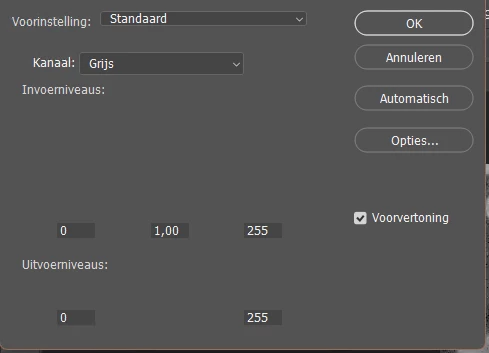
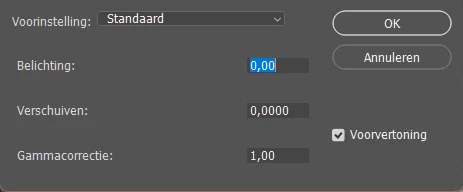
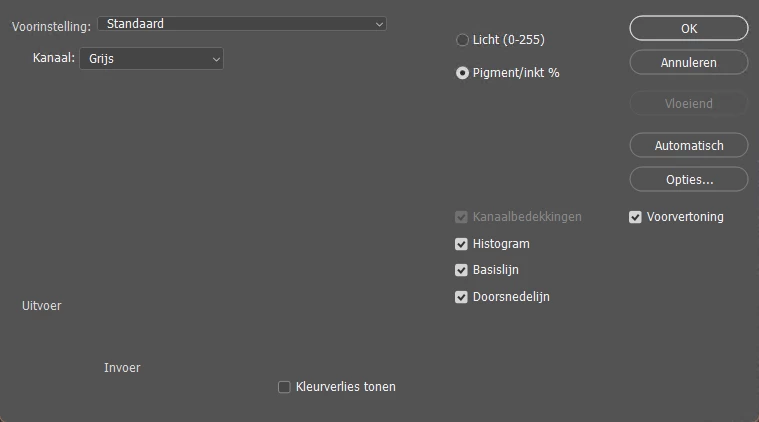
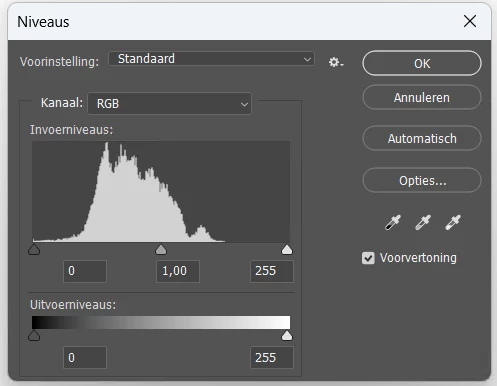
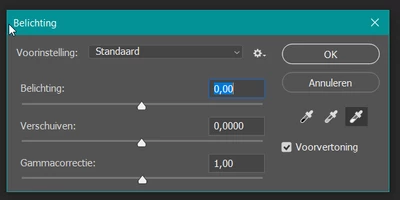
When using some of the tools under the menu  Image -> Adjustments, the tool does not display the slider and/or histogram. See the screenshot below for some examples with and withouthistogram/slider.
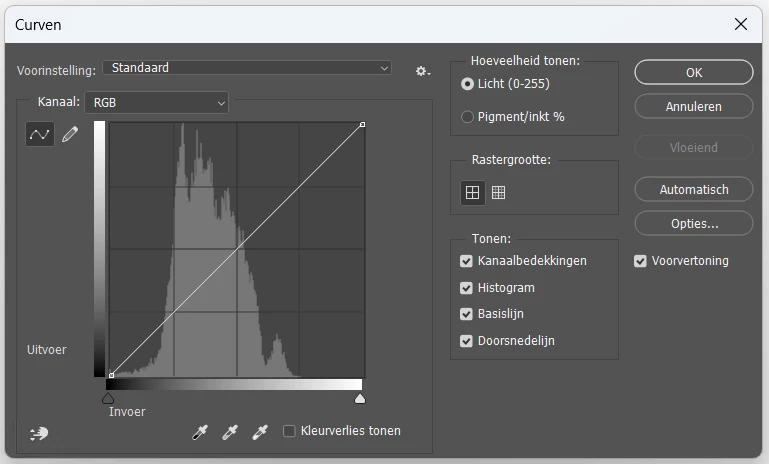


Second example:
Third example:
 

Other users on the same machine do not have this issue.

Resetting the Windows personal profile for this person did not help. 


We use PhotoShop version 2025, build 26.4.1 20250225.r.194 4c5f14b x64 on Azure Virtual Desktop: NV12ads_A10_v5 with Windows 11 64 bits

1 reply

davescm
Community Expert
Community Expert
August 15, 2025

Two things:

1. The latest Photoshop version is v26.9 , you may wish to update.

2. Try resetting Photoshop Preferences. The preeferences contain more than just the user set Preferences and are saved every time Photoshop closes. Any corruption can lead to strange behaviours such as those you are experiencing. You can back them up first and revert if it does not resolve the issue.
https://helpx.adobe.com/uk/photoshop/using/preferences.html#about_preferences

Dave

Claire H.
Community Manager
Community Manager
August 27, 2025

Hi @AnnaKad, I'm just checking in to see if the suggestion helped or if you are still running into this issue? Let us know how things are going. Happy to keep troubleshooting with you if needed. Thanks! ^CH